65HeartWare™ HVAD™ System Peripherals and Accessories
10
9
8
7
6
5
4
3
2
1
Appendix
Reference
Guides
Alarms and
Emergencies
Patient
Management
Surgical
Implant and
Explant
Monitor
Peripherals
and
Accessories
HVAD
®
PumpOverviewIntroduction
4.0 HeartWare
™
HVAD
™
System
Peripherals and Accessories
4.1 HVAD
®
Controller Connections
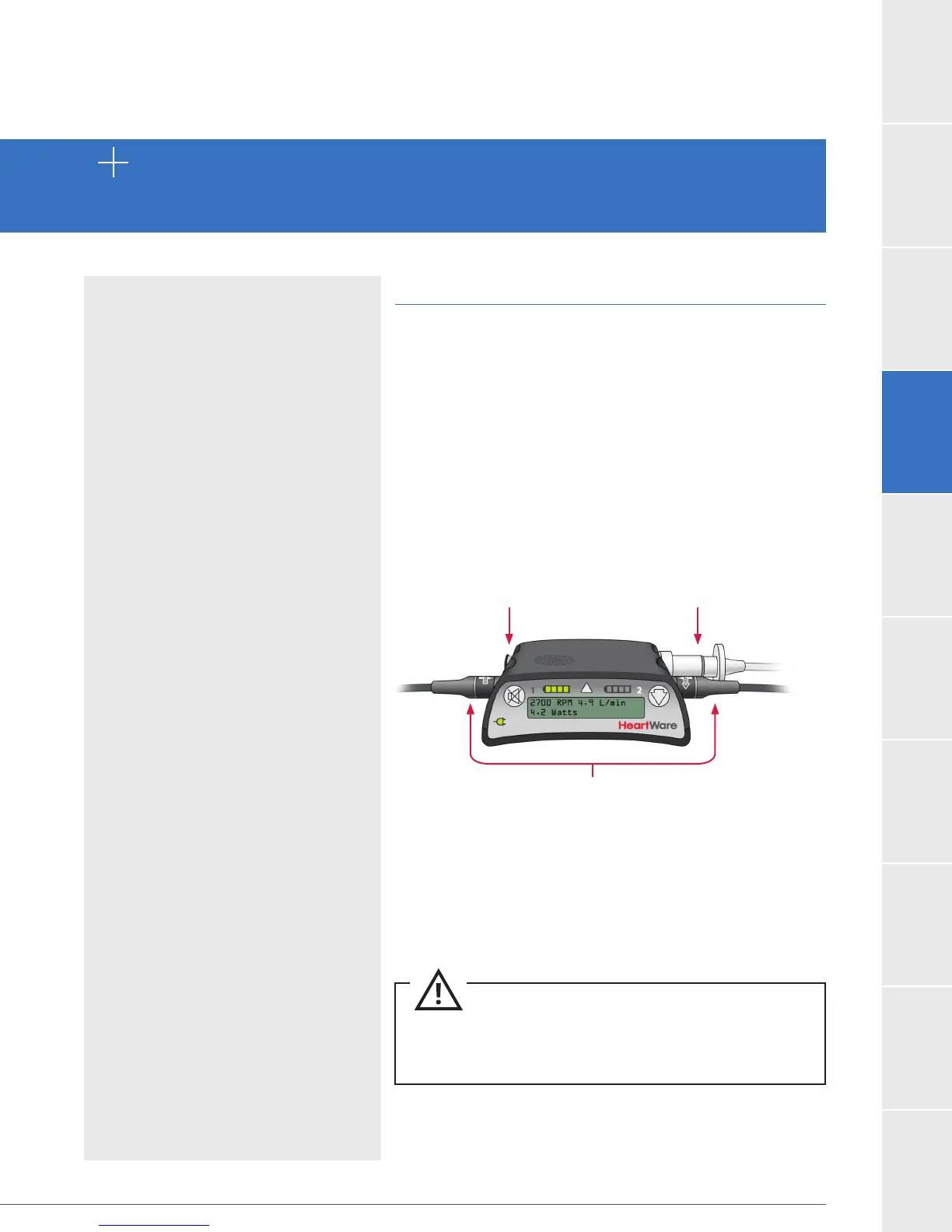
Controller Connector Layout
There are four ports on the controller (Figure 35)
4.1 HVAD
®
Controller
Connections ...............65
4.2 HVAD
®
Controller .................... 69
4.3 Using the HeartWare
®
Batteries
....................73
4.4 Using the HeartWare
®
Battery Charger
.........79
4.5 Using the HVAD
®
Controller
AC Adapter or DC Adapter
...................................82
4.6 Carrying Cases ...........83
4.7 Recommended Equipment
for Use at Home
.........84
Data Cable Connection
Usually covered with a
dust cap
Accepts the data cable
from the monitor or the
red alarm adapter with
the blue ring
Power Connection
Connects the controller to the power source
Accepts battery, AC, or DC adapter power
same time or the pump will stop
Driveline Connection
Connects the pump
driveline to the controller
Should never be removed
unless performing a
controller exchange
Figure 35
CAUTION: ALWAYS keep all connectors free of liquid,
dust and dirt, or the HeartWare
™
HVAD
™
System may not
function as intended.



 To Next Page