10
9
8
7
6
5
4
3
2
1
Appendix
Reference
Guides
Alarms and
Emergencies
Patient
Management
Surgical
Implant and
Explant
Monitor
Peripherals
and
Accessories
HVAD
®
Pump Overview
Introduction
66 HVAD® Instructions for Use
4.1 HVAD
®
Controller Connections (continued)
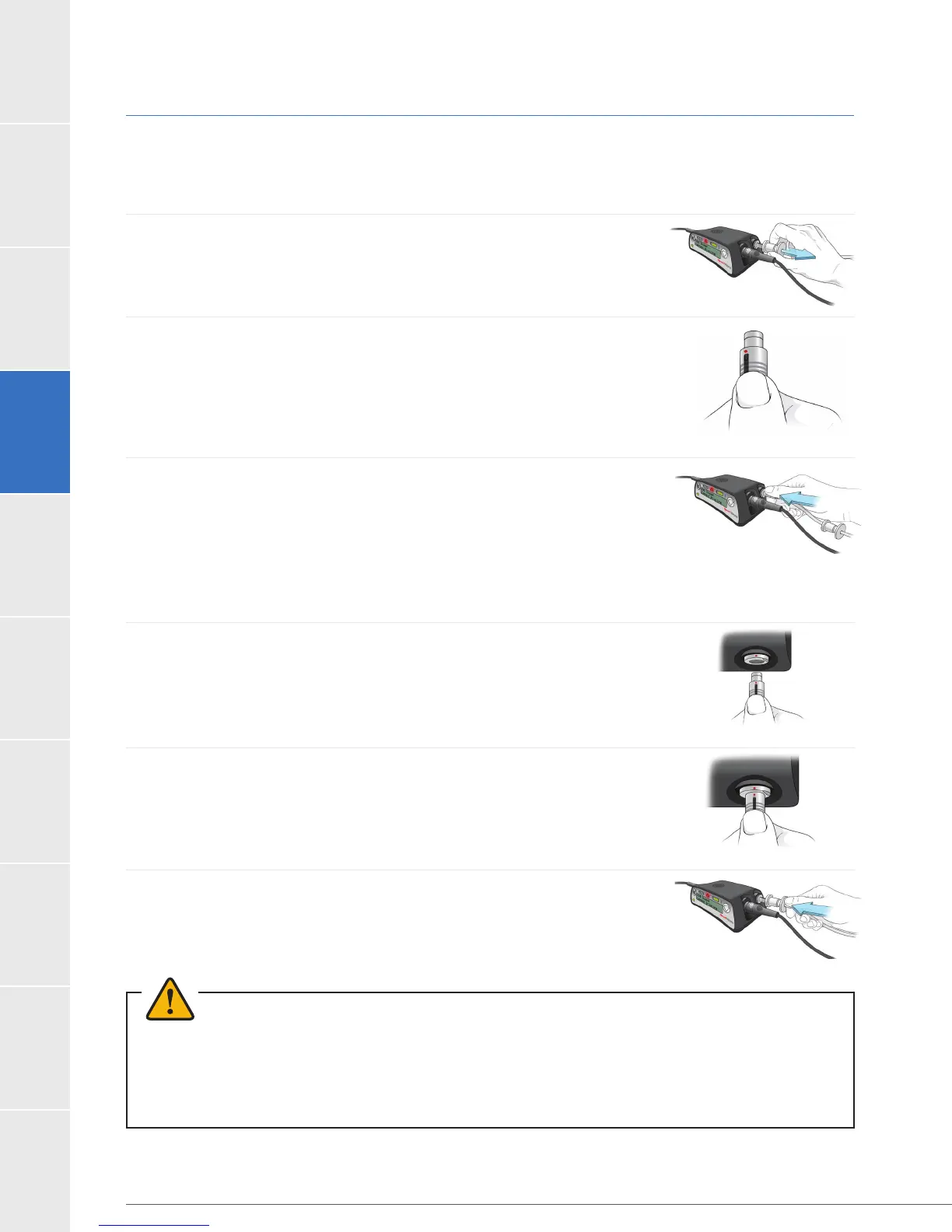
Driveline Connection to the Controller:
To Disconnect the Driveline from the Controller:
1. Slide the driveline cover away from the controller so you can see
the whole silver connector.
2.
3. Pull back on the ringed area to release the locking mechanism.
connector it will not release the driveline from the controller.
To Connect the Driveline:
1. Line up the red dots on the driveline connector and on the
controller driveline port.
2. Push the driveline connector straight into the port.
connection.
3. Slide the driveline cover over the driveline connector.
WARNING!
WARNING! disconnect the driveline from the controller or the pump will stop. If this happens,
reconnect the driveline to the controller as soon as possible to restart the pump.
Figure 37
Figure 38
Figure 40
Figure 41
Figure 36
Figure 39



 To Next Page