89Using the HeartWare® Monitor
10
9
8
7
6
5
4
3
2
1
Appendix
Reference
Guides
Alarms and
Emergencies
Patient
Management
Surgical
Implant and
Explant
Monitor
Peripherals
and
Accessories
HVAD
®
PumpOverviewIntroduction
5.3 System Screens
The System Screen is accessed by pressing the HVAD
®
Pump
Icon.
The System Screen is password-protected. HeartWare will provide
the clinician with a password. The dialog box (Figure 67) is used
to enter the numeric password. User access is timed out after
11 minutes of non-use. (password is 68773)
Once in the System Screen there are multiple pages, each
of the System Screen page – Speed/Control, SetUp and Alarm
Settings. Each page is outlined in detail below:
Speed/Control Tab
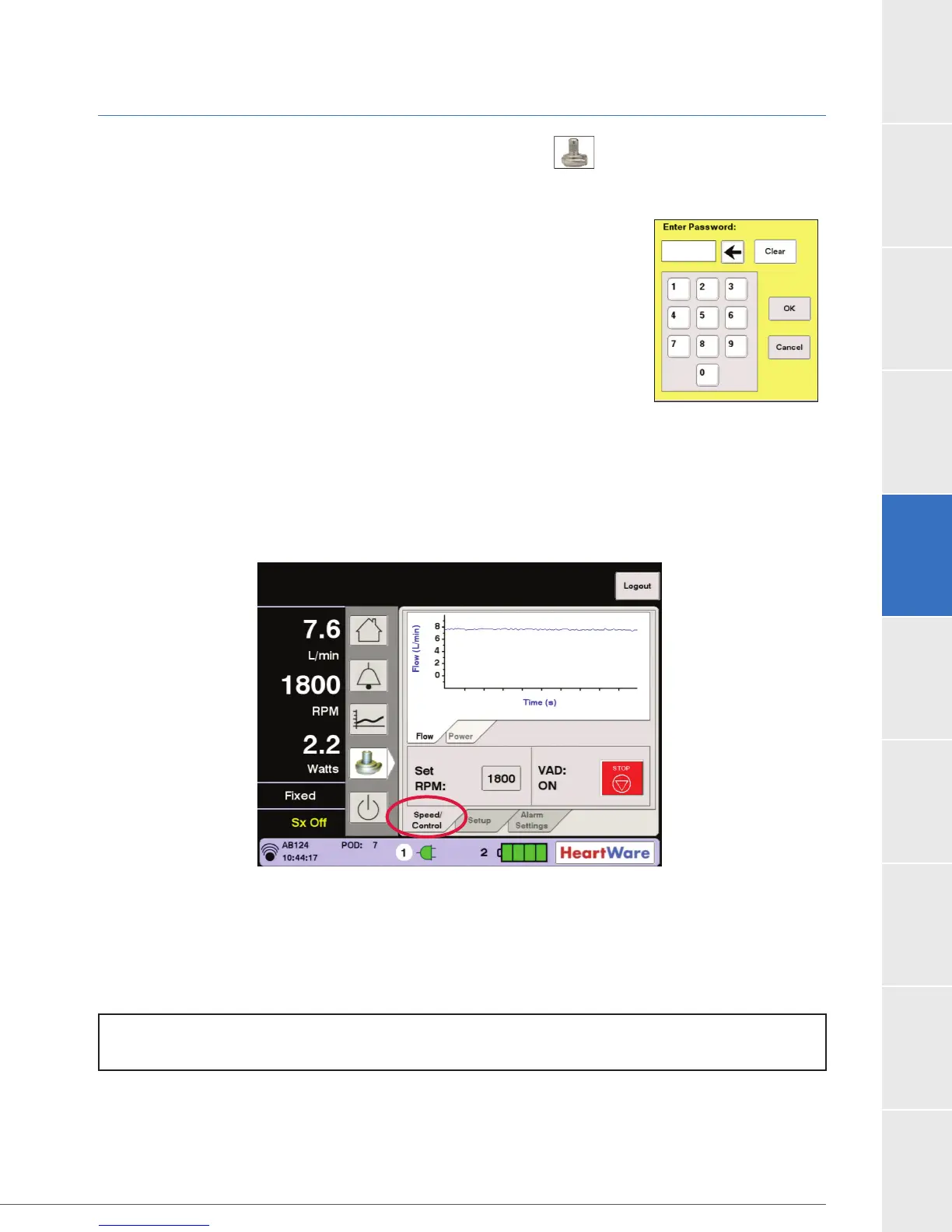
(Watts). The preferred waveform is selected by pressing the Flow or Power tab (Figure 68).
Figure 68: System Screen
The Speed/Control tab is used to adjust RPM and to turn the VAD on or off. The “Set RPM” button
is used to adjust the pump speed (RPM) from 1800 to 4000 and the “VAD” button is used to turn
the pump on and off. When the “Set RPM” button is pressed, a dialog box will appear with an
up arrow and a down arrow. Pressing the up or down arrow will change the pump speed in
increments of 20 RPM.
Figure 67:
Password Dialog Box
NOTE: After perioperative period, recommended pump speed during patient support is 2400 RPM to
3200 RPM.



 To Next Page