73HeartWare™ HVAD™ System Peripherals and Accessories
10
9
8
7
6
5
4
3
2
1
Appendix
Reference
Guides
Alarms and
Emergencies
Patient
Management
Surgical
Implant and
Explant
Monitor
Peripherals
and
Accessories
HVAD
®
PumpOverviewIntroduction
4.3 Using the HeartWare
®
Batteries
The batteries contain lithium ion cells to power the HVAD
®
Pump for approximately 4 to 7 hours
when fully charged. When connected to the controller, the battery will communicate battery
capacity and other parameters to the controller. The capacity (hours of support) of each
battery is based on:
Controller and HVAD
®
Pump operating power consumption
Only fully charged batteries should be connected to the controller. There are two ways to know
if the battery is fully charged and ready for use:
1. The battery test button
2. The battery charger
For additional information on battery charging, see Section 4.4.
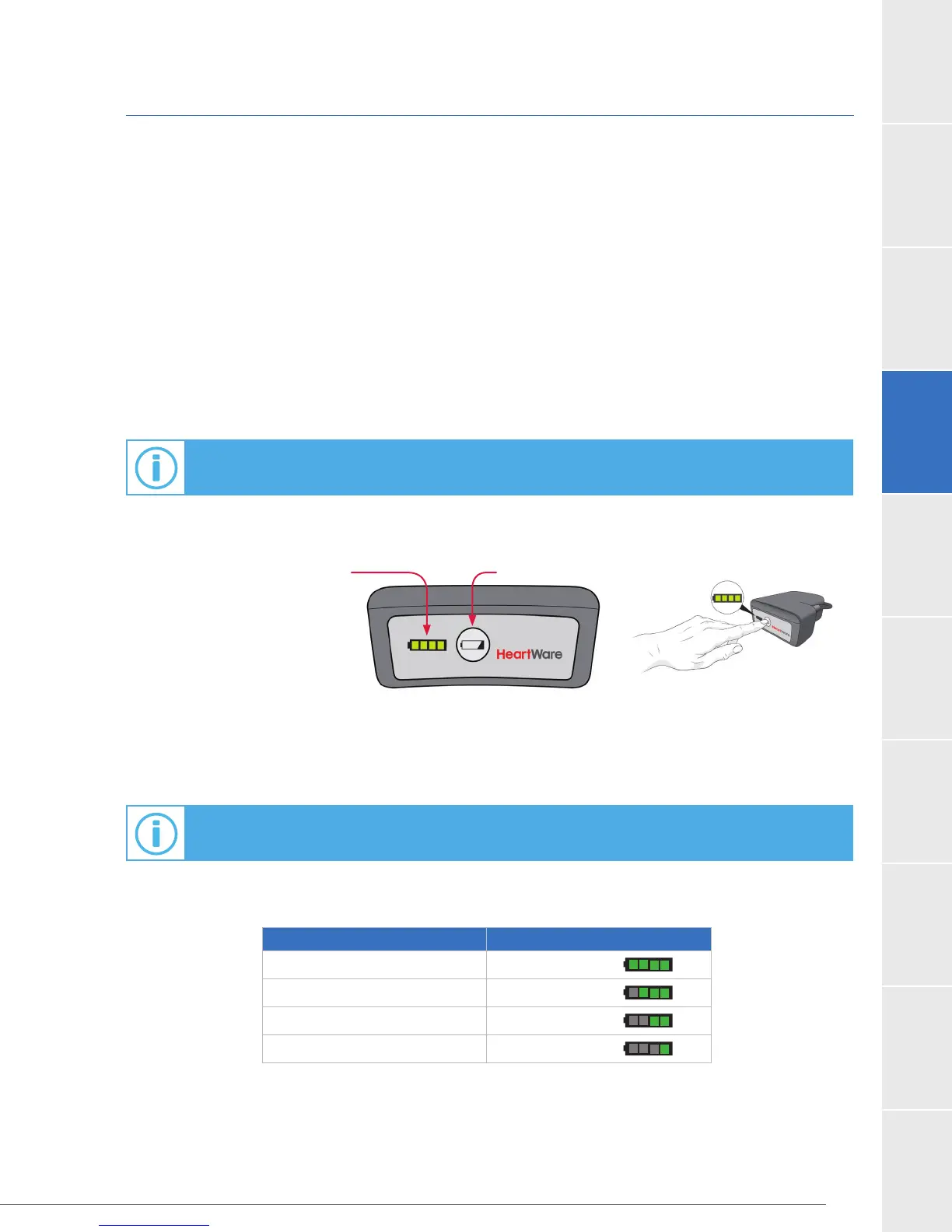
On the battery, press the test button to light up the battery capacity display.
The battery capacity display (Figure 48) will light up showing how much power is in each battery.
See Table 25.
For additional information on using the HVAD
®
Controller, see Section 4.1.
Table 25: Battery Capacity
Battery Capacity Battery Capacity Display
75-100%
50-74%
25-49%
less than 25%
Battery
Capacity
Display
Test Button
Figure 48: Battery



 To Next Page