69HeartWare™ HVAD™ System Peripherals and Accessories
10
9
8
7
6
5
4
3
2
1
Appendix
Reference
Guides
Alarms and
Emergencies
Patient
Management
Surgical
Implant and
Explant
Monitor
Peripherals
and
Accessories
HVAD
®
PumpOverviewIntroduction
4.2 HVAD
®
Controller
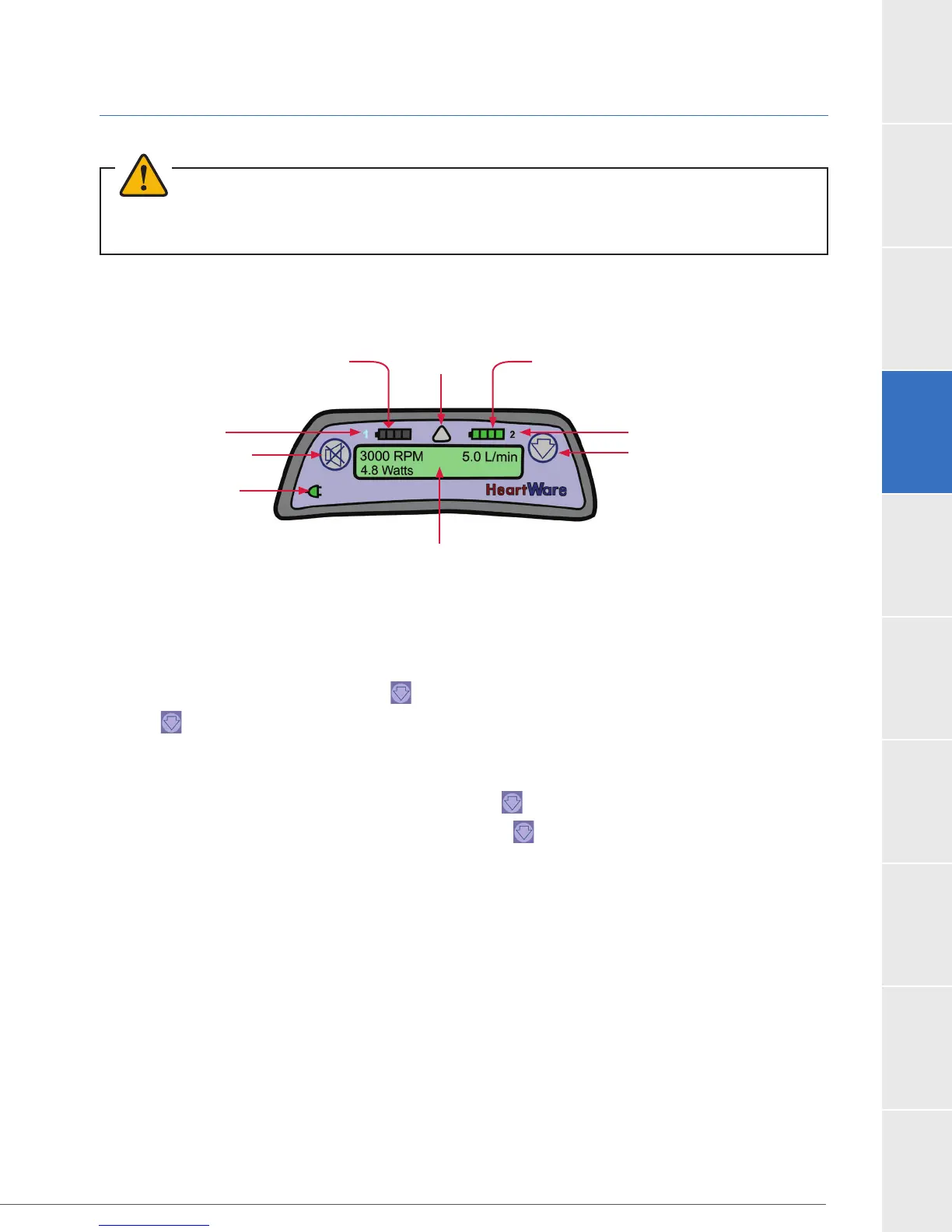
Figure 47: The controller face incorporates a number of visual indicators and function buttons.
Controller Settings Menu
The Controller Settings Menu may be used to view controller information when a monitor is not
available.
To access the menu press and hold for two (2) seconds and then release.
Press again to navigate through the controller settings. After the last setting in the menu,
navigation will return to the top of the Settings Menu.
The controller will exit the settings menu automatically after 60 seconds.
To exit the settings menu manually, press and hold for two (2) seconds.
Once a user reaches the end of the menu, the next press will return to the Home screen on
the Controller Display.
The Controller Settings Menu includes the following information:
1. Battery Cycles
2. [Low Flow] alarm (Setting)
3. [High Power] alarm (Setting)
4. Hematocrit (Setting)
5. RPM Setting
6. Suction Response (On/Off)
7. Peak Flow (L/min)
8. Trough Flow (L/min)
9. Implant Date
10. Controller Date
11. VAD ID
12. Patient ID
13. Controller Software Version
WARNING!
Battery Indicator 1
Alarm
Indicator Battery Indicator 2
Scroll Button
Power Source 2
Controller Display
AC/DC Indicator
Alarm Mute Button
Power Source 1



 To Next Page