10
9
8
7
6
5
4
3
2
1
Appendix
Reference
Guides
Alarms and
Emergencies
Patient
Management
Surgical
Implant and
Explant
Monitor
Peripherals
and
Accessories
HVAD
®
Pump Overview
Introduction
70 HVAD® Instructions for Use
4.2 HVAD
®
Controller (continued)
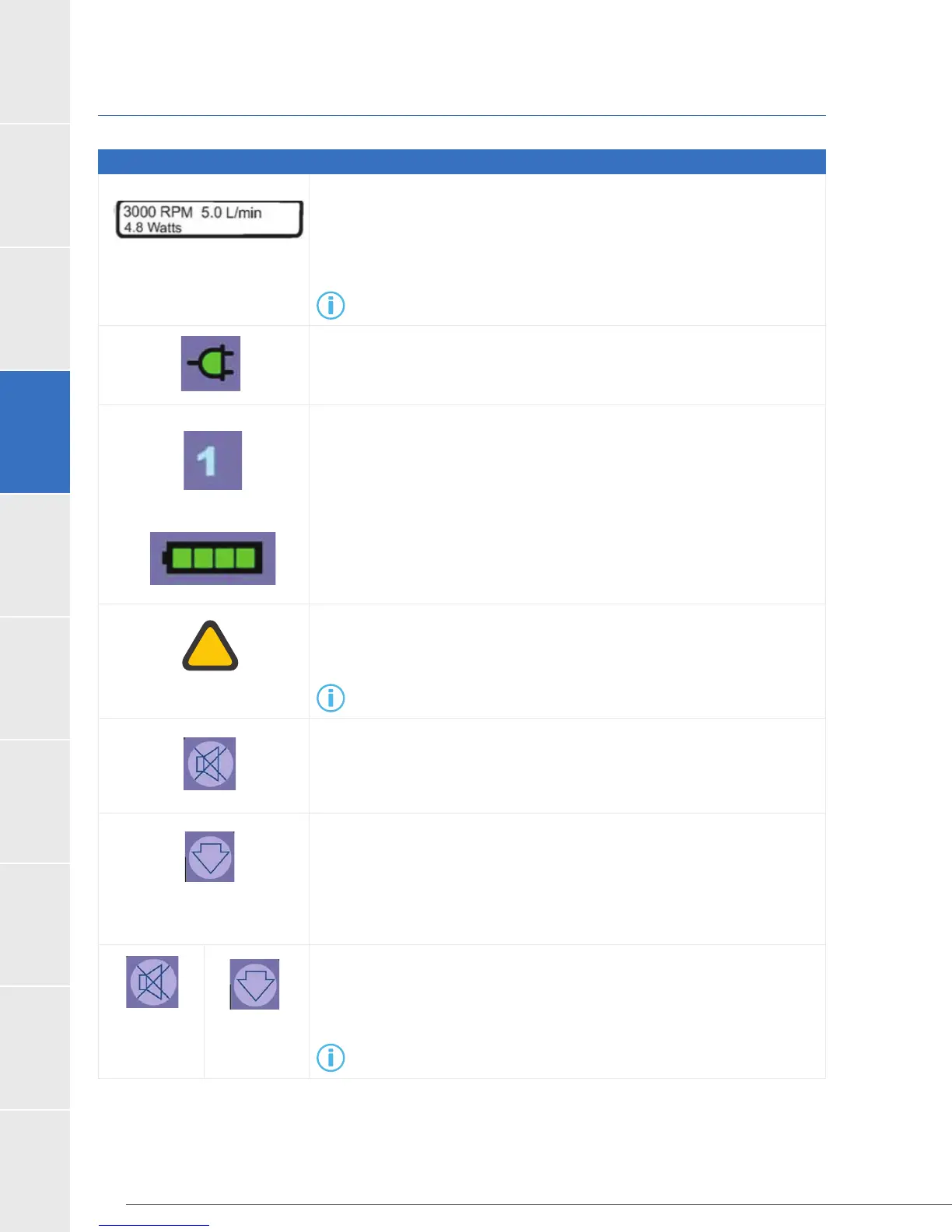
Table 24: Guide to Controller Display, Buttons, and Indicators
occurs, the pump information is replaced by two lines of text that tell
you what the alarm is and what to do. The Controller Display also provides
additional pump information in the controller settings menu.
For additional information on alarms, see Section 8.1.
DC adapter to power the controller.
labeled “1” and “2”. Either the “1” or “2” will be lit, depending upon which
port is providing primary power. If an AC or DC adapter is connected,
this will be the primary power source. The Battery Indicators tell you
approximately how much power remains in each battery.
controller, the corresponding Battery Indicator will not display
lights but the corresponding “1” or “2” will be lit.
Indicator changes colors depending on the severity of the alarm and
always displays the most severe alarm in the case of multiple alarms.
For additional information on alarms, see Section 8.1.
The “ALARM MUTE” button will silence (mute) a low or medium alarm for
5 minutes or until a new alarm occurs. A high alarm cannot be silenced.
Follow the instructions on the display screen, including to call your clinician
for all medium and high alarms.
The “SCROLL” button on the right side of the controller has 4 functions:
1. used to see all active alarms as well as pump information (RPM, L/min,
Watts) on the Controller Display.
2. will clear resolved medium alarms from the Controller Display.
3. will brighten the Controller Display.
4. will show additional information if pressed and held for 2 seconds.
Pressing and holding the “ALARM MUTE” button and the “SCROLL” button
sounding when power is removed during a controller exchange (use only
on a controller not connected to a pump).
For additional information on changing controllers, see Section 8.7.



 To Next Page