10
9
8
7
6
5
4
3
2
1
Appendix
Reference
Guides
Alarms and
Emergencies
Patient
Management
Surgical
Implant and
Explant
Monitor
Peripherals
and
Accessories
HVAD
®
Pump Overview
Introduction
74 HVAD® Instructions for Use
4.3 Using the HeartWare
®
Batteries (continued)
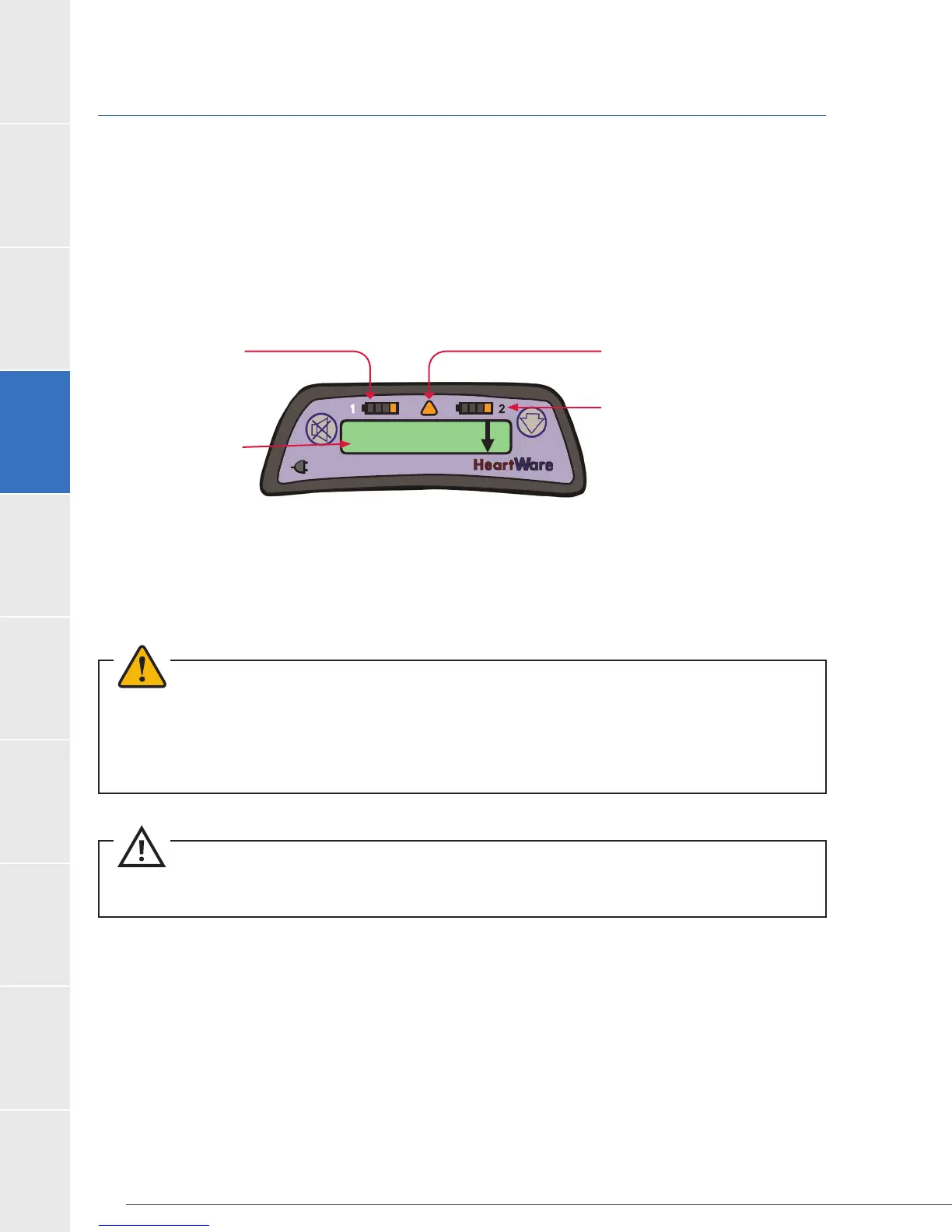
The controller will provide 3 indications for when to change a battery:
1. Battery indicator will show 1 yellow light.
2. Alarm indicator will be solid yellow.
3. Display will read [Low Battery] [Replace Battery].
Figure 49: Replace Depleted Battery Message on Controller
Alarm Indicator
Active Battery
Indicator
Low Battery 1
Replace Battery 1
Battery Indicator 1
Controller Display
If a depleted battery is not exchanged, eventually a high priority alarm will sound, the Alarm
Battery]. A charged battery or adapter (AC or DC) should be attached immediately to the
time.
WARNING!
since this will stop the pump. At least one power source must be connected at all times.
WARNING! ALWAYS keep a spare controller and fully-charged spare batteries available at all times in
case of an emergency.
CAUTION: ALWAYS recharge fully depleted batteries within 24 hours to avoid permanent battery
damage.



 To Next Page