059327–00 REV. C
HEAT-TIMER CORP.
|
21
ETS startup consists of the following steps:
1 Programming the ETS-LT Control module.
2 Calibrating the Actuator.
PROGRAMMING THE ETS-LT CONTROL MODULE
ETS-LT CONTROL MODULE OUTPUT STATUS LEDS
The ETS-LT Control Module has three output status LEDs:
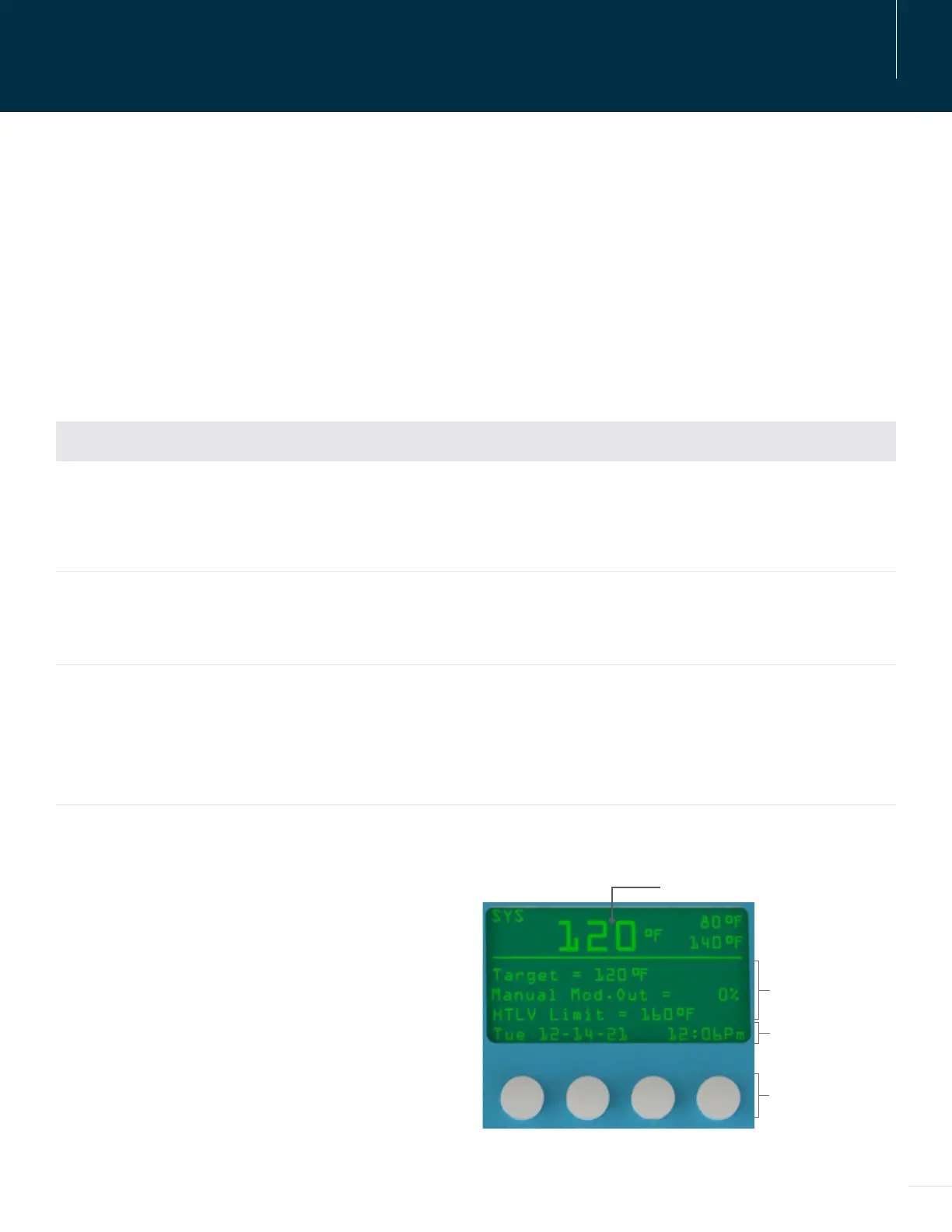
DISPLAY AND VARIABLE-FUNCTION BUTTONS
The ETS-LT Control Module display shows the system
sensor temperature and operation messages. By
default, the display shows the current Setpoint, Alarm
Limit, or the Modulation Output percentage. See
“Display Icons and Messages” on page 23 information.
The area above the variable-function buttons displays
the current function for each button. This area may
not be displayed if button activity is stopped for 30
seconds in the ETV + HTLV mode.
LED DESCRIPTION
Actuator Signal Indicates the change in the mixing valve opening. Any time the ETS-LT Control
Module changes the valve opening, the LED will turn on for approximately one
second. If the LED remains lit, the control is sending the Actuator a “fully open” or
“fully close” signal.
No Flow Indicates no flow exists when lit.
NOTE: This indicator is only applicable when using a Flow Switch as PROVE of
flow in applications without a building recirculation system.
HTLV Lockout
(High Temperature Limit)
Indicates the control is in lockout mode when lit. System temperature rises above
the Alarm Limit for the Trigger Delay period, or a sensor has been disconnected.
See “Alarm Messages” on page 23.
After the alarm condition has been corrected, the ETS-LT Control Module must be
manually reset to resume normal operation.
05 STARTUP
BUTTONS
BUTTON FUNCTION
DISPLAY
MESSAGES
SYSTEM TEMP.



 To Next Page