059327–00 REV. C
HEAT-TIMER CORP.
|
27
05 STARTUP
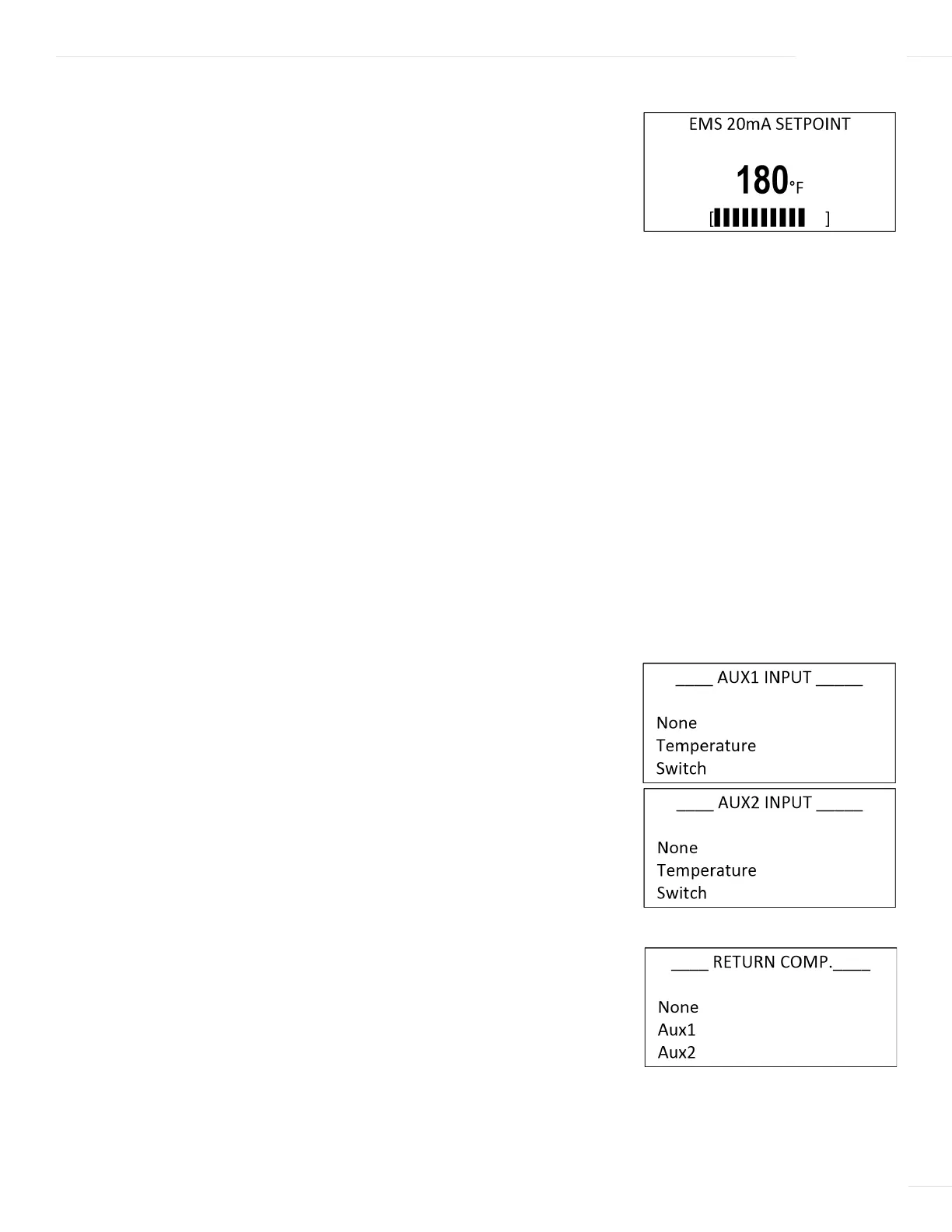
20mA range: (40°F/4.5°C to 200°F/93°C) Default: 180°F/82°C
Menu Path: /System Startup > Display Unit > Setpoint Input
Description: The ETS-LT Control Module can maintain a setpoint
temperature either by selecting the temperature locally at the control
or by receiving a remote setpoint temperature as a 4–20mA signal from
EMS. See “Wiring the 4–20mA Remote Setpoint” on page 18.
If Remote 4–20mA was selected, the temperature range must be
selected using the 4mA and 20mA settings.
If the Control Mode is set to ETV or ETV + HTLV options, the Remote
4–20mA will always apply to the ETV Setpoint. However, if the Control
Mode is set to HTLV, the Remote 4–20mA will apply to the Alarm Limit.
Any signal below 2mA or above 22mA will close the motorized mixing
valve in ETV or ETV + HTLV mode. In the HTLV mode, it will close the
HTLV and trigger the alarm. The display will show the message “EMS
Open” or “EMS Short” to indicate this status.
AUX1/AUX2 INPUT
Selections: None, Temperature, Switch Default: None
Menu Path: /System Startup > Display Unit > Setpoint Input >
AUX1 Input > AUX2 Input
Description:
AUX1 and AUX2 inputs can be configured as a Switch sensor
(which detects open or close conditions) or as a Temperature sensor (which
can be used for anything that is temperature-related, including return and
hot supply).
RETURN COMP.
Selections: None, Aux1, Aux2 Default: None
Menu Path: /System Startup > Display Unit > Setpoint Input>
AUX1 Input > AUX2 Input > Return Comp.
Description: If AUX1 or AUX2 input is configured as “Temperature”,
Return Comp can be used (Feed Forward). This is useful for improving
the recovery when the Return temperature changes rapidly.
--- BOOST MODE ---
30 Minutes
Disable
BACK ▲▼ SAVE
--- SENSOR FAULT ---
All Off
All On
BACK ▲▼ SAVE



 To Next Page