9.4 TWIST AND SELECTOR SWITCH
Information is inputted in the integrated software of the HMD230 by means of a modern control unit
that consists of one switch/button: the twist and selector switch. Visual feedback from the program to
the operator is provided through the LCD screen.
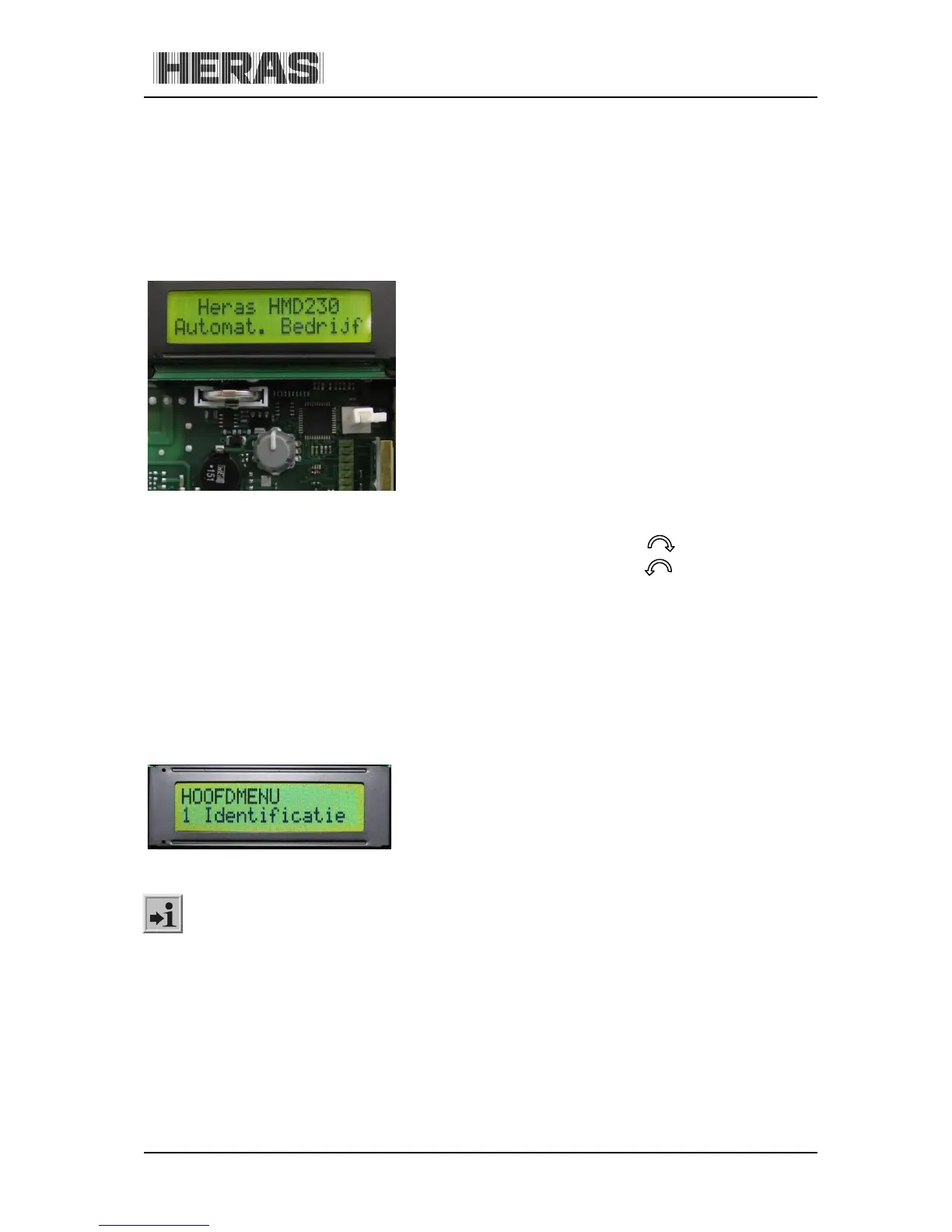
The twist and selector switch, located under the battery for the clock, enables the information
displayed by the HMD230 to be influenced.
The twist and selector switch is operated as follows:
Press briefly:
confirm
go back one step in the menu
Press and hold (>2s):
access the main menu
exit the menu
Turn*:
scroll through menus
change parameters
Fast turn*:
scroll through menus fast
change parameters fast
Illustration 15: Twist and selector switch
* Turn clockwise (CW)
Turn counter-clockwise (CCW)
9.5 LCD SCREEN
An LCD screen with two lines of 16 characters each has been provided to display more motor drive
control information. This shows the active operating mode of the motor drive or the movement status
of the motor in legible text.
The background of the display is lit for as long as the twist and selector switch is operated. 20
seconds after the last entry is made, the light is switched off. It can be switched on again at any
moment by turning the selector switch. The display is also properly legible in direct sunlight.
Illustration 16: Information on the LCD screen
After resetting the software or after switching on the power, the display light will blink for a
few seconds. This indicates that the processor is booting; it is not a fault condition.
If, prior to a reset, the gate is in the OPEN or PARTIALLY OPEN position and “Automatic closing” is
programmed, the following is displayed on the display:
"Auto.Closing ON"
"-------"
This indicates that the automatic timer must be restarted by using keys. Without this command, the
drive, after the control system has been switched on (reset), will not automatically operate.



 To Next Page