EasyManua.ls Logo

Heras HMD230+IGD - 10.6.3 PROGRAM TRANSMITTER BUTTONS

Heras HMD230+IGD
106 pages
Print Icon
To Next Page IconTo Next Page
To Previous Page IconTo Previous Page
Loading...
www.heras.com
English
58
press and
hold
press
briefly
Exit the main menu.
The control software is
restarted.
M
a
i
n
M
e
n
u
Q
U
I
T
M
e
n
u
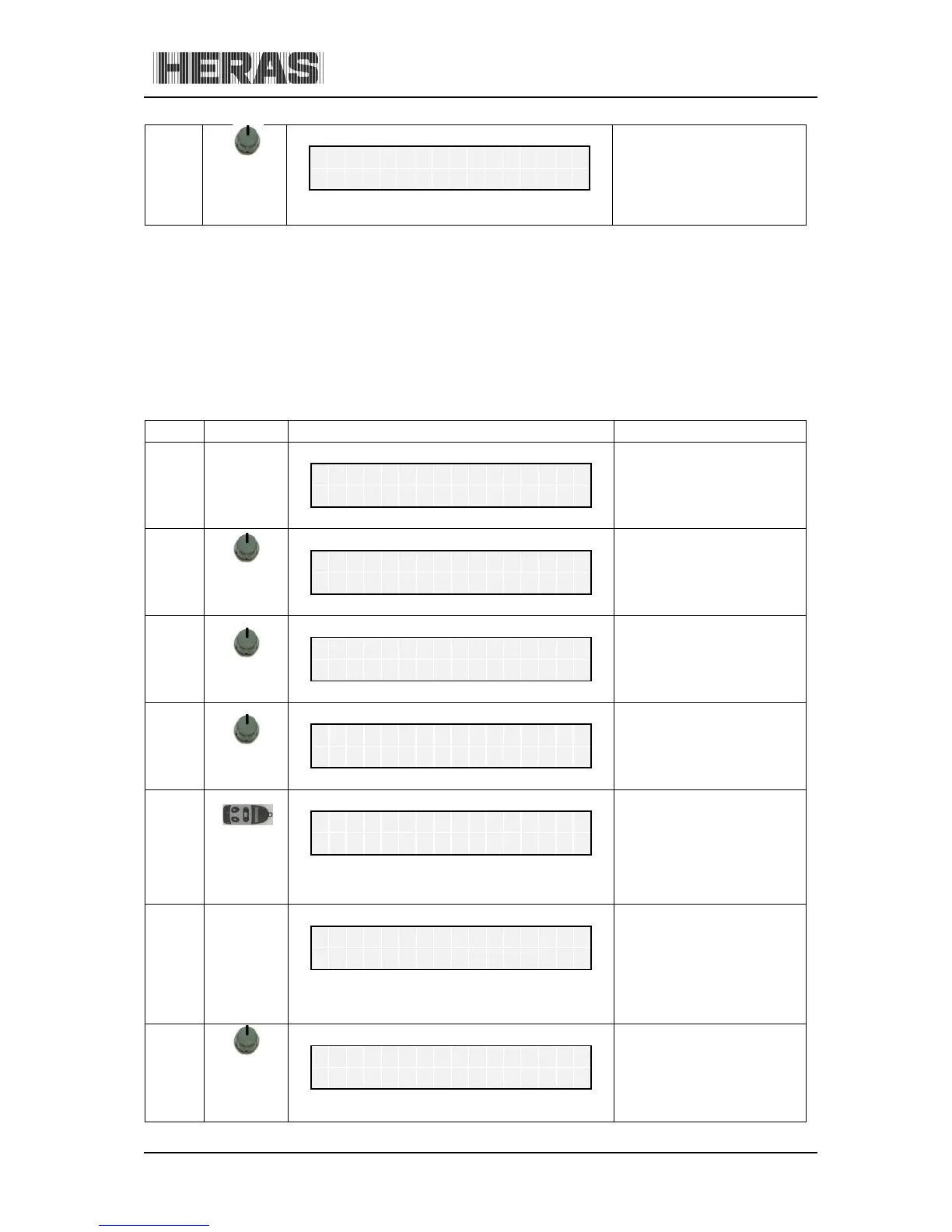
10.6.3 Menu 6.3-6.6: Programming hand transmitter buttons
If functions programmed as standard for the hand transmitter are inadequate, another four functions
can be programmed. The individual buttons can be programmed using the menu below.
10.6.3.1 Menu 6.3: Programming hand transmitter button OPEN
Menu
Action
Display reading
Explanation
H
e
r
a
s
H
M
D
2
3
0
S
1
E
N
A
u
t
o
m
a
t
i
c
M
o
d
e
6
press and
hold
turn CW
Activate the main menu.
M
a
i
n
M
e
n
u
6
R
F
R
e
m
o
t
e
C
t
r
l
6.3
press
briefly
R
F
R
e
m
o
t
e
C
t
r
l
.
3
P
r
o
g
.
K
e
y
O
P
E
N
press
briefly
Program OPEN function
P
r
o
g
.
K
e
y
O
P
E
N
.
.
.
.
Press the
hand
transmitter
button
After recognizing and
saving the transmission
code, a numeric value is
displayed for 2 seconds.
This is the value of the
received signal together
with the storage position.
R
F
#
:
1
2
3
4
5
6
7
8
9
P
o
s
.
:
2
O
p
R
F
R
e
m
o
t
e
C
t
r
l
.
3
P
r
o
g
.
K
e
y
O
P
E
N
press and
hold
press
briefly
Exit the main menu.
The control software is
restarted. Check the key
functions that have been
taught in "automatic
mode".
M
a
i
n
M
e
n
u
Q
U
I
T
M
e
n
u

Table of Contents