EasyManua.ls Logo

Heras HMD230+IGD - Menu 5.7.1: Deleting a Day

Heras HMD230+IGD
106 pages
Print Icon
To Next Page IconTo Next Page
To Previous Page IconTo Previous Page
Loading...
www.heras.com
English
54
press
and hold
press
briefly
Exit the main menu.
The control software is
restarted.
M
a
i
n
M
e
n
u
Q
U
I
T
M
e
n
u
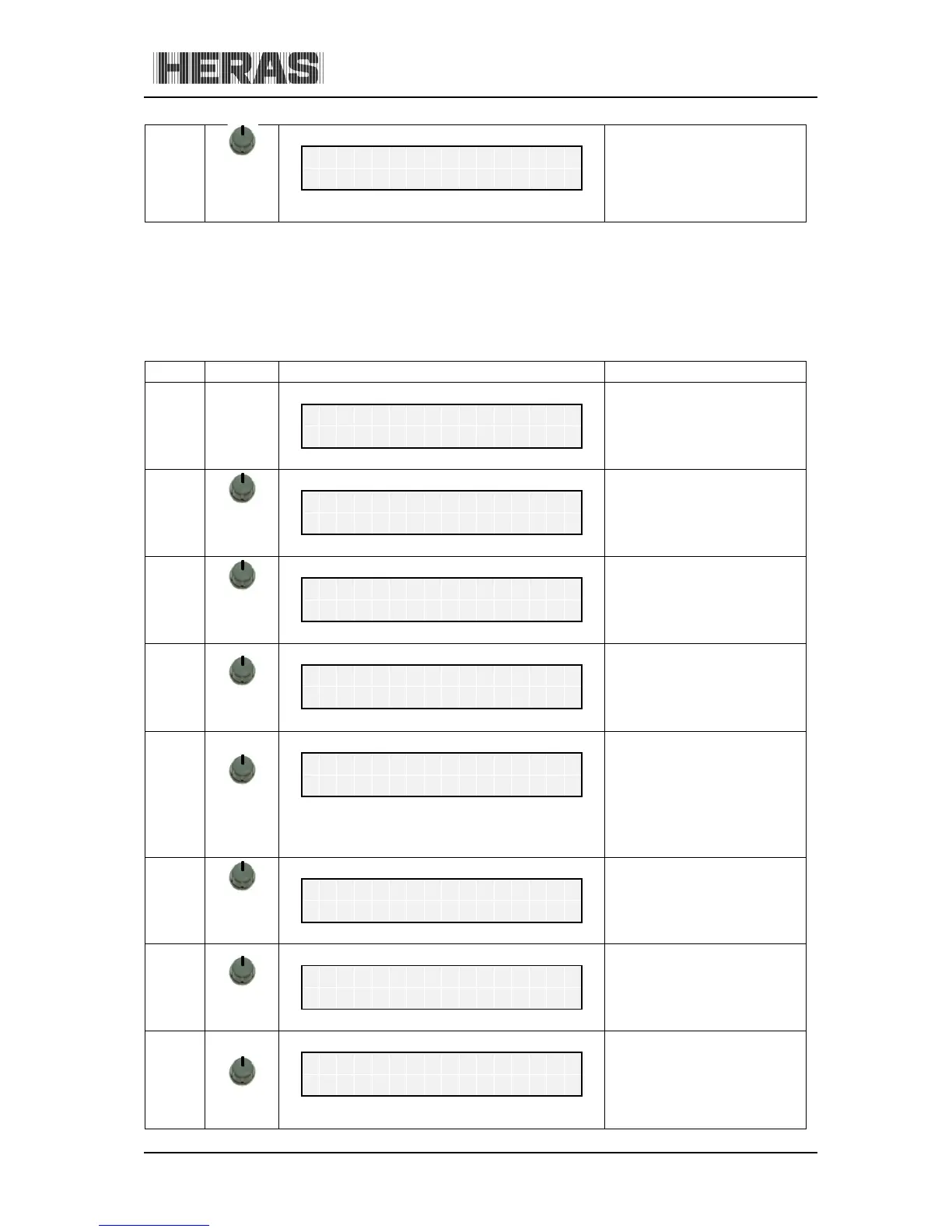
10.5.8.4 Menu 5.7.1: Deleting a day
You can also delete all entries for an individual day from the yearly calendar after selecting the first
entry for the day in question:
Menu Action Display reading Explanation
H
e
r
a
s
H
M
D
2
3
0
S
1
E
N
A
u
t
o
m
a
t
i
c
M
o
d
e
5
press
and hold
turn CW
Activate the main menu.
M
a
i
n
M
e
n
u
5
C
l
o
c
k
/
C
a
l
e
n
d
a
r
5.7
press
briefly
turn CW
C
l
o
c
k
/
C
a
l
e
n
d
a
r
7
E
d
i
t
W
e
e
k
C
a
l
.
5.7.1
press
briefly
E
d
i
t
W
e
e
k
C
a
l
.
1
S
e
t
D
a
y
press
briefly
turning
Select the entry to be
deleted.
2
0
1
1
.
0
6
.
1
7
0
1
2
:
3
0
H
o
l
d
P
a
r
t
.
O
P
E
N
press
briefly
turn CCW
A question is displayed.
2
0
1
1
.
D
e
l
e
t
e
D
a
y
?
press
briefly
All entries for this day are
deleted from the calendar.
D
o
n
e
turn CW
Shows the end of the yearly
calendar.
S
e
t
D
a
y
E
N
D

Table of Contents