9.10 MENU STRUCTURE AND TEXTS THAT ARE DISPLAYED
Selecting the menu brings you to the main menu level where you can choose from a number of
submenus. The first menu option "Exit menu" lets you exit the main menu again after which a restart
or reset brings you back in the active operating mode of the motor drive.
How many submenu levels are available depends on the password that is entered. First-level
submenus can lead to second-level submenus.
The gate movement cannot be started automatically when the main menu is active.
9.11 BACKPLANE
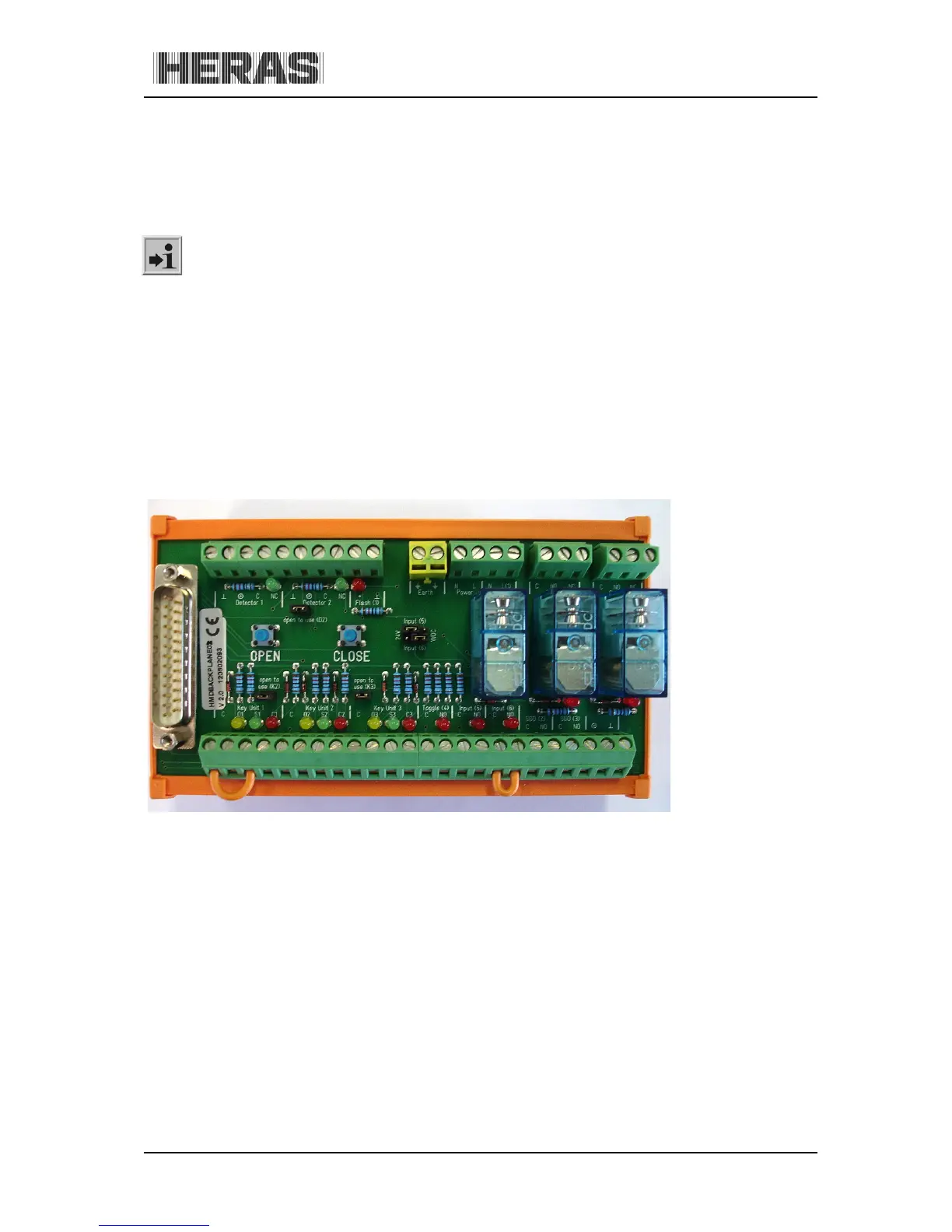
Several accessories such as photocells, lighting etc. can be connected to the backplane.
The backplane has several control LEDs. The system is OK if all the green LEDs (detector 1, detector
2, Key units 1 to 3) light up while the gate is not active. If the gate gets an OPEN command, one of
the orange LEDs (for the active input) will light up. If the gate gets a CLOSE command, one of the red
LEDs (for the active input) will light up.
The "OPEN" and "CLOSE" keys are used to open or close the gate.
Illustration 19: backplane



 To Next Page