Hex ezCAN for CAN-bus-equipped Motorcycles
_________________________________________________________________________________________________
_________________________________________________________________________________________________
© Hex Innovate (UK) Ltd. Page 21 of 60 ezCAN 2408.x
6. Some smart accessories may need further configuration. For guidance
on how to do this, refer to the product-specific instructions for each
smart accessory.
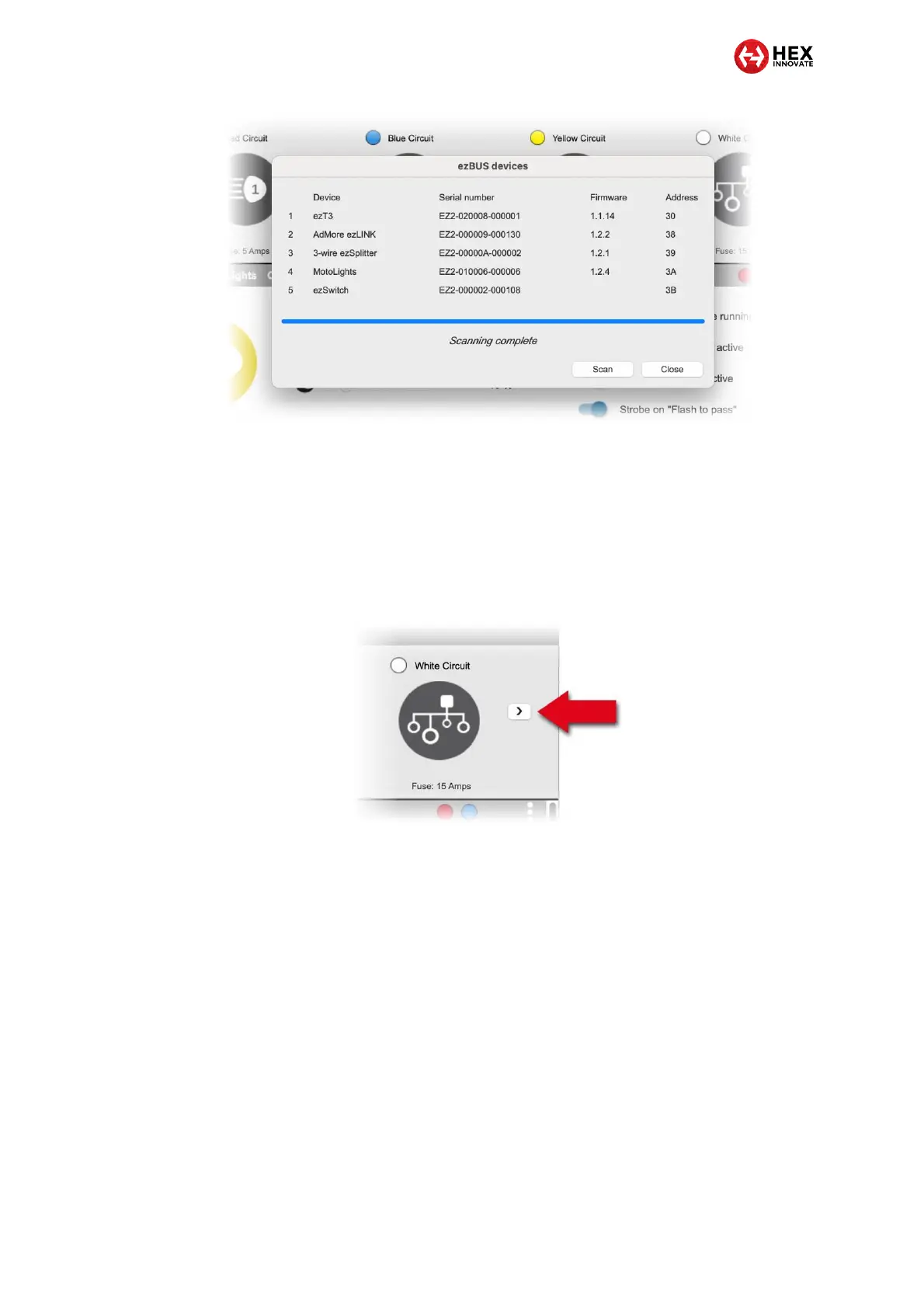
7. When the white power circuit is set to ezBUS mode, and smart
accessories are connected to the ezBUS, an arrow button appears on
the right side of the White Circuit icon (below). Click this button to cycle
through the connected smart accessories and their configuration
options.
8. If a smart accessory is added to or removed from the ezBUS, redo the
ezBUS scan as shown in this section. If smart accessories are added or
removed without an ezBUS scan, the accessories will not work.



 To Next Page