Hex ezCAN for CAN-bus-equipped Motorcycles
_________________________________________________________________________________________________
_________________________________________________________________________________________________
© Hex Innovate (UK) Ltd. Page 54 of 60 ezCAN 2408.x
6 IF SOMETHING GOES WRONG
In the unlikely event that something goes wrong with your ezCAN or your
accessory installation, follow the guidelines in this section to get things
working again.
6.1 What do the Status LED colours mean?
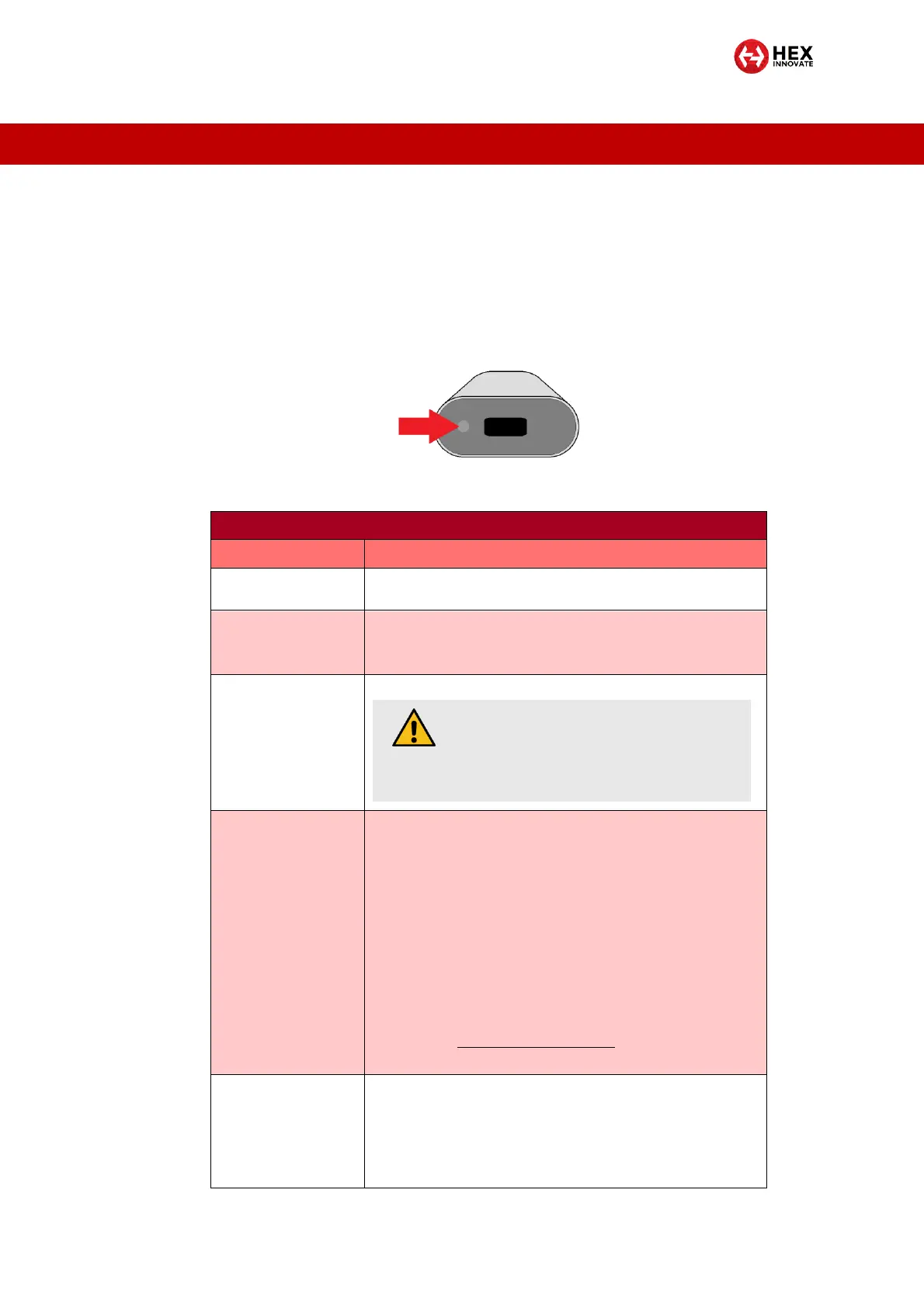
Switch the motorcycle’s ignition switch ON. Check the Status LED on the
end of the ezCAN (below).
The Status LED light codes have the following meanings:
The motorcycle's ignition is switched on and the ezCAN is
operating normally.
The ezCAN is in Sleep Mode.
It will switch on the next time the motorcycle's ignition is
switched on (see Constant green above).
Quick flashing green
while connected to
computer by USB
The ezCAN is downloading and installing a firmware update.
CAN-bus data needed by the ezCAN is missing or incorrect,
or there is a configuration error.
1. Reset the ezCAN by switching the ignition OFF, then ON.
2. If the LED does not show constant green, connect the
ezCAN to your computer and run the configuration
software.
3. Navigate to the ezCAN Diagnostics window.
4. Note the CAN-bus data value in the System section. This
value should be Active. If the value is Inactive, make sure
the ezCAN is securely connected to the correct CAN-bus
connector on the motorcycle.
5. If the problem persists, contact Hex support by sending an
E-mail to support@hexezCAN.com.
One or more of the electronic circuit fuses have ‘tripped’. This
may be due to a current overload, or to incorrectly configured
current limits.
Refer to the One or more power output circuits have stopped
working section of the ezCAN fault diagnosis table in this
section.
CAUTION
Do not disconnect the ezCAN from your
computer until the firmware installation is
complete.



 To Next Page