Hex ezCAN for CAN-bus-equipped Motorcycles
_________________________________________________________________________________________________
_________________________________________________________________________________________________
© Hex Innovate (UK) Ltd. Page 36 of 60 ezCAN 2408.x
Temporarily switching
off all front and rear
auxiliary lights
Press and hold the turn-signal cancel button for more than 10
seconds.
If all front and rear auxiliary lights are temporarily switched
off, the ezCAN will turn the rear auxiliary lights back on:
Whenever Aux 1 or Aux 2 lights are turned back on.
After the ignition switch is cycled.
Strobing Aux lights on
‘Flash-to-pass’
Click the motorcycle’s ‘Flash-to-pass’ button three times.
Note that to be active, this function must be enabled using
the ezCAN configuration interface.
5.1.5 Triumph
5.1.5.1 ezCAN II Tagus
Applicable models:
Tiger 900
Tiger 1200 (2022+)
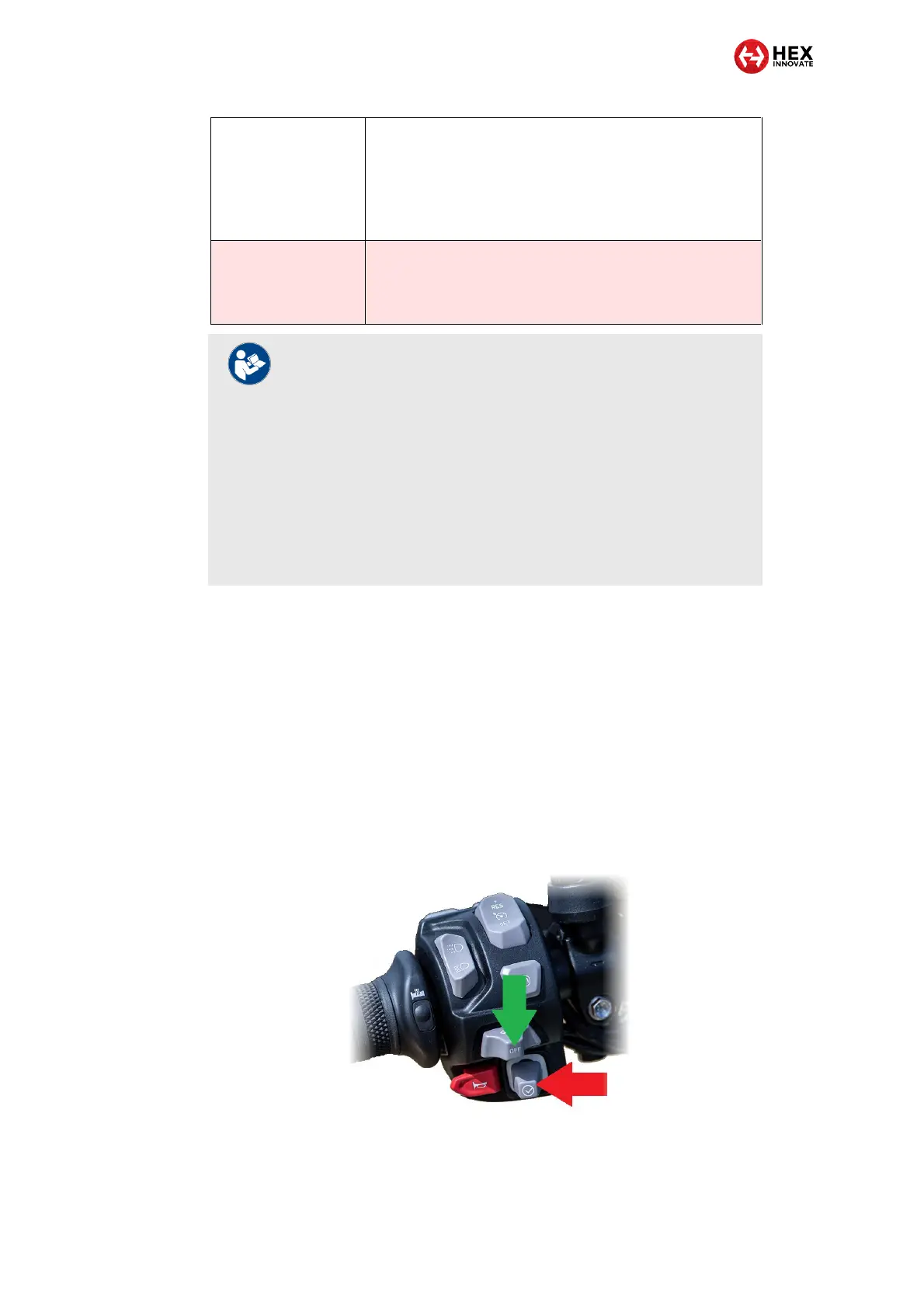
The ezCAN is controlled using the Joystick button (red arrow, below) and
turn-signal cancel button (green arrow, below) on the left-side handlebar
controls.
NOTES
If all front and rear auxiliary lights are temporarily switched
off (see table above), these lights will be switched back on
when the ignition is cycled.
Alternatively, Aux1 and/or Aux 2 lights can be switched
back on using the Toggling Aux 1/2 lights On and Off
functions (see table above).
When using the Toggling Aux 1/2 lights On and Off
functions, note that any rear auxiliary (Run/Brake) lights will
be switched back on whenever Aux 1 and/or Aux 2 lights
are switched back on.



 To Next Page