Hex ezCAN for CAN-bus-equipped Motorcycles
_________________________________________________________________________________________________
_________________________________________________________________________________________________
© Hex Innovate (UK) Ltd. Page 55 of 60 ezCAN 2408.x
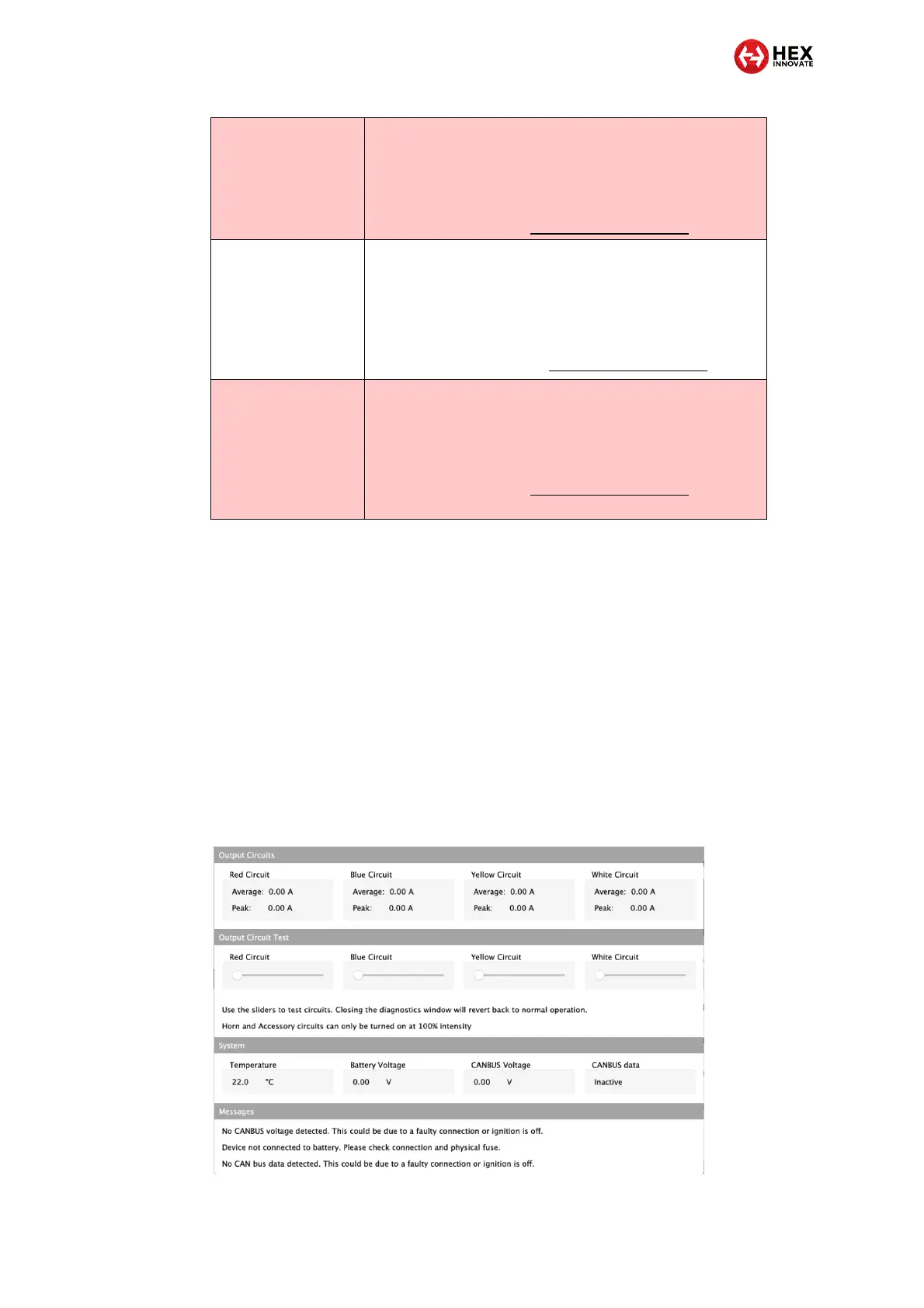
6.2 Using the ezCAN Diagnostics window
If you cannot solve the problem using the table above, do the steps that
follow:
1. Connect the ezCAN to your computer.
2. Launch the ezCAN configuration software.
3. Switch the motorcycle’s ignition ON.
4. Navigate to the Diagnostics window (below) by clicking on the
warning triangle in the upper right corner of the ezCAN
Configuration Tool, or by clicking the Diagnostics option in the
Configuration Tool’s main menu.
5. The Diagnostics window is partitioned into four sections:
The ezCAN reset unexpectedly.
1. Connect the ezCAN to your computer and run the
configuration software.
The ezCAN will attempt a self-recovery.
2. If self-recovery is unsuccessful, contact Hex support by
sending an E-mail to support@hexezCAN.com.
Solid green with quick
flashing orange
The ezCAN's application firmware is corrupt.
1. Connect the ezCAN to your computer and run the
configuration software.
2. You should see a firmware update or firmware recovery
dialogue. Follow the prompts to completion.
3. If a firmware dialogue is not shown, contact Hex support
by sending an E-mail to support@hexezCAN.com.
Solid orange, or no
LED visible when the
motorcycle’s ignition
is switched on
The ezCAN has an internal error.
1. Connect the ezCAN to your computer and run the
configuration software.
The ezCAN will attempt a self-recovery.
2. If self-recovery is unsuccessful, contact Hex support by
sending an E-mail to support@hexezCAN.com.



 To Next Page