Hex ezCAN for CAN-bus-equipped Motorcycles
_________________________________________________________________________________________________
_________________________________________________________________________________________________
© Hex Innovate (UK) Ltd. Page 14 of 60 ezCAN 2408.x
6. Switch ON Three-Wire Dimming Mode in the correct Auxiliary
Lights section of the ezCAN configuration software (below).
3.4 Connecting power wiring
When connecting accessories to the ezCAN stub connectors, we suggest
you use one of the following methods:
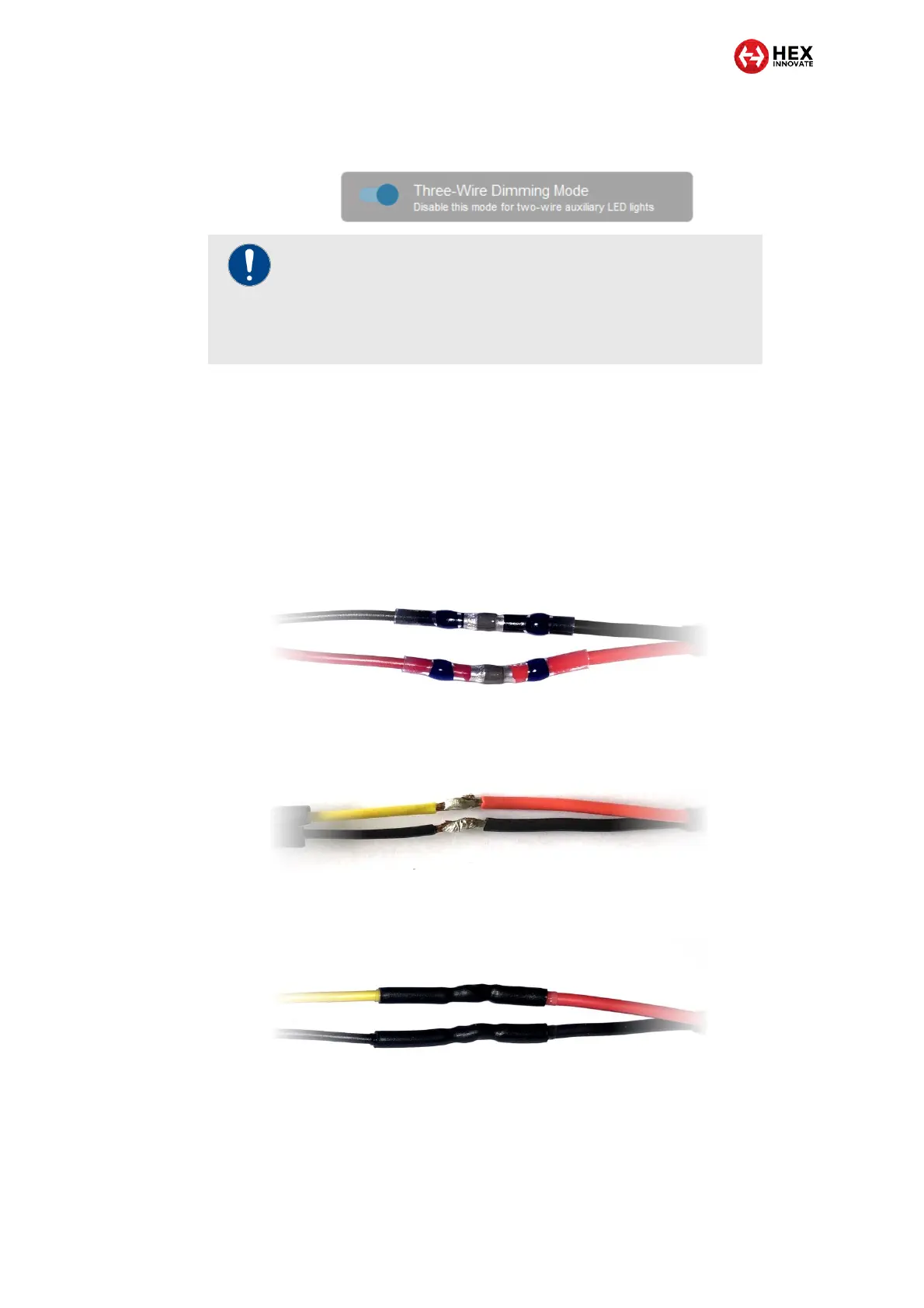
It is strongly recommended that you use solder seal wire
connectors. This is a special configuration of heat-shrink tubing
with a watertight seal on both ends, and a low-temperature solder
ring in the middle. A typical example is shown below.
If you cannot obtain solder seal wire connectors, use traditional
soldered joints (below).
Cover each soldered joint with a generous section of heat-shrink
tubing (below). Insulation tape is not recommended.
IMPORTANT
If Three-Wire Dimming Mode is not switched ON for three-
wire lights, the lights may flicker or ‘stutter’ when their
brightness is adjusted, or their brightness adjustment may
‘jump’ between the low and high settings.



 To Next Page