32
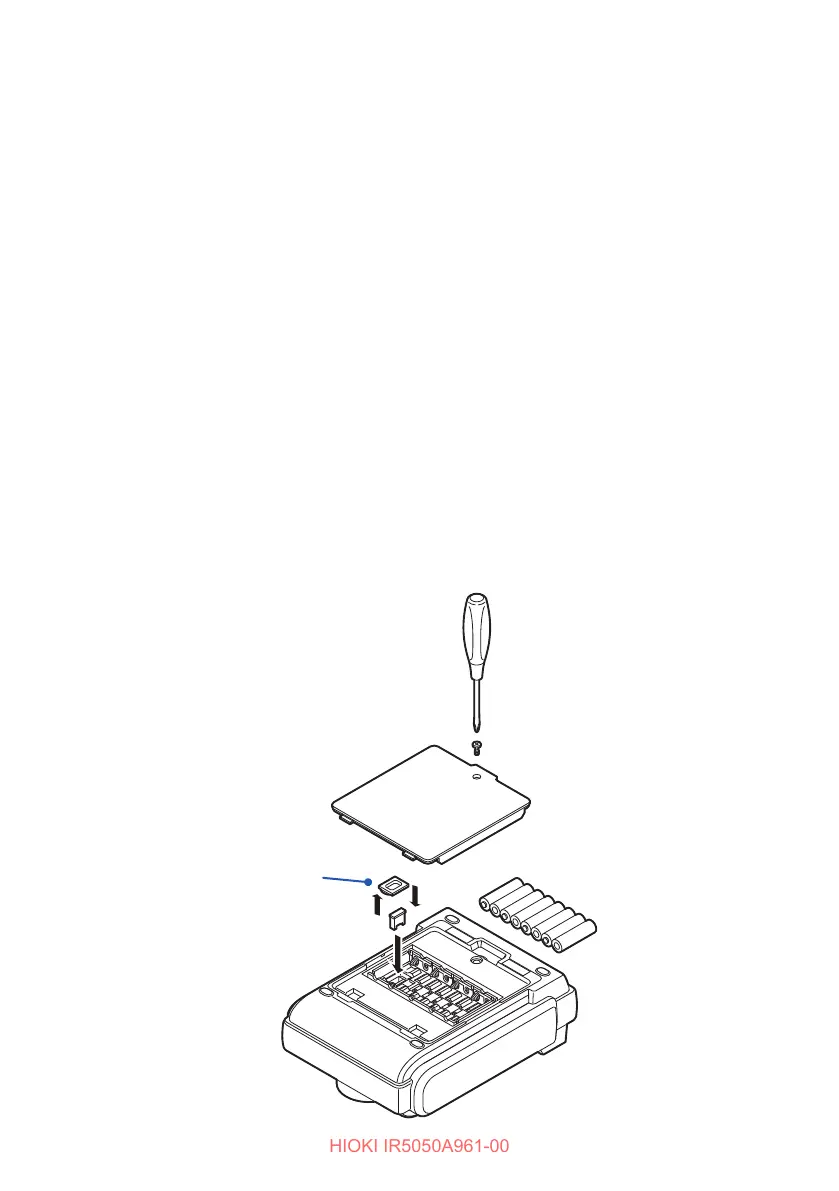
Installing the Z3210 Wireless Adapter
Equipment
• Phillips screwdriver (No. 2)
• Flathead screwdriver
• Z3210 wireless adapter (option)
1
Disconnect the test leads from the instrument.
2
Turn the rotary switch on the instrument to o.
3
Loosen the screw and remove the battery cover.
4
Remove batteries.
5
Remove the protective cap from the instrument.
6
Insert the Z3210 completely while being careful about the correct
orientation.
7
Reattach the protective cap.
8
Insert batteries.
9
Reattach the battery cover and tighten the screw.
When removing the Z3210, use a tool such as a athead screwdriver to remove it.
Protective cap



 To Next Page