60
TIMER Function (Timer Test)
Using timer
1
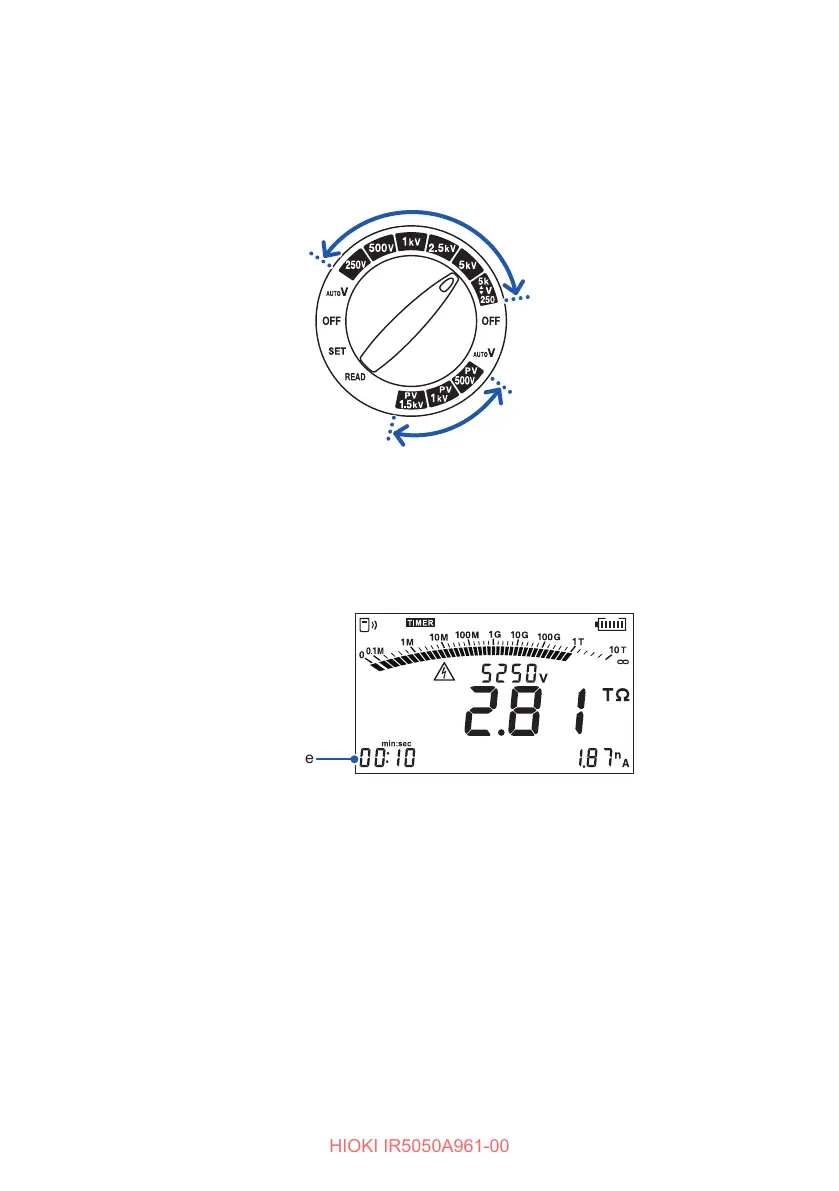
Turn the rotary switch to one of the following .
• Insulation resistance measurement: between 250 V and
2505k
▲
▼
V
• PV insulation resistance measurement: PV500V, PV1kV, or PV1.5kV
2
Press the MODE key and select the [TIMER] display.
The timer is set.
3
Measure insulation resistance.
See “3.3 Measuring Insulation Resistance” (p. 41).
The remaining time appears during the measurement.
Remaining time
After the set time has elapsed, the instrument automatically stops measurement.
If the MEASURE key is pressed, the instrument immediately stops
measurement regardless of the remaining time.
When the timer is set, the automatic power save function is disabled.
When measuring for 1 min. or more, the 1-min. value can be displayed with the
or key, either during or after measurement.



 To Next Page