64
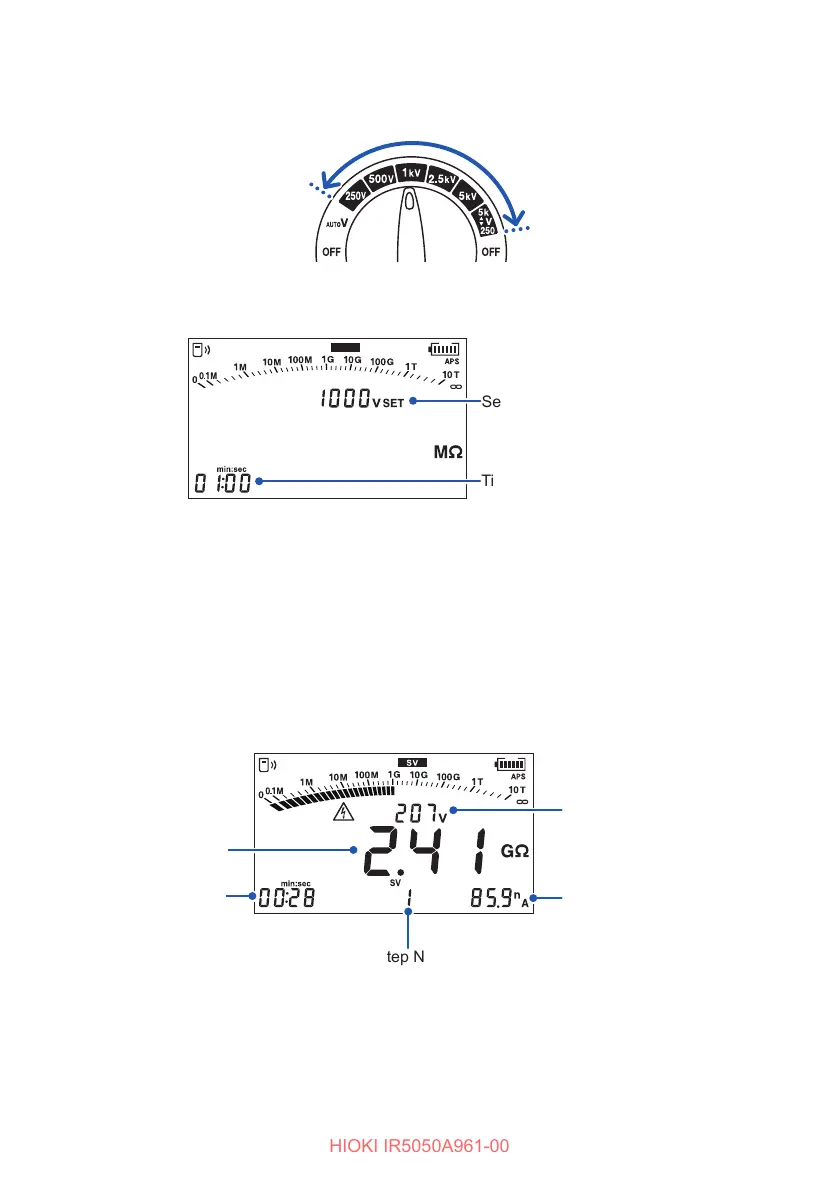
SV Measurement (Step Voltage Test)
1
Turn the rotary switch to one of the selections between 250 V and
2505k
▲
▼
V
.
2
Press the MODE key and select the [SV] display.
SV
Time per step
Set voltage
3
Set the time per step.
Setting range: 10 sec. to 10 min.
See “4.6 Changing Settings for the Insulation Diagnosis Functions” (p. 70).
4
Measure insulation resistance.
See “3.3 Measuring Insulation Resistance” (p. 41).
The test voltage rises each minute (default setting) and the measurement stops
automatically.
Step No.
Elapsed time
Actual output voltage
Resistance
Current
The last data is retained and displayed ([HOLD] lights up).



 To Next Page