89
Recording Measurement Data
3
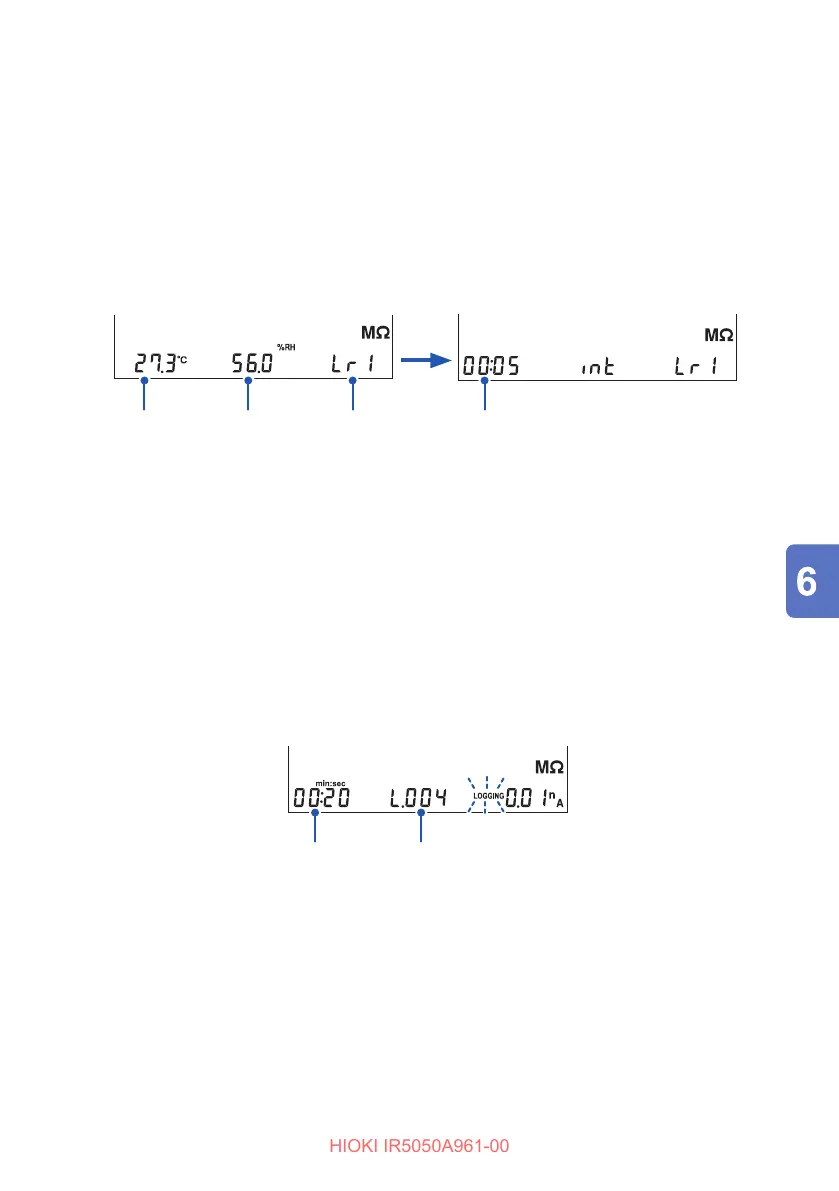
Set the temperature, humidity, memory number, and recording interval.
key or key: Changes the digit
key or key: Changes the value
ENTER key: Conrm
Each press of the ENTER key moves to the next setting item in the following
order.
Temperature → Humidity → Memory number → Recording interval
MEMORY
LOGGING
No.
Temperature
Humidity
Memory Number
MEMORY
LOGGING
No.
Recording interval
The instrument is in the measurement standby state.
Measure
4
Start the insulation resistance measurement.
See: “3.3 Measuring Insulation Resistance” (p. 41)
When the measurement is started, [MEMORY No.] and the set memory number
disappear and the measurement display appears.
During measurement, [LOGGING] blinks.
Save processing is executed at each recording interval.
Elapsed time Number of loggings
5
Insulation resistance measurement stops under one of the three
conditions below.
• Maximum recording time (60 min.) has elapsed.
• The set time of the timer has elapsed.
• The MEASURE key is pressed.
After measurement has been completed, [LOGGING] remains.



 To Next Page