1 - 25
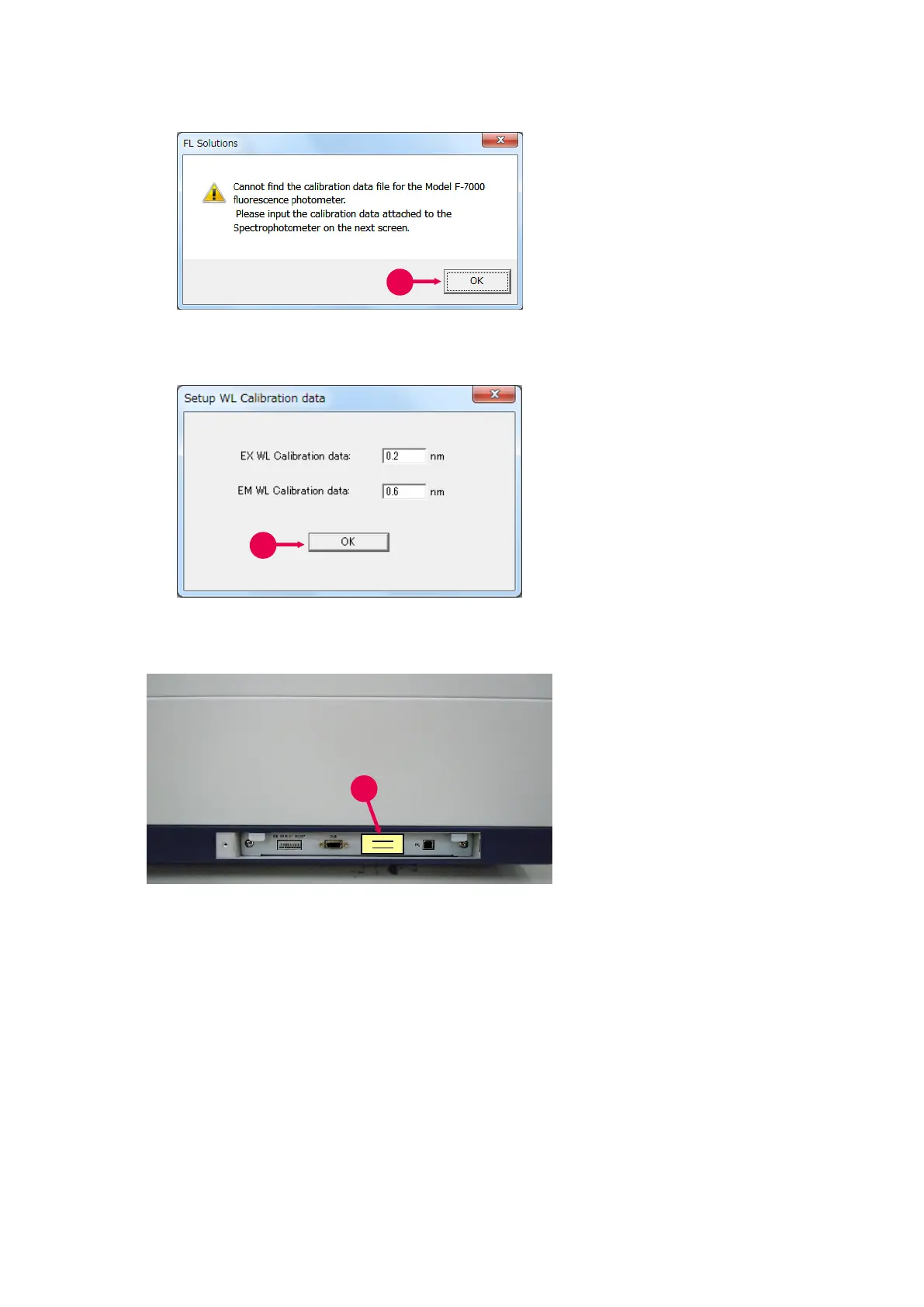
Fig. 1-33
Fig. 1-34
Fig. 1-35 Wavelength Calibration Value Label
7. After the Model name is
selected, a message as in
Fig.1-33 will appear. Click
the OK button.
8. A [Setup WL Calibration data]
window as in Fig. 1-34 will now
appear. Enter the values
shown on the wavelength
calibration value label (⑨ in
Fig. 1-35) attached at the
external signal terminal on the
bottom right side of the
spectrophotometer main unit.
9. Click the OK button (⑧ in
Fig. 1-34).



 To Next Page