1 - 24
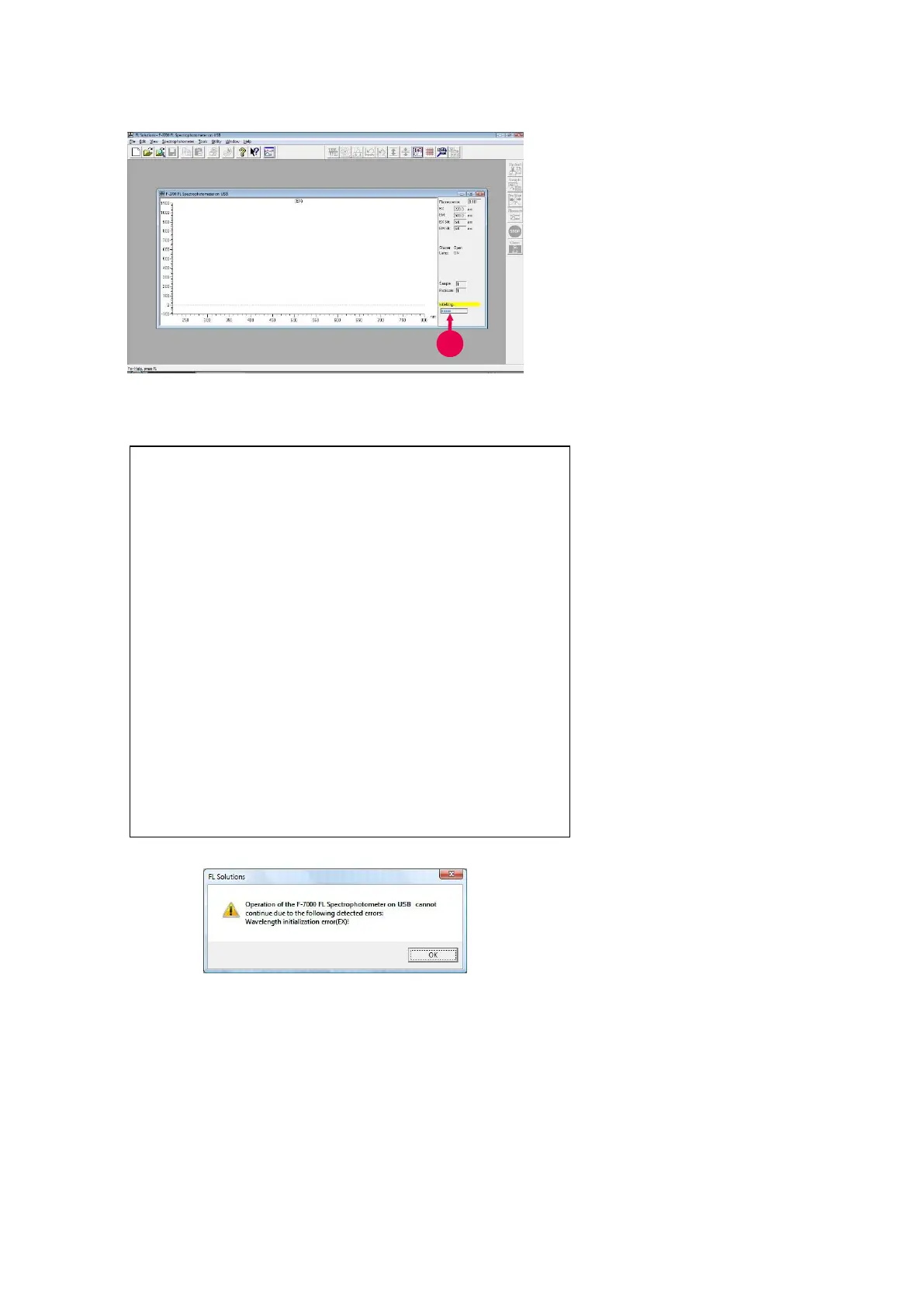
Fig. 1-31
NOTE: If the spectrophotometer is not connected with the
communication port or its power is not turned on,
the monitor window (“F-4700 Fluorescence
Spectrophotometer on USB” indicated on its title
bar) is not presented. In this status, functions for
other than measurement are usable.
For measurement, first confirm connection of the
cable, and then turn on power supply of the
spectrophotometer. Next, select the Instrument (I)
command from the Tools menu. When selecting
and connecting the spectrophotometer, the window
shown in Fig. 1-31 is presented.
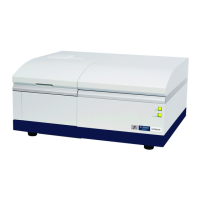
Fig. 1-32
6. A gauge of initialization is
displayed as shown in Fig. 1-31,
so its progress can be
checked visually.
In execution of initialization, self-
diagnosis is performed on the
following items.
ROM
RAM
Wavelength drive system
Xenon lamp turn-on
If an abnormality is found in the
self-diagnosis, the relevant error
message will be displayed (Fig. 1-32).
In this case, a corrective measure
should be taken, referring to F-
4700 Fluorescence
Spectrophotometer Instruction
Manual - FL Solutions Program -
Operation Edition Appendix J.
Contact the nearest maintenance
service company specified by our
company as necessary.



 To Next Page