3 - 10
(12) Insert the power cord into the connector on the main unit.
Then start up the spectrophotometer with reference to startup of the FL Solutions 2.1 program in
section 1.10.
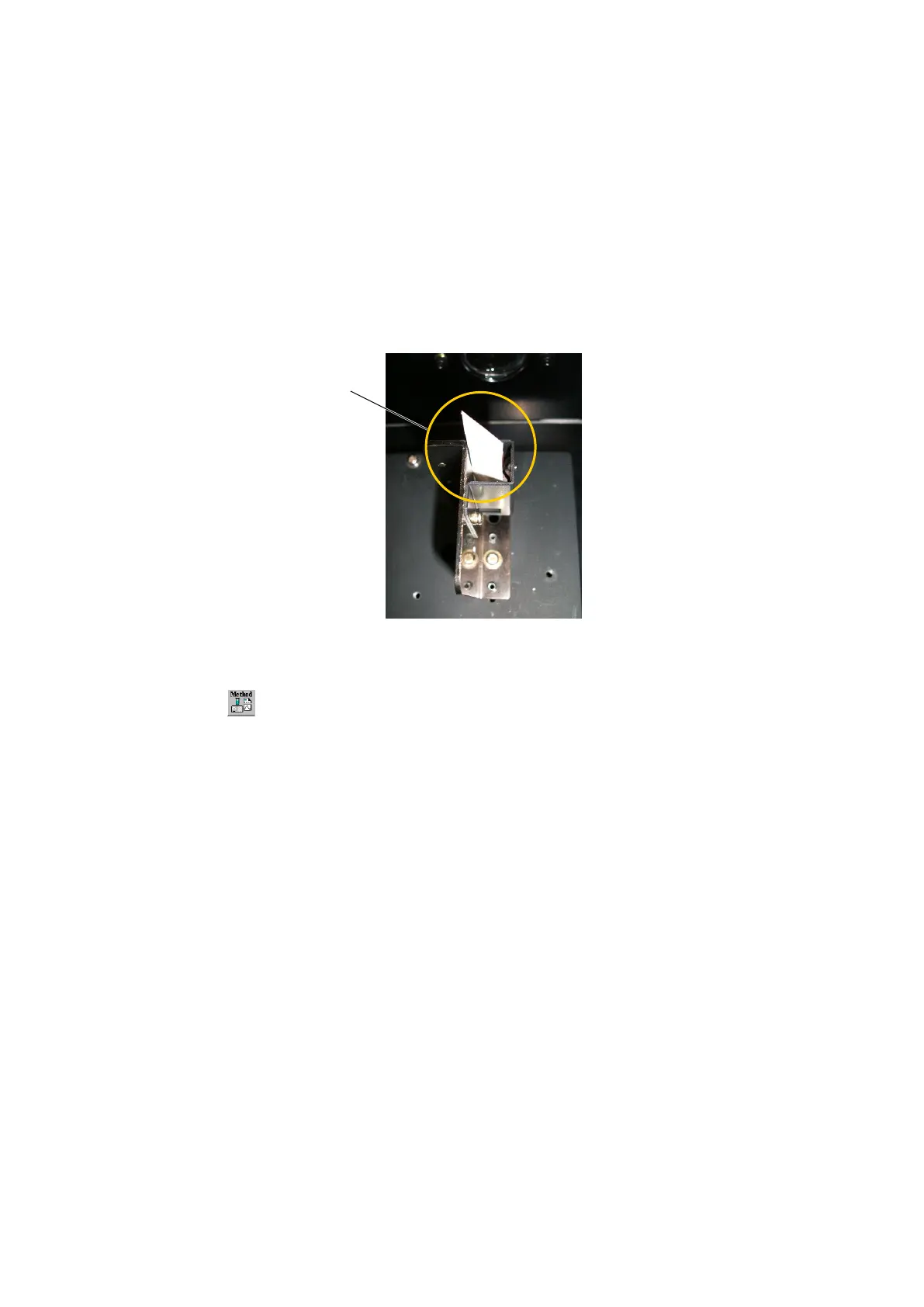
(13) Set the supplied white paper for WL check at a slant in the cell holder of the sample compartment
(Fig. 3-12).
Fig. 3-12 Cell Holder
(14) Click the (analytical method) button on the measurement toolbar and set “wavelength scan” for
measuring mode under the [General] tab on the Method window. Then select the [Instrument] tab
and set the conditions given below. After the setting, click OK button.
Scan mode : Emission
Data mode : Luminescence
EX WL : 0
EM Start WL : 420
EM End WL : 450
Scan speed (nm/min) : 60
Delay : 0
EX Slit : 20
EM Slit : 2.5
PMT Voltage : 950
Response (s) : 0.5
Replicates : 1
Set the supplied white
paper as shown here.



 To Next Page