● Setting Communication Environment 6-3
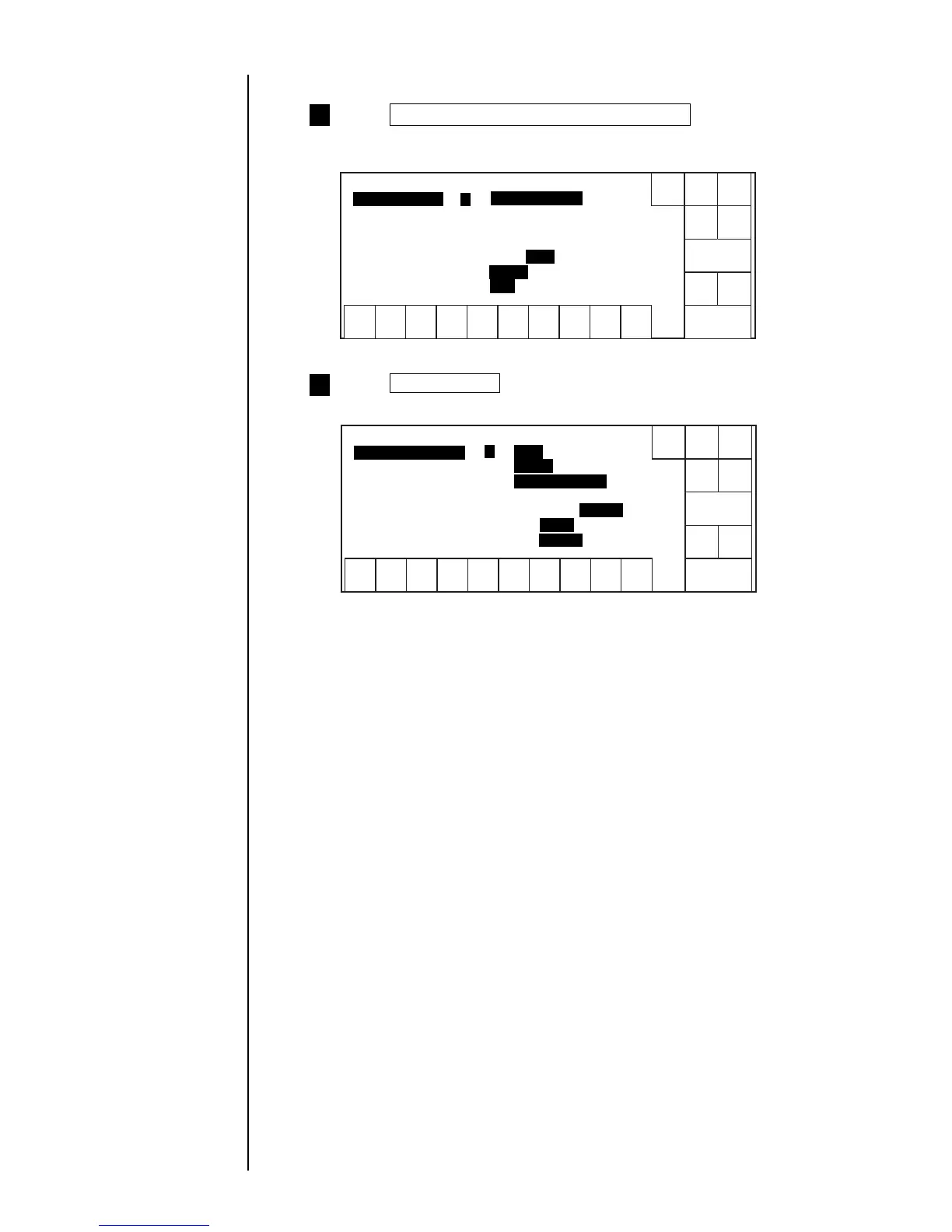
Press Communication environment setup from the
Environment setup menu.
The "Communication environment setup" screen appears.
1
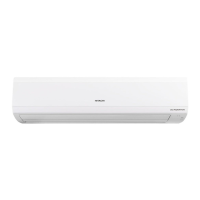
Press Next display .
The second screen appears.
2
(2) Operating procedure
Shut
down
Manual
Back
Show
cursor
Decre-
ment
Incre-
ment
1234567890
Next
dis-
paly
Comm. env. setup Status: Ready
[ ] (0:
1:Comm. port is ON 2:OFF fixed)
Baud rate (bps) [ 6 ] ( 4800)
Data format
Data length [ 2 ] (1:7 bits 2: )
Parity bit [ 0 ] (0: 1:odd 2:even)
Stop bits [ 1 ] (1: 2:2 bits)
0
State at power-up
Prev.
dis-
paly
Comm. port is OFF
8 bits
Disable
1 bit
Shut
down
Manual
Back
Decre-
ment
Incre-
ment
1234567890
Next
dis-
paly
Comm. env. setup Status: Ready
[ ] (1: 2:2bytes)
BCC code handling [ 0 ] (0: 1:Enable)
Communication mode [ 1 ] (1:
2:overwrite-enabled)
Print message transfer ACK [ 2 ] (1:t=fixed 2: )
Print spec transfer char height [ 0 ] (0: 1:3digits)
Communication and signal error [ 0 ] (0: 1:Fault)
1
Number of comm. bytes
Prev.
dis-
paly
overwrite-protected
2digits
t=async.
1byte
Disable
Warning
Show
cursor



 To Next Page