18
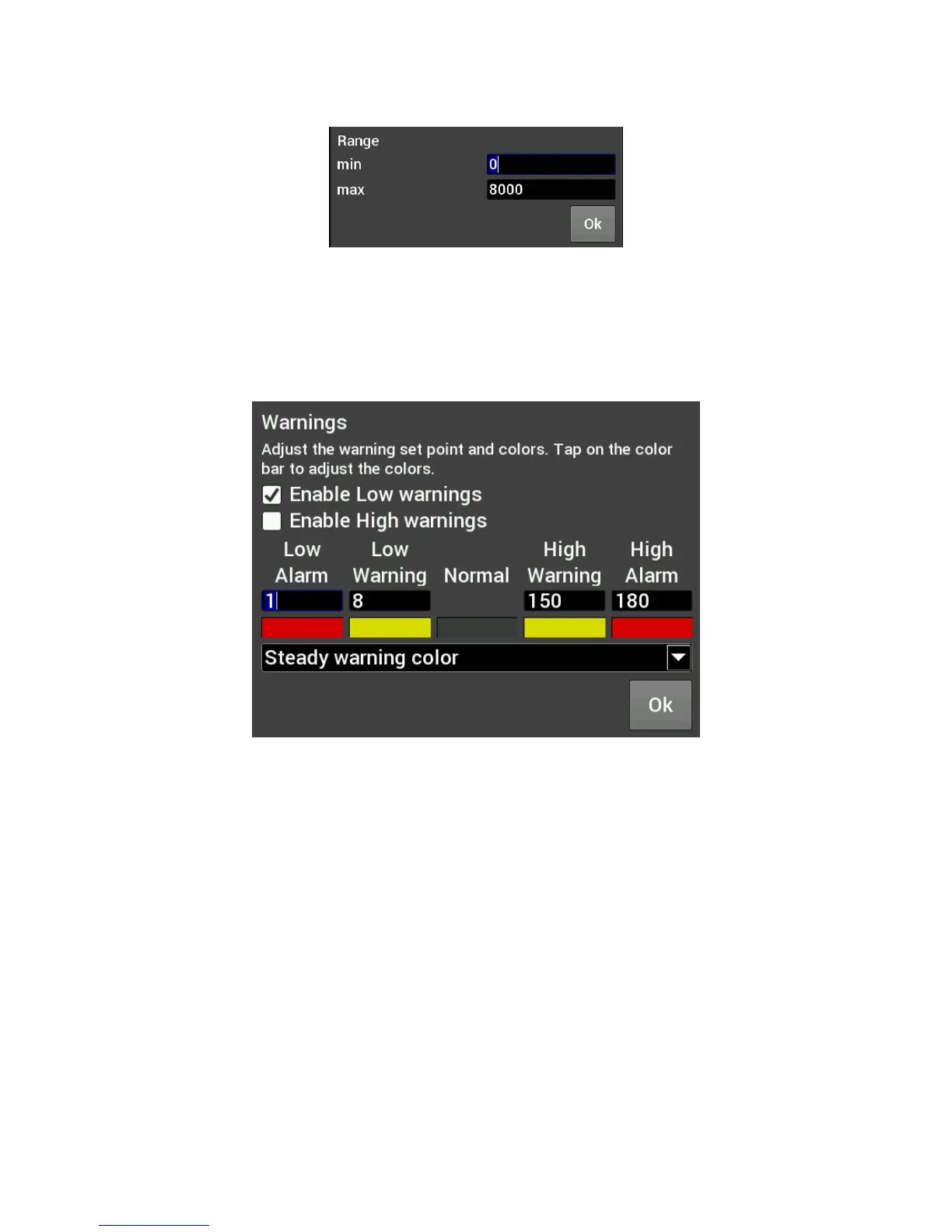
Range
This will adjust the minimum and maximum display range of the gauge.
Warnings for Gauges
Configuring warnings will dictate when the gauge changes colors. When values reach the Low Warning or
High Warning value, the gauge face will change to the color beneath that value. When the gauge value
reaches Low Alarm or High Alarm, the gauge face will change to the corresponding color. You can click on the
color bar beneath the values to change the corresponding color.
Warnings for LED Status Lights or Symbols
In the case of LED Status Lights, the color of the LED is chosen by clicking on the color bar beneath the
warning values. The corresponding enable must also be set. Figure A shows an example of a CTS setup,
where the LED would change from blue, violet, green, yellow and red throughout its range of values.










 To Next Page