19
Symbols are similar, which will change color based on its corresponding value channel. In this manner you
can duplicate the function of lit symbols on your dashboard.
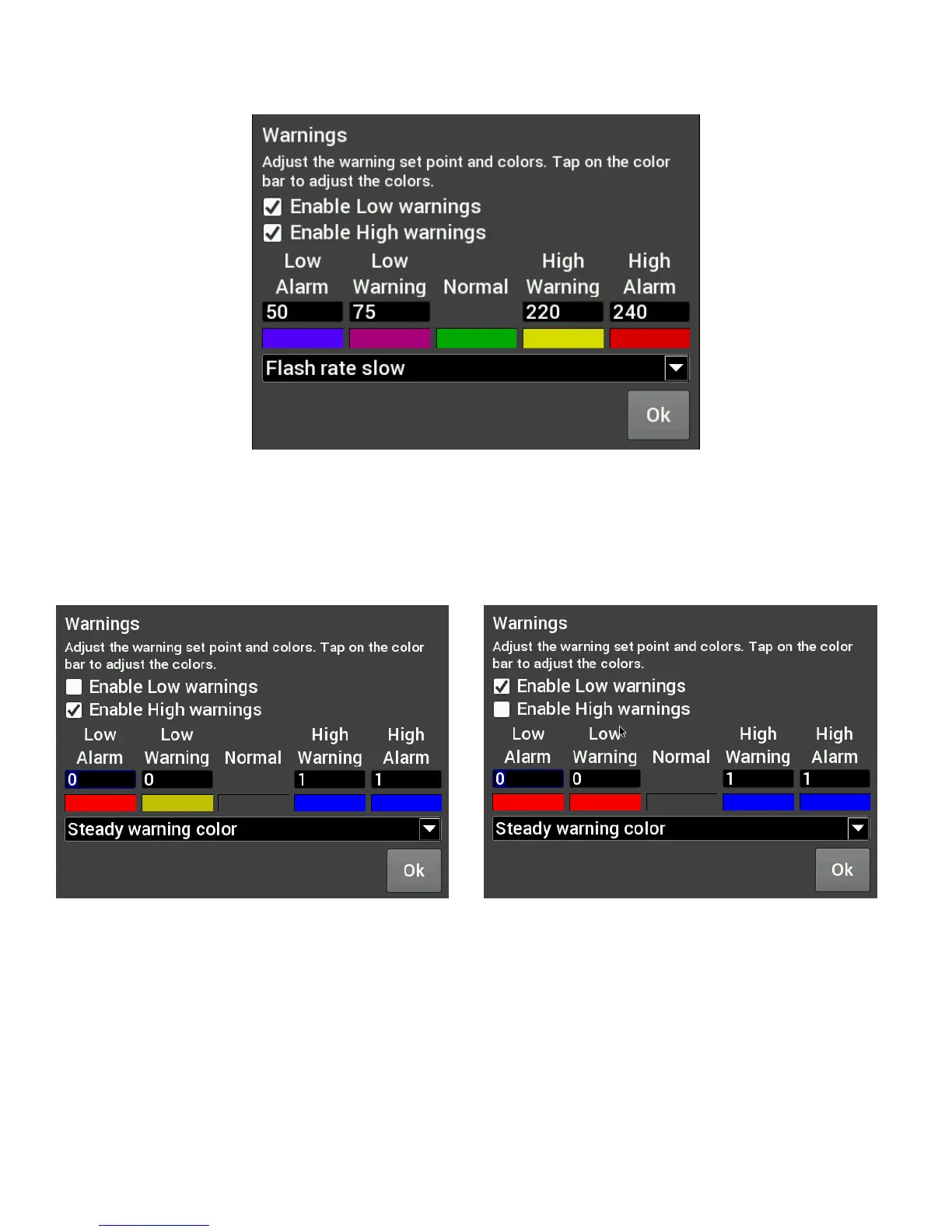
Figure A. CTS Warning Example
Status LEDs for Switched Items (ON/OFF)
A status LED can be lit to show when an item is either on or off. To have an LED lit for when an item is turned
on, configure per Figure B. To have an LED lit for when an item is turned off, configure per Figure C. The LED
will be grey when in the normal state.
Figure B. Blue LED when output is ON
Figure C. Red LED when output is OFF












 To Next Page