FAXITRON PATH USER MANUAL | HOLOGIC | REVISION 024
ECTION
Camera
alibration
3
3- 2
Calibration
Upon initial start-up of the system or at any time desired by the user, a system calibration may
be performed. Upon initial start-up and after an elapsed time of twelve (12) hours, the following
calibrations must be performed.
To optimize image quality, Vision Software and the hardware requires periodic calibration. This
calibration requires the acquisition of reference images. These images can be grouped into
three (3) categories: Offset images, Dark images and Flat-field images.
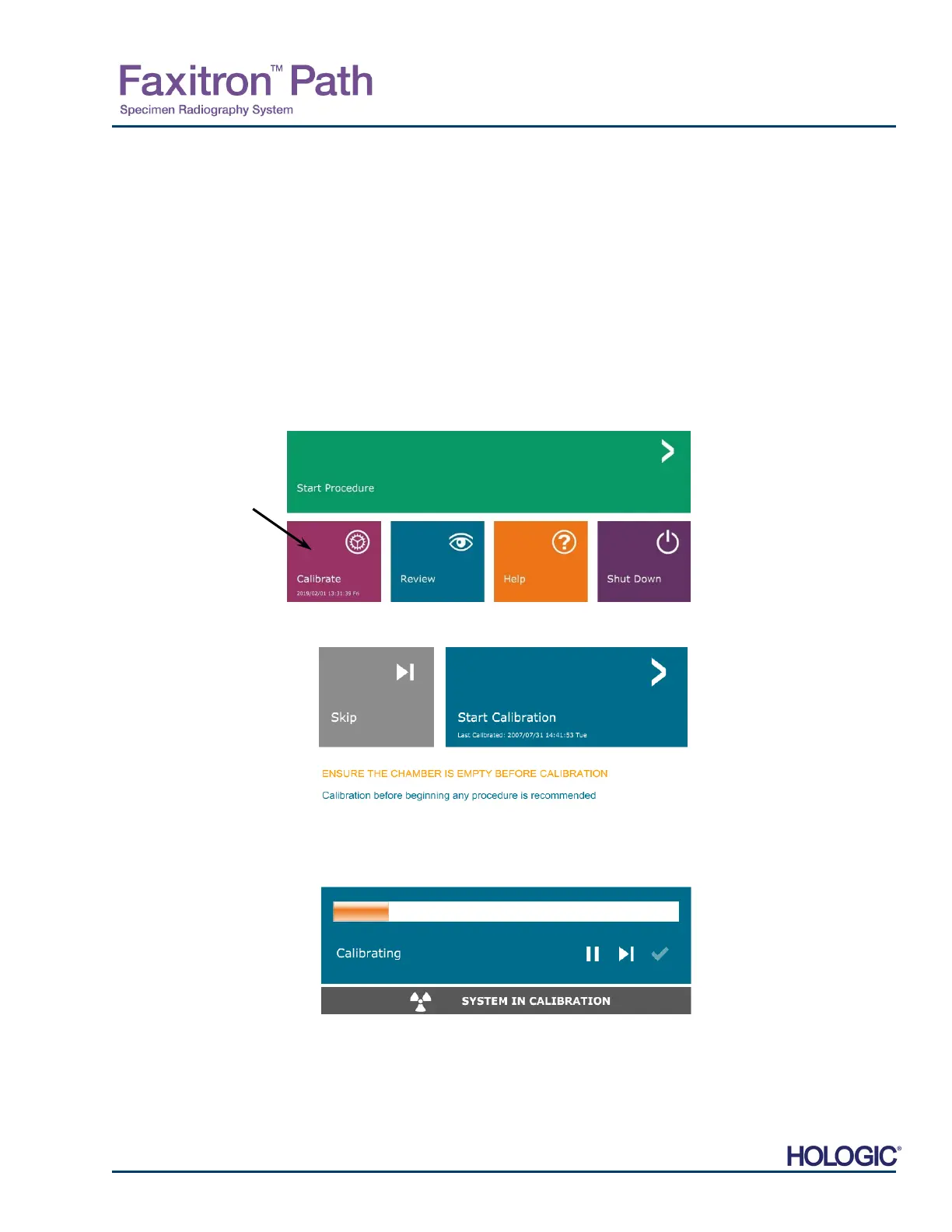
The Vision software will either open directly to the Home Menu (Figure 3.1.1) or the
Calibration page (Figure 3.1.2) depending on the elapsed time since the last
calibration. The user can navigate to the Calibration page in order to manually start a
calibration.
Caution: Verify the chamber is empty prior to starting calibration.
To manually start Calibration, click on the “Calibrate” button in the Home Menu.
The user will then be prompted to start the calibration.
Once pressed, the calibration process is performed, and the calibration message box is
displayed. During calibration the message box will toggle between “SYSTEM IN
CALIBRATION” and “X-RAY ON”. See Figure 3.1.3.
The software will automatically go to the Home Menu page when calibration is complete.
Refer to Sections 5.2.0 and 5.2.1 for additional information on calibration.
3.1.0
Calibration
Figure 3.1.1
Calibrate System Button
Figure 3.1.2
Start Calibration prompt
Figure 3.1.3
Calibration Progress













 To Next Page