FAXITRON PATH USER MANUAL | HOLOGIC | REVISION 024
ECTION
ISION
oftware
5
5-11
Vision software provides various tools and menus to control various image attributes o
parameters, x-ray acquisition, image views, image tools, and DICOM settings/access. The most
commonly used tools are in a Tool Bar. The Tool Bar and Menus are described in more detail
in the following pages.
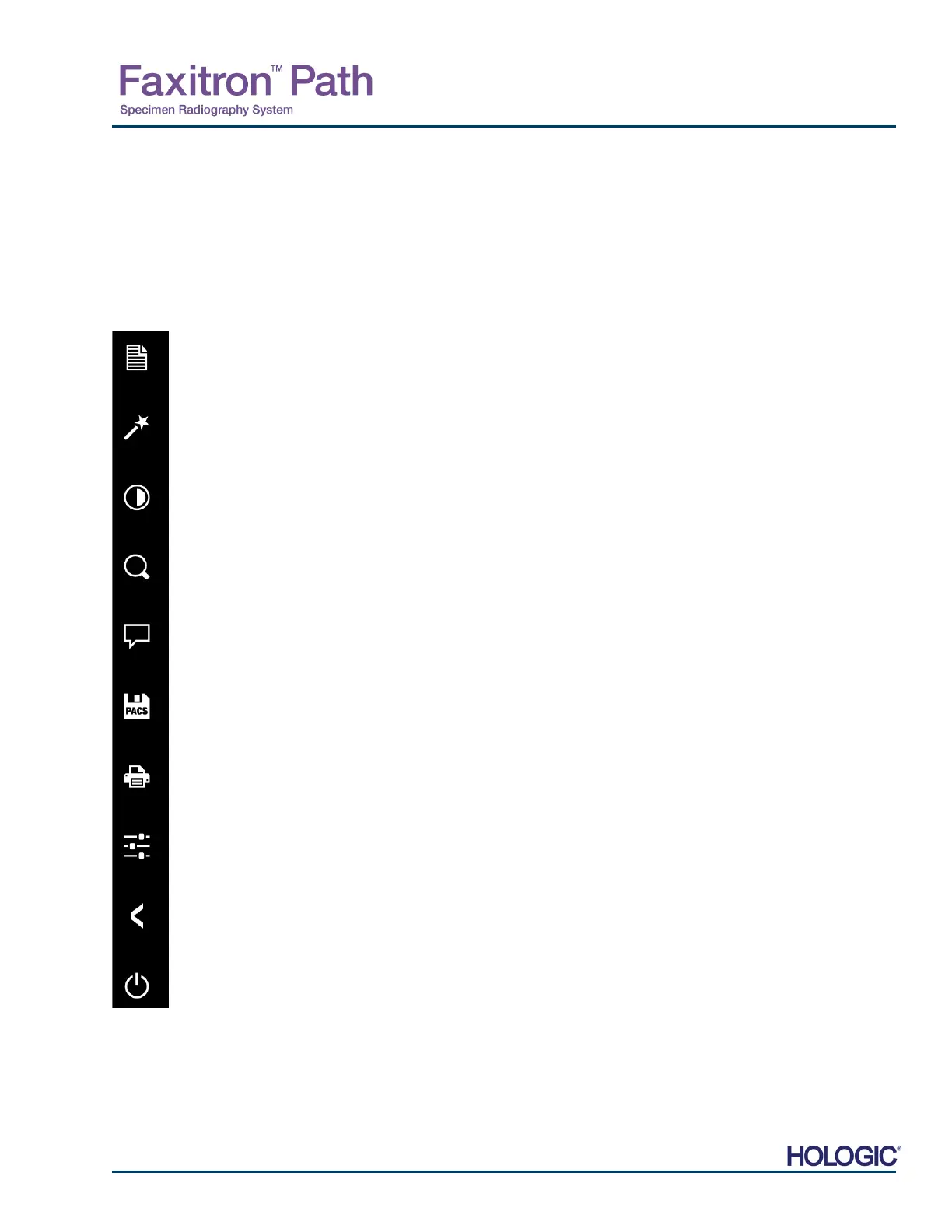
Vision software provides single click access to a number of commonly used tools or functions
with a vertical tool bar located on the left side of the screen. More detailed descriptions follow
in the next pages. See Figure 5.4.1.
View / Change Patient Information
(See Section 6.3.5 and Figure 6.3.5)
Enhance Image Icon
Window Level and Contrast Tool
Digital Zoom Tool
Annotations Tools
PACS Save
PACS Print
Exposure Control (Device Control Panel)
Back to Main Menu
Shut System Down
5.4.0
Tool Bar and
Menus
5.4.1
Side Tool Bar
Figure 5.4.1
Side Tool Bar
NOTES:
The following tools are always active
in the image acquisition page:
View/Change Patient Information
Exposure Control,
Back to Main Menu, and
Shut System Down
The following tools will be disabled
after patient data entry and will only
be enabled after an x-ray image has
been acquired:
Enhance Image,
Window Level and Contrast,
Digital Zoom, and
Annotation
The PACS Save and PACS Print
tools are only enabled after an x-ray
image has been acquired and when
the system is connected to a PACS
network.













 To Next Page