FAXITRON PATH USER MANUAL | HOLOGIC | REVISION 024
ECTION
ISION
oftware
5
5-7
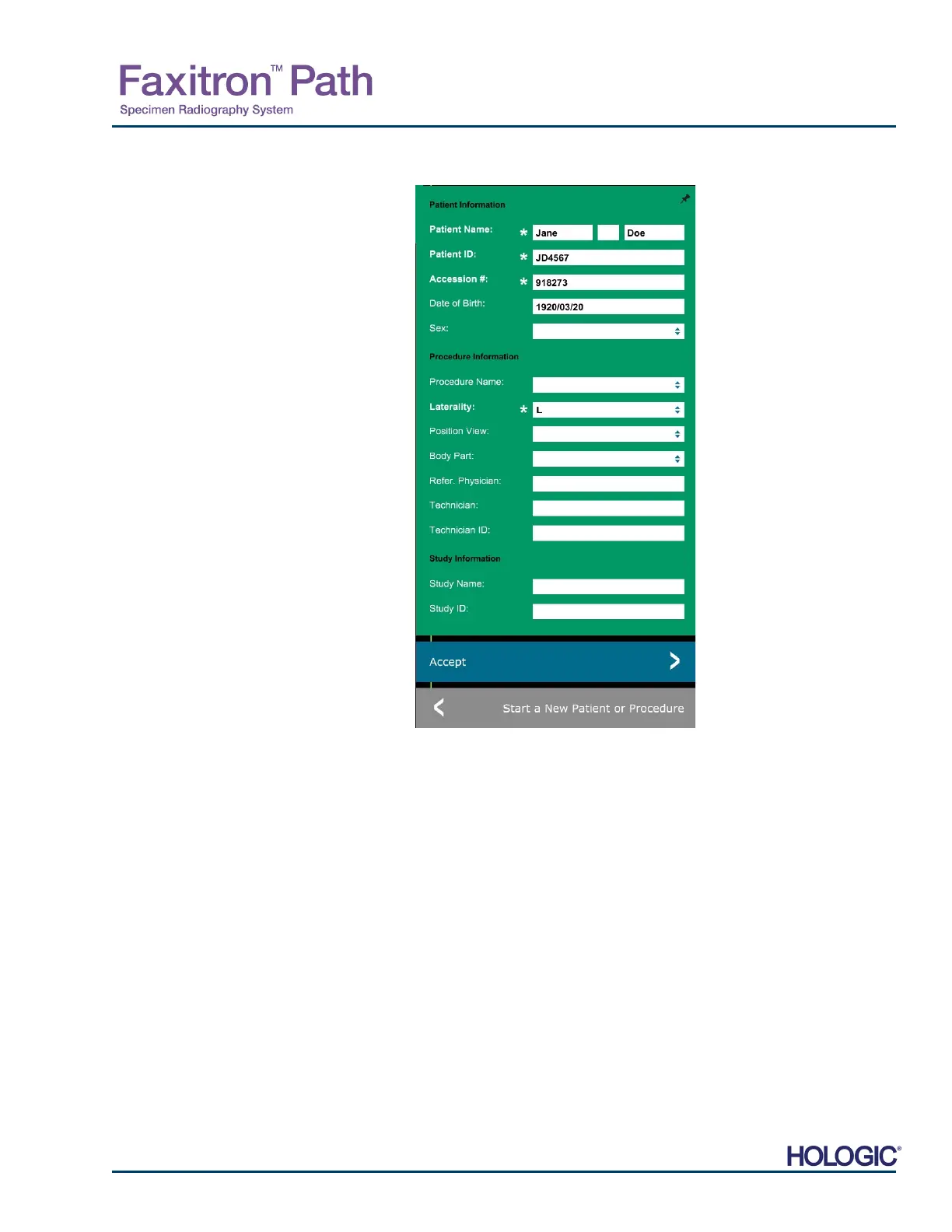
Note: Required Fields are indicated by a white asterisk (*). Default required fields are: Patient
Name, Patient ID, Accession Number, and Laterality.
The user must enter all required fields prior to
being able to select the Accept button. The
user may also enter a Date, Referring
Physician, Procedure Name, Sex, Technician,
Position View, Body Part, and Study ID if so
desired. The Procedure Name, Position View
and Body Part are chosen by a drop down
menu.
Note: The Date must be entered as
yyyy/mm/dd (e.g. 1962/08/13). Failure
to enter a valid date may cause errors
when attempting to retrieve images.
Note: The "required fields" may be altered or
deleted depending on the application.
Contact Faxitron support for further
information.
Select Accept to continue or Start a New
Patient or Procedure to return to the Patient
Data Entry page.
5.3.1 Cont.
Figure 5.3.3
Imaging Information Editor
Continue with Current Patient
Click on this button to continue with current patient procedure. The “Image Information
Editor” will open. See Figure 5.3.3. Follow the above procedure and notes.
5.3.2
Continue with
Current Patient
Manual Entry
Click on this button to manually enter a new Procedure. The “Imaging Information Editor” will
open. See Figure 5.3.3. Follow the above procedure and notes.
5.3.3
Manual Entry













 To Next Page