FAXITRON PATH USER MANUAL | HOLOGIC | REVISION 024
ECTION
uick Start
4
4-3
Basic Imaging Procedures
arning: Use of the Path in a manner other than that described in this manual may result in
impaired operation of the equipment or personal injury.
arning: Use approved containers or gloves in order to avoid contact with potentially
hazardous patient tissue samples.
tart Procedure
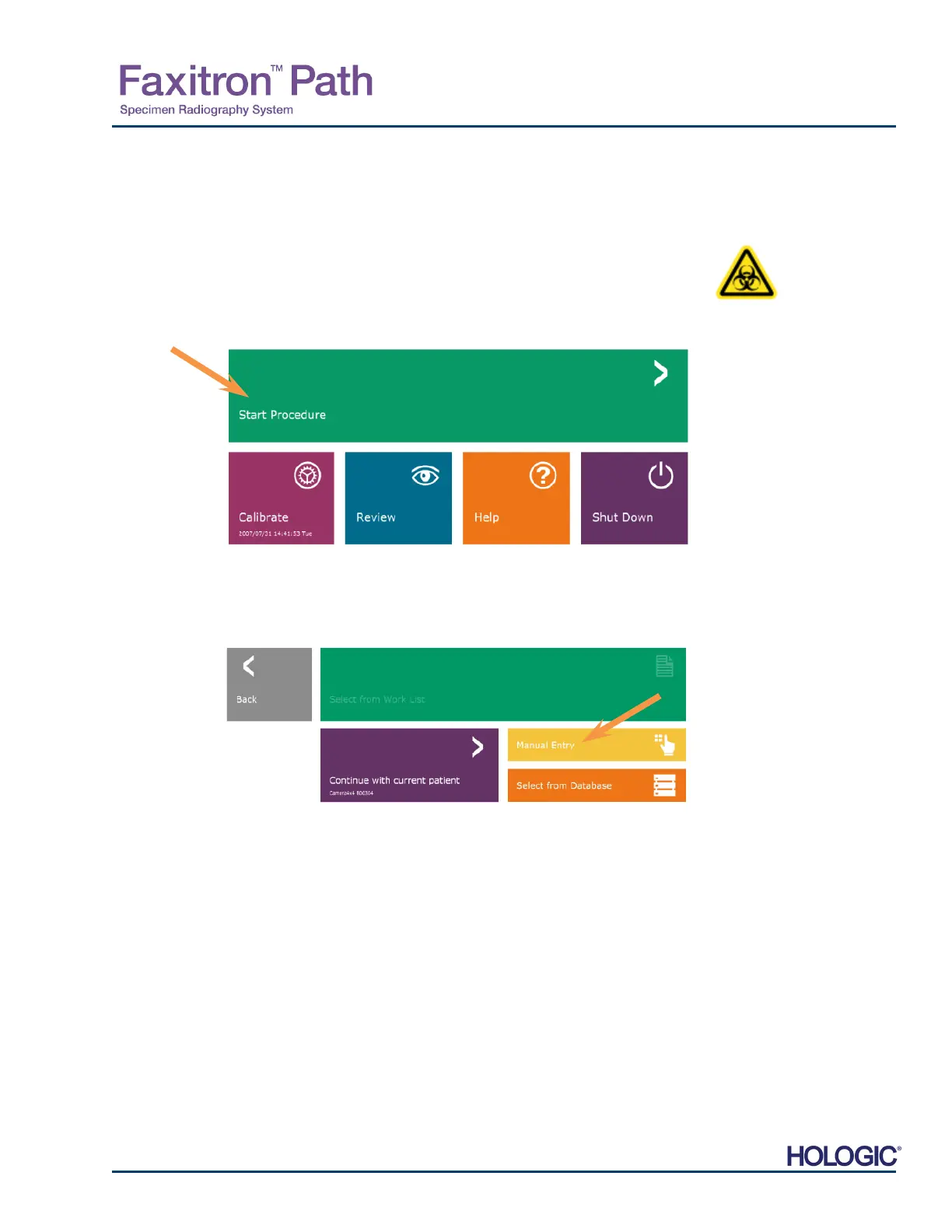
From the Home Menu page select the Start Procedure button.
The user will be given options to Select form Work List, Manual Entry, Select from
Database, or Continue with current patient.
To manually enter a new Procedure, select the Manual Entry button.
The “Patient Information Editor” dialog box will open.
4.2.0
Image
Acquisition
Figure 4.1.3
Faxitron Vision program Home
Menu (Main Screen)
Figure 4.1.4
Start Procedure Options













 To Next Page