FAXITRON PATH USER MANUAL | HOLOGIC | REVISION 024
ECTION
ISION
oftware
5
5-19
Sample Viewer
In the event that the system has a web camera, this toggles the systems’ web camera viewe
to allow the specimen orientation and alignments.
Review Layout
Helps user configure multiple image panes in the Review (Database) Mode of program.
vailable options are “(1 X 1) Single”, “(2 X 1) Double H”, “(1 X 2) Double V”, “(1 + (2 X 1) Triple
and “(2 X 2) Quadruple” layout. During multiple pane operation, the user can click on desired
pane/image once to make it current selection, the current selected pane will get green
rectangular border around. The images in database list view or database thumbnail view will be
opened into current selected pane when double click on them. User can also open the images
into desired panes directly from right click menu of the mentioned database views After right
click menu activated, the user can select from the panes listed under OPEN TO→ which will
provide available panes to open the image into (left, right, top, bottom etc.).
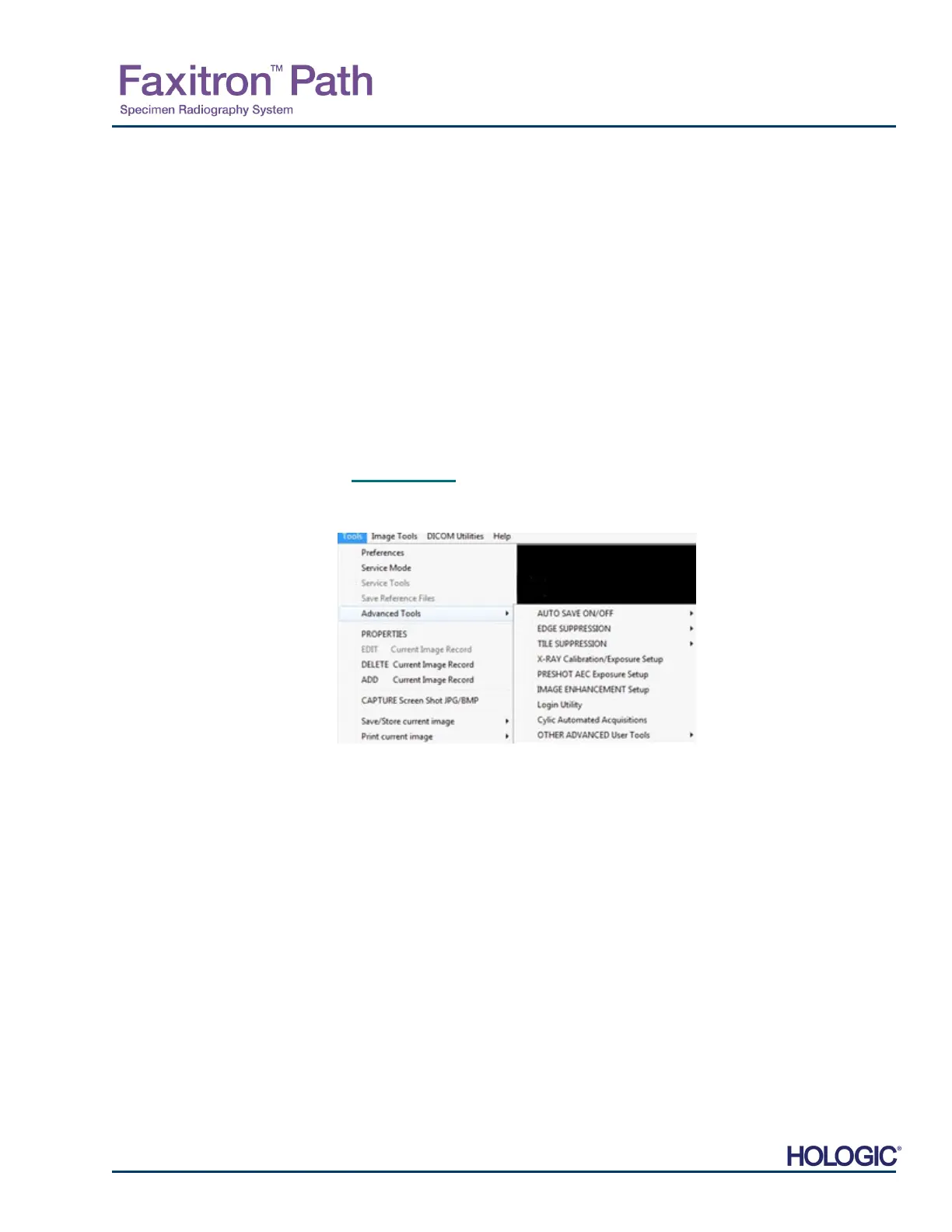
Tools Menu
The “Tools” menu is located in the Top Menu Bar, found in the upper left hand corner of the
main screen.
Preferences
The “Preferences” menu opens a configuration management utility which can be used to change
various options or parameters.
NOTE: The “Preference” tool option is password protected and should only be accessed by an
authorized Faxitron service representative.
NOTE: Changing configuration parameters without proper knowledge or authorization can
cause loss of image quality, system damage, and system malfunctions.
Service Mode
The “Service Mode” is password protected and turned on by Faxitron authorized technicians fo
troubleshooting purposes.
Service Tools
“Service Tools” is normally greyed out. It is only turned on when the system is in “Service Mode”.
5.4.3 Cont.
5.4.4
Tools Menu
Figure 5.4.19
Tools menu













 To Next Page