FAXITRON PATH USER MANUAL | HOLOGIC | REVISION 024
ECTION
ISION
oftware
5
5-3
Calibration Introduction
To optimize image quality, Vision Software and the hardware requires periodic calibration. This
calibration requires the acquisition of reference images.
Upon initial start-up of the system or at any time desired by the user, a system calibration may
be requested and performed. It is recommended that after an elapsed time of twelve (12) hours,
the following calibrations be performed.
These reference calibration images are used to calibrate a "raw" X-Ray image on a pixel-by-
pixel basis to generate a "corrected" image for display. Image corrections performed include
gain, offset and linearity corrections.
Calibration Sequence
For convenience, Vision software combines the numerous steps of calibration into a single
unified step.
When a Faxitron X-Ray System has been turned off for longer than twelve (12) hours, the
system will automatically request to re-calibrate. It is highly recommended that the system be
re-calibrated after extended periods of inactivity or after the system is moved from one room to
another room with potentially different ambient temperature/humidity settings.
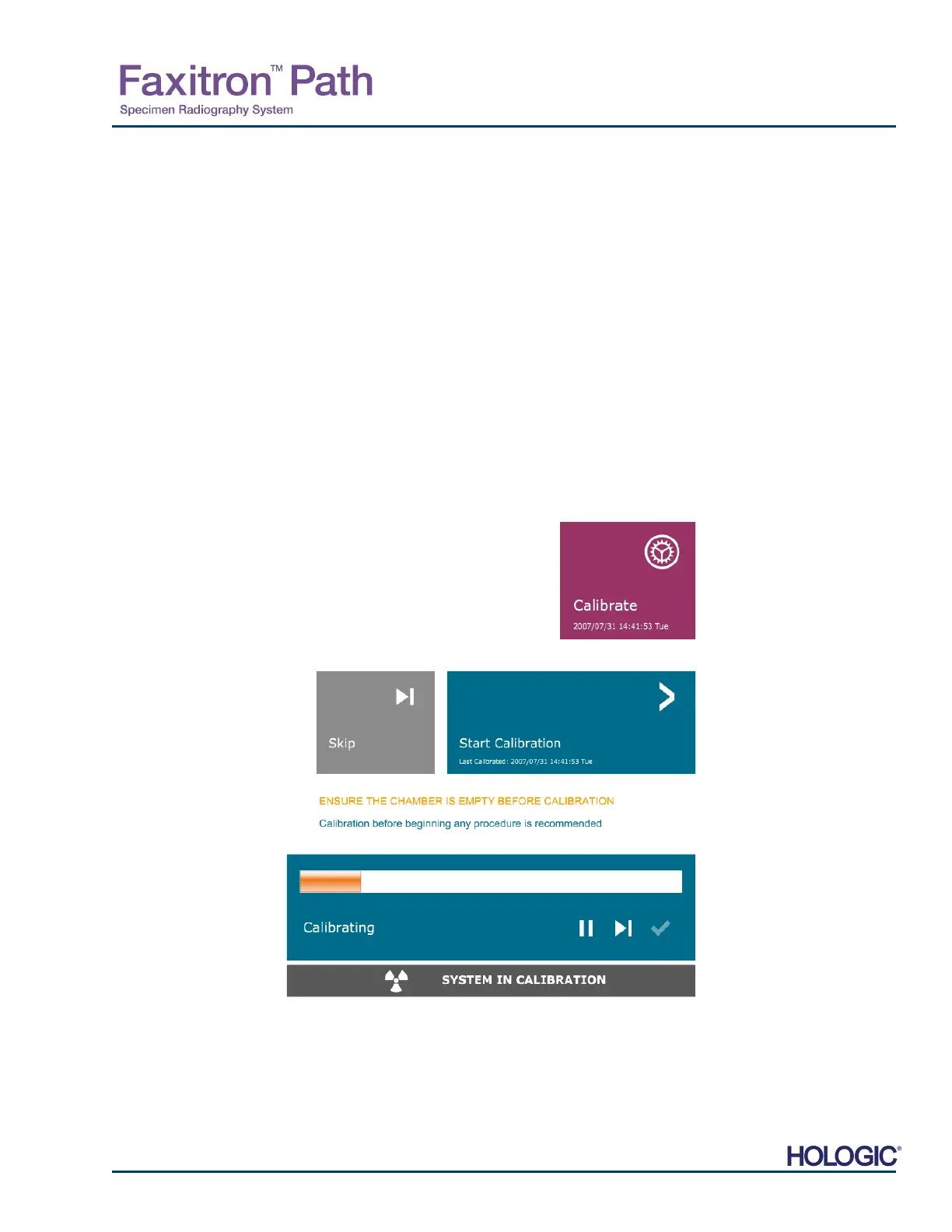
To calibrate the system at any time, click the Calibrate button on the
Vision Home Menu (Start-up Screen) and then press Start Calibration.
See Figures 5.2.1 & 5.2.2. The Dialog will display a status message
during calibration. See Figure 5.2.3.
During calibration, X-Rays may be generated. During X-Ray generation, a Stop X-Ray button
will be made visible to allow a user the option to stop X-Ray through software.
5.2.0
Camera Calibration
Overview
Figure 5.2.1
Home Menu Calibrate button
Figure 5.2.2
Start Calibrate button
Figure 5.2.3
Calibration Status













 To Next Page