FAXITRON PATH USER MANUAL | HOLOGIC | REVISION 024
ECTION
uick Start
4
4-4
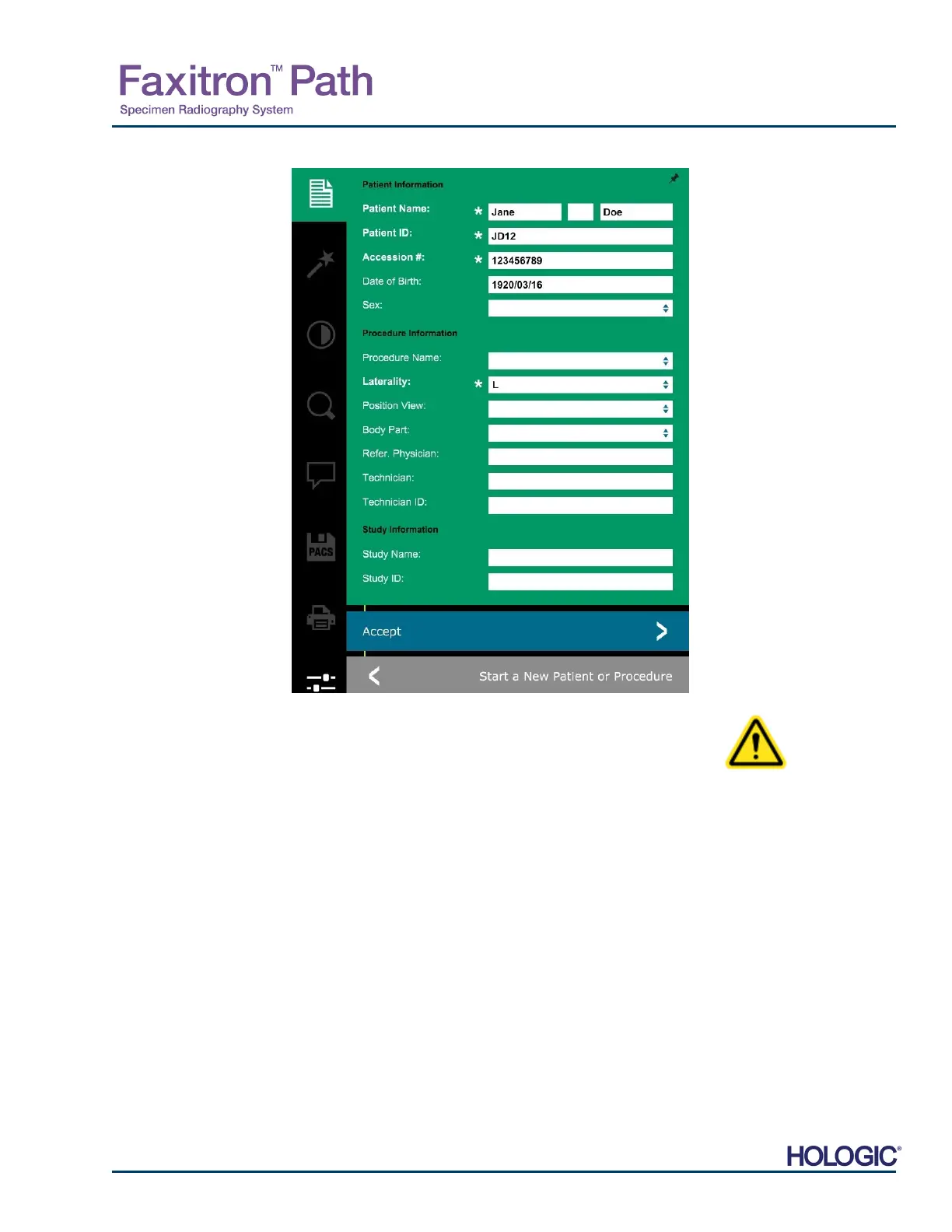
Note: Required Fields are indicated by a white asterisk (*).
Default required fields are: Patient Name, Patient ID, Accession
Number, and Laterality.
Enter all required fields. The Accept button will not be active if any required field is
missing. The user may complete other fields as desired.
Note: Date of Birth must be entered as yyyy/mm/dd (e.g. 1962/08/13).
Select Accept to enable image acquisition.
X-Ray Imaging
Place specimen(s) in a specimen container provided by Faxitron Bioptics LLC, or your
institution, and lay it inside the Path x-ray chamber. The imaging area is designated by an
outline decal. (The user may also place the specimen and container on the magnification
tray provided with the Path system.
Press the green Start X-ray button (either in the software or on the front of the x-ray cabinet)
to initiate image acquisition/x-rays.
Wait until image is displayed.
Note: With the Full Auto mode selected, two X-Rays will be taken, the first to work out the
best settings and the second to take the image. The settings used during exposure (kV and
time) will be displayed in the cabinets’ LCD screen.
he Vision software is configured to automatically save the image to the Faxitron database
n the system computers’ local drive. The user can also save the image to the facilities server
by clicking on the PACS icon. See Figure 4.1.6
4.2.0 Cont.
Figure 4.1.5
Patient Data screen













 To Next Page