FAXITRON PATH USER MANUAL | HOLOGIC | REVISION 024
ECTION
ISION
oftware
5
5-41
Design Mode and Mouse Right-Click Menu
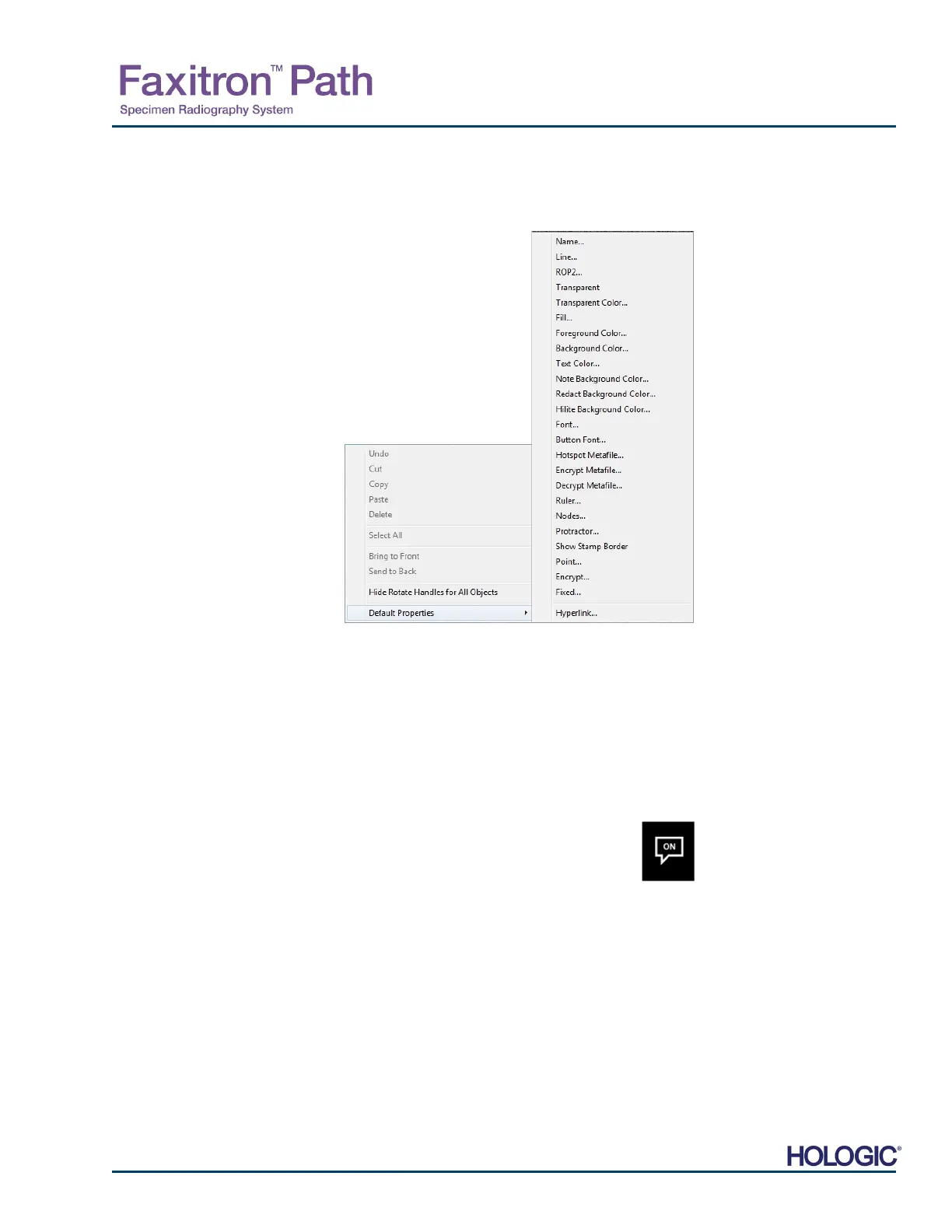
While in User Annotation Design Mode – but not in a specific operation mode – one can right-
click the mouse and get a context sensitive menu. See below.
Many specific settings can be made from these context sensitive menus.
Note: If an item seems too small to read or see correctly you can possibly change it from the
Right click menus shown above. Alternatively, you can choose to zoom into the image using
the Dynamic Zoom tool. This enlarges the image and you should be able to clearly see any
annotation.
Show – Hide Annotations
The Toggle Annotations button, shown in Figure 5.8.4, allows users to quickly
toggle annotations on and off. By default, the annotations will be toggled on. The
button is located in the right-side menu near the upper right corner.
5.8.0 Cont.
Figure 5.8.3
Right-click Mouse Context
Sensitive Menu (Only During
Design Mose of User
nnotations)
Figure 5.8.4
Show/Hide Option for User
nnotations













 To Next Page