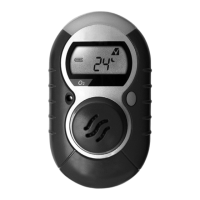
EasyManua.ls Logo

Honeywell GasAlert Max XT II - User Manual

Honeywell GasAlert Max XT II
81 pages
Print Icon
To Next Page IconTo Next Page
Loading...
iERP: 129541
D6247/1 [language/language]
© BW Technologies 2010. All rights reserved.
1, 2, 3, 4 Gas Detector
User Manual

Table of Contents

Questions and Answers

  • L
    Levi CoxAug 18, 2025
    Why does my Honeywell Security Sensor enter alarm immediately when activated?
    • D
      Donald PerryAug 18, 2025
      Your Honeywell Security Sensor might enter alarm immediately due to several reasons: * The sensor may need time to stabilize. If it's a used sensor, wait 60 seconds; if it's a new sensor, wait 5 minutes. * The battery could be low, requiring a charge. * The sensor(s) may require calibration. * The device may be in a hazardous environment. In this case, leave the area immediately and reactivate the detector in a safe, gas-free area. * There could be a general fault.
  • K
    Kristen BradyAug 20, 2025
    Why does my Honeywell Security Sensor detector intermittently enter alarm without reason?
    • J
      John PatelAug 20, 2025
      Your Honeywell Security Sensor might intermittently enter alarm without a clear reason due to several factors: * Ambient gas levels are near the alarm setpoint, or the sensor is exposed to a puff of the target gas. The detector is operating normally, but caution is advised in suspect areas. Check the maximum gas exposure reading. * Alarms are set incorrectly, requiring a reset of the alarm setpoints. * The sensor(s) may require calibration. * There might be missing or faulty sensors.
  • D
    Danielle SavageAug 23, 2025
    Why is my Honeywell Security Sensor battery charging indicator still on after 6 hours?
    • A
      Amy SilvaAug 23, 2025
      If the charging indicator on the LCD of your Honeywell Security Sensor still shows the battery is charging after 6 hours, it indicates that the battery is trickle charging. This means the battery is fully charged and ready for operation.
  • G
    garrettreneeAug 26, 2025
    What to do if my Honeywell Security Sensor does not accurately measure gas?
    • M
      Michelle ThompsonAug 26, 2025
      If your Honeywell Security Sensor isn't accurately measuring gas, consider the following: * The sensor(s) may need calibration. * The detector's temperature may differ significantly from the gas temperature. Allow the detector to reach ambient temperature before use. * The sensor filter might be blocked, requiring replacement.
  • A
    Alexis DixonAug 28, 2025
    How to fix Honeywell Security Sensor if the detector does not activate?
    • F
      Felicia GilbertAug 28, 2025
      If your Honeywell Security Sensor detector does not activate, it could be due to: * A depleted battery. In this case, charge the battery. * A damaged or defective detector.
  • T
    Travis TaylorAug 30, 2025
    What to do if Honeywell Security Sensor detector does not display normal ambient gas reading after startup tests?
    • A
      Amy StewartAug 30, 2025
      If your Honeywell Security Sensor detector doesn't display a normal ambient gas reading after startup, it might be because: * The sensors haven't stabilized yet. For a used sensor, wait 60 seconds; for a new one, wait 5 minutes. * The sensor(s) require calibration. * The target gas is present, indicating the detector is working correctly. Exercise caution in suspected areas.
  • E
    Eric BeanSep 2, 2025
    Why does my Honeywell Security Sensor automatically deactivate?
    • B
      Barbara GarciaSep 2, 2025
      Your Honeywell Security Sensor might automatically deactivate because: * It could be due to automatic deactivation caused by a depleted battery. In this case, charge the battery. * Lockout on Self-Test Error is enabled and a sensor(s) has failed the startup self-test.
  • D
    Dawn ClarkeSep 4, 2025
    What to do if my Honeywell Security Sensor does not respond to pushbutton?
    • A
      Andrea HopkinsSep 4, 2025
      If your Honeywell Security Sensor does not respond to the pushbutton, it could be due to: * A depleted battery. Charge the battery. * The detector is performing operations that do not require user input. Pushbutton operation restores automatically when the operation ends.
  • I
    ian15Sep 6, 2025
    Why Honeywell Security Sensor detector does not enter alarm?
    • A
      Amanda MasseySep 6, 2025
      If your Honeywell Security Sensor detector doesn't enter alarm, it could be due to: * Alarm setpoints are set incorrectly. Reset the alarm setpoints. * Alarm setpoints are set to zero. Reset the alarm setpoints. * The detector is in calibration mode. Complete the calibration procedure.
  • T
    Tamara LopezSep 9, 2025
    What to do if battery indicator does not display when charging Honeywell Security Sensor?
    • D
      dstanleySep 9, 2025
      If the battery indicator does not display when charging your Honeywell Security Sensor, it could be that the battery is depleted below normal levels. Charge the battery for 8 hours.

Summary

Introduction

Gases Monitored

Lists the gases the detector monitors and their units of measure.

Safety Information - Read First

Provides critical safety instructions and warnings before using the detector.

Activating;Deactivating the Detector

Startup Tests

Battery Test

Checks detector battery status during startup.

Audible;Visual Test

Confirms detector alarms (beeps, flashes, vibrates) during startup.

Pump Test on Startup

Verifies the detector's pump operation during startup.

Self-Test

Verifies the detector's operational correctness during startup.

Bump Test

Recommends daily bump testing for sensor response validation.

Installing Fleet Manager II

Using Fleet Manager II to Configure the Detector

Details steps for configuring the detector via software.

Device Configuration

Sensor Configuration

Calibration Gas (ppm)

Sets gas concentration values for calibration.

Alarms

Low Alarm

Describes low alarm conditions and indicators.

High Alarm

Describes high alarm conditions and indicators.

TWA Alarm

Describes Time-Weighted Average alarm conditions.

STEL Alarm

Describes Short-Term Exposure Limit alarm conditions.

Low Battery Alarm

Warns when the detector battery is low.

Pump Alarm

Alerts if the detector's pump stops or becomes blocked.

Computed Gas Exposures

Viewing and Clearing Gas Exposures

How to view and reset TWA, STEL, and MAX readings.

Gas Alarm Setpoints

Triggers for gas alarms based on set levels.

Resetting Gas Alarm Setpoints

Bump Test

Calibration

Guidelines

Recommendations for accurate gas calibration.

Calibration Procedure

Step-by-step instructions for performing calibration.

Auto Zero Sensor

Process for automatically zeroing sensors during calibration.

Auto Span

Process for automatically spanning sensors during calibration.

Verification

How to confirm calibration accuracy after performing it.

Calibrating Using the IR Link

Event Logs

Bump and Calibration Results

Maintenance

Battery Maintenance and Cautions

Guidelines for battery care and safety.

Charging the Battery

Instructions for charging the detector's battery.

Replacing the Battery

Procedure for replacing the detector's battery.

Replacing a Sensor or Sensor Filter

Procedure for replacing sensors and filters.

Troubleshooting

Honeywell GasAlert Max XT II Specifications

General IconGeneral
BrandHoneywell
ModelGasAlert Max XT II
CategorySecurity Sensors
LanguageEnglish

Related product manuals