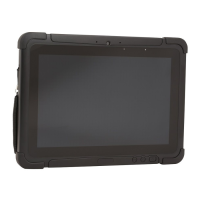
RT10W Rugged Tablet i
TABLE OF CONTENTS
Customer Support ..........................................................................................................................v
Technical Assistance ...............................................................................................................v
Product Service and Repair ..................................................................................................v
Limited Warranty ......................................................................................................................v
Chapter 1 - Tablet Features.............................................................................1
RT10 Rugged Tablet...................................................................................................................... 1
Tablet Features................................................................................................................................ 2
About the Battery ........................................................................................................................... 3
Charge the Battery .................................................................................................................. 4
Charge Before Use .................................................................................................................. 4
Replace the Battery................................................................................................................. 5
LED Indicator Status.............................................................................................................. 5
Check the Battery Settings .................................................................................................. 6
Battery Life and Conservation............................................................................................ 6
Battery Recommendations and Safety Precautions .................................................6
Enable Airplane Mode ........................................................................................................... 7
Set Up the Tablet for the First Time ........................................................................................ 8
Turn the Power On or Off ...................................................................................................... 8
Turn Sleep Mode On or Off ................................................................................................. 8
Adjust the Display Sleep Time ............................................................................................ 9
Unlock the Screen .................................................................................................................. 9
Set a PIN to Protect the Tablet............................................................................................ 9
Select a Touch Screen Profile to Optimize Performance ...................................... 10
Configure the Screen Backlight...................................................................................... 10


 To Next Page