Configuring Basic Features
4 - 27
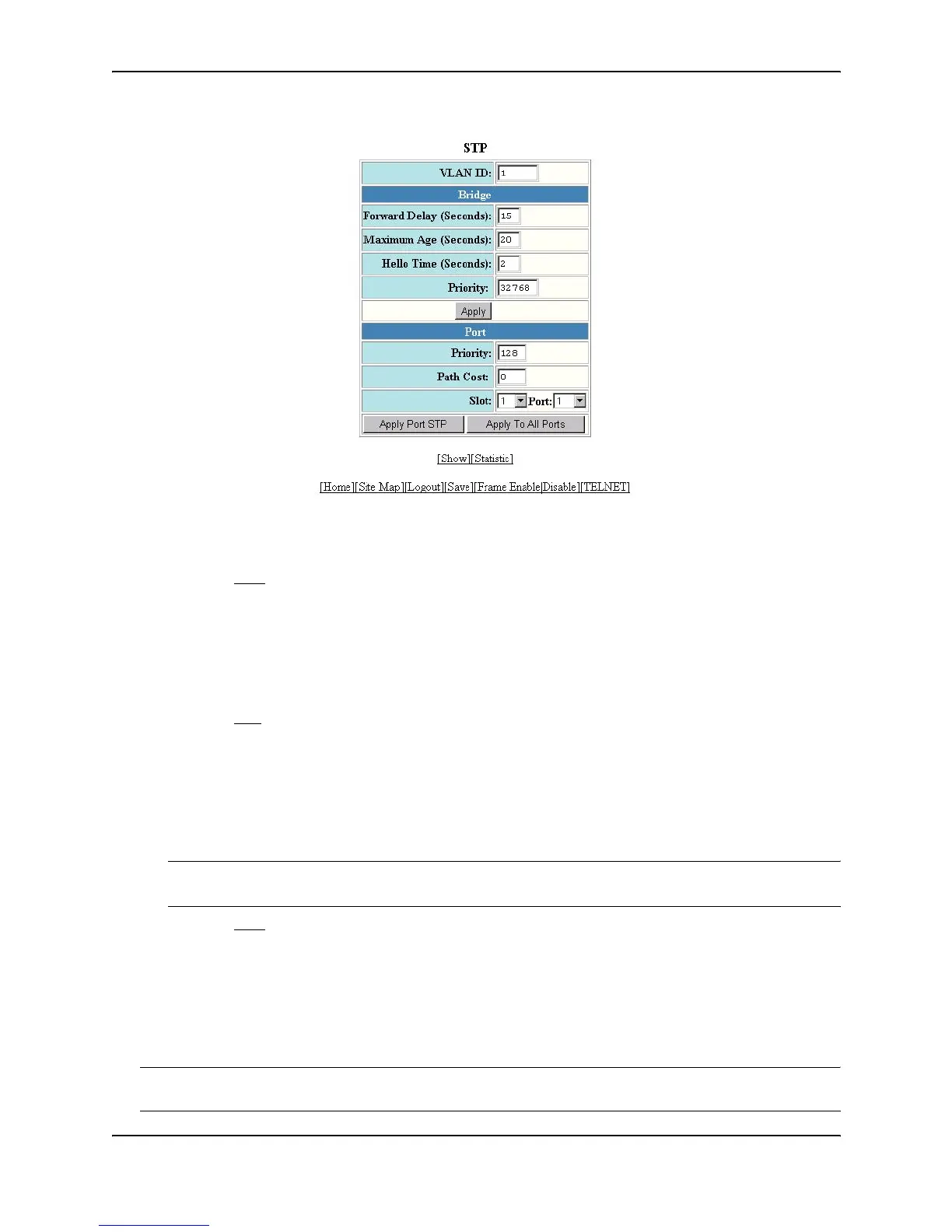
5. Modify the bridge STP parameters to the values desired.
6. Click Apply to save the changes to the device’s running-config file.
7. Select the Save
link at the bottom of the dialog. Select Yes when prompted to save the configuration change
to the startup-config file on the device’s flash memory.
To modify the STP port parameters:
1. Log on to the device using a valid user name and password for read-write access. The System configuration
panel is displayed.
2. Click on the plus sign next to Configure in the tree view to display the configuration options.
3. Select the STP
link to display the STP bridge and port parameters.
4. If you are modifying the settings for a specific port, select the port (and slot if applicable) from the Port and
Slot pulldown lists.
5. Enter the desired changes to the priority and path cost fields.
6. Click Apply STP Port to apply the changes to only the selected port or select Apply To All Ports to apply the
changes to all the ports.
NOTE: If you want to save the priority and path costs of one port to all other ports on the Routing Switch
within a VLAN, you can click the Apply To All Ports button.
7. Select the Save
link at the bottom of the dialog. Select Yes when prompted to save the configuration change
to the startup-config file on the device’s flash memory.
Enabling or Disabling Layer 2 Switching
By default, HP Routing Switches support Layer 2 switching. These devices switch the routing protocols that are
not supported on the devices. If IPX routing is not enabled, then IPX traffic also is switched. By default IPX
routing is disabled. If you want to disable Layer 2 switching, you can do so globally or on individual ports.
NOTE: Make sure you really want to disable all Layer 2 switching operations before you use this option. Consult
your reseller or Hewlett-Packard for information.



 To Next Page