Configuring Spanning Tree Protocol (STP)
6 - 7
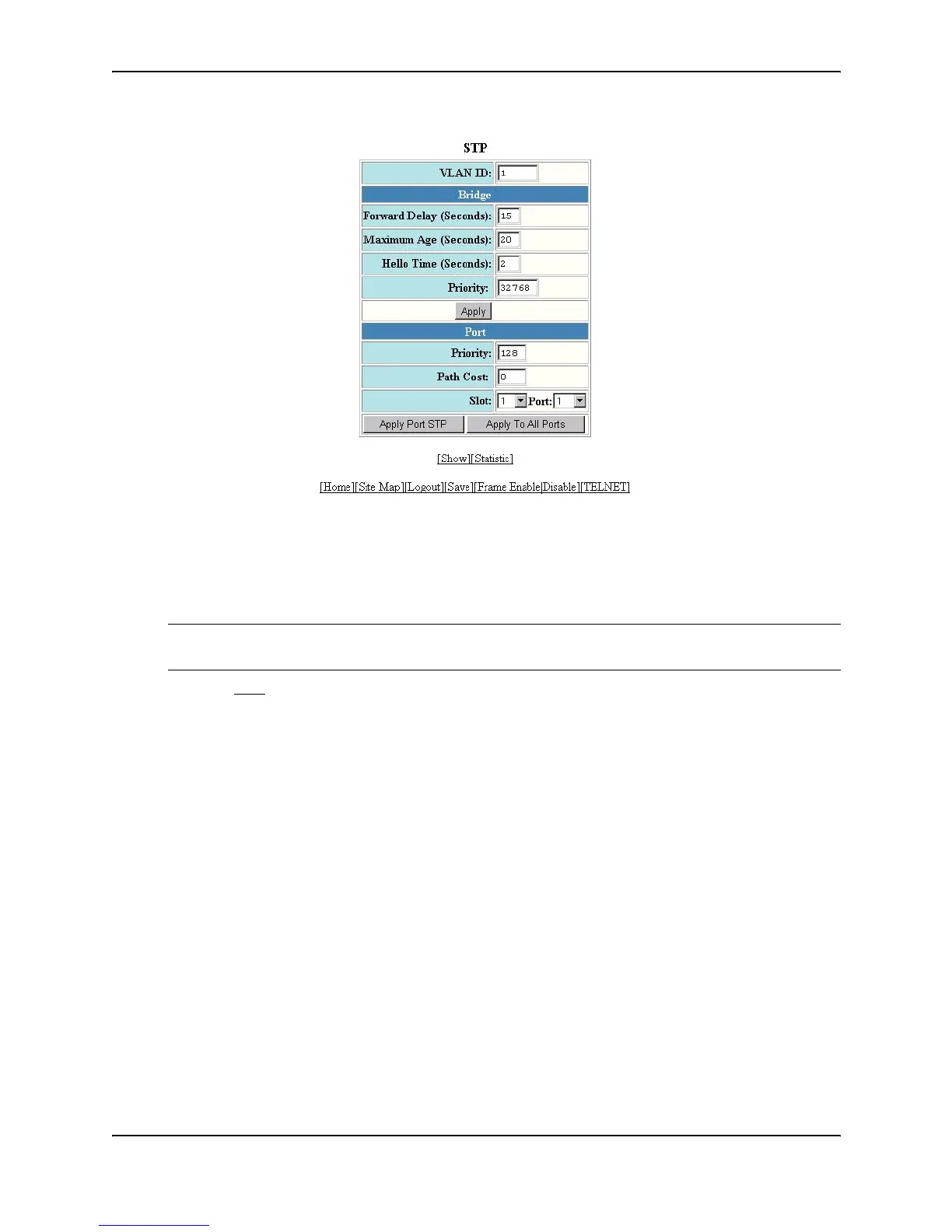
5. Select the port (and slot if applicable) from the Port and Slot pulldown lists.
6. Enter the desired changes to the priority and path cost fields.
7. Click Apply STP Port to apply the changes to only the selected port or select Apply To All Ports to apply the
changes to all the ports.
NOTE: If you want to save the priority and path costs of one port to all other ports on the device or within the
selected VLAN, you can click the Apply To All Ports button.
8. Select the Save
link at the bottom of the dialog. Select Yes when prompted to save the configuration change
to the startup-config file on the device’s flash memory.
Displaying STP Information
You can display the following STP information:
• All the global and interface STP settings
• CPU utilization statistics
• Detailed STP information for each interface
• STP state information for a port-based VLAN
• STP state information for an individual interface
Displaying STP Information for an Entire Device
To display STP information for an entire device, use either of the following methods.



 To Next Page