Using Syslog
A - 7
recent message, at the top of the list of messages, was generated when the device had been running for 21 days,
seven hours, two minutes, and 40 seconds.
Displaying and Configuring Syslog Buffer Parameters Using the Web
Management Interface
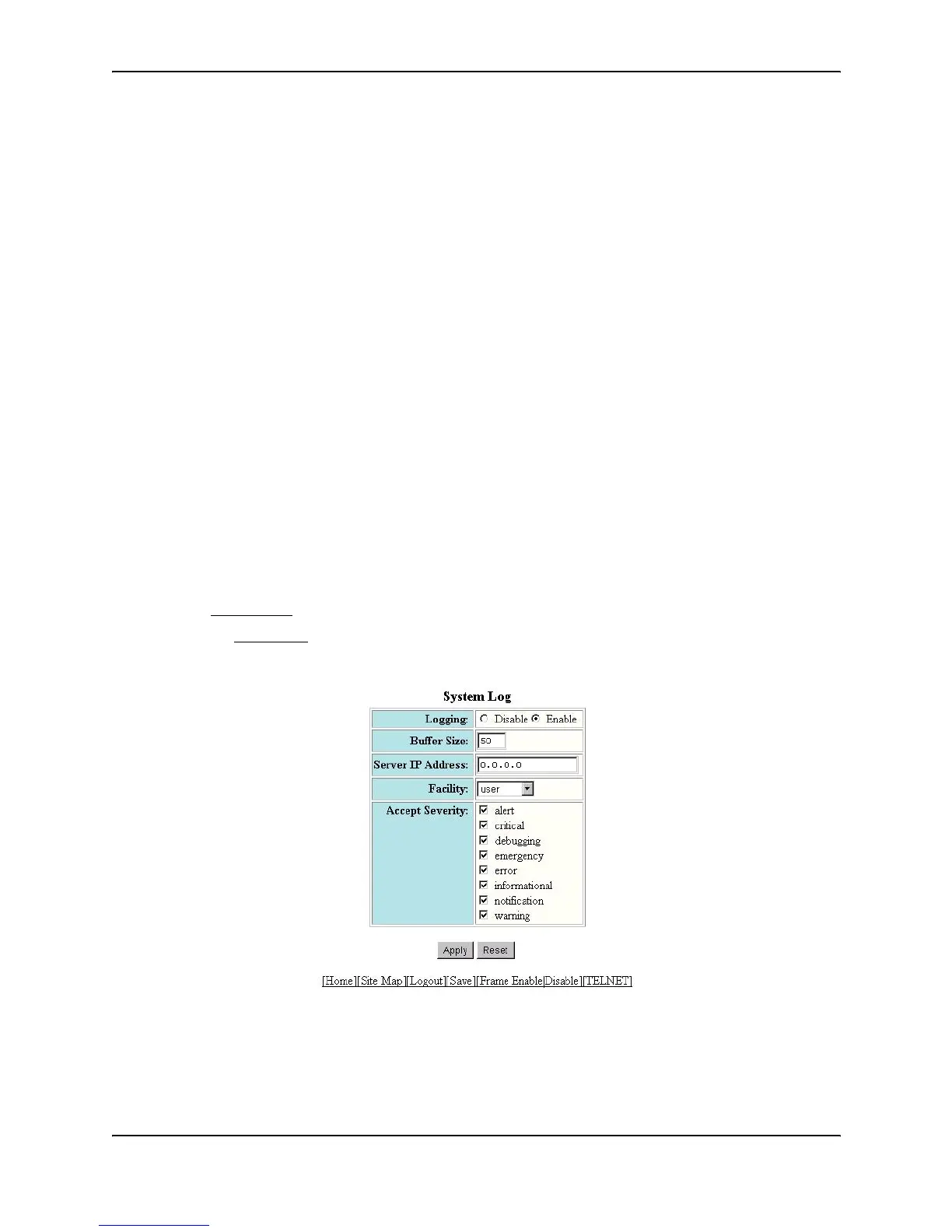
To configure Syslog parameters using the Web management interface, use the following procedure:
1. Log on to the device using a valid user name and password for read-write access. The System configuration
panel is displayed.
2. Select Management
from the System configuration sheet to display the Management panel.
3. Select the System Log
link to display the following panel.
4. Select Disable or Enable next to Logging to disable or enable the Syslog service on the device. The service
is enabled by default.
5. Optionally change the number of entries the local Syslog buffer can hold. The buffer size can be from
1 – 100. The default is 50.
HP9300(config)# show log
Syslog logging: enabled (0 messages dropped, 0 flushes, 0 overruns)
Buffer logging: level ACDMEINW, 38 messages logged
level code: A=alert C=critical D=debugging M=emergency E=error
I=informational N=notification W=warning
Static Log Buffer:
Dynamic Log Buffer (50 entries):
21d07h02m40s:warning:list 101 denied tcp 209.157.22.191(0)(Ethernet 4/18
0010.5a1f.77ed) -> 198.99.4.69(http), 2 packets
19d07h03m30s:warning:list 101 denied tcp 209.157.22.26(0)(Ethernet 4/18
0010.5a1f.77ed) -> 198.99.4.69(http), 2 packets
17d06h58m30s:warning:list 101 denied tcp 209.157.22.198(0)(Ethernet 4/18
0010.5a1f.77ed) -> 198.99.4.69(http), 1 packets



 To Next Page