Installation
2 - 11
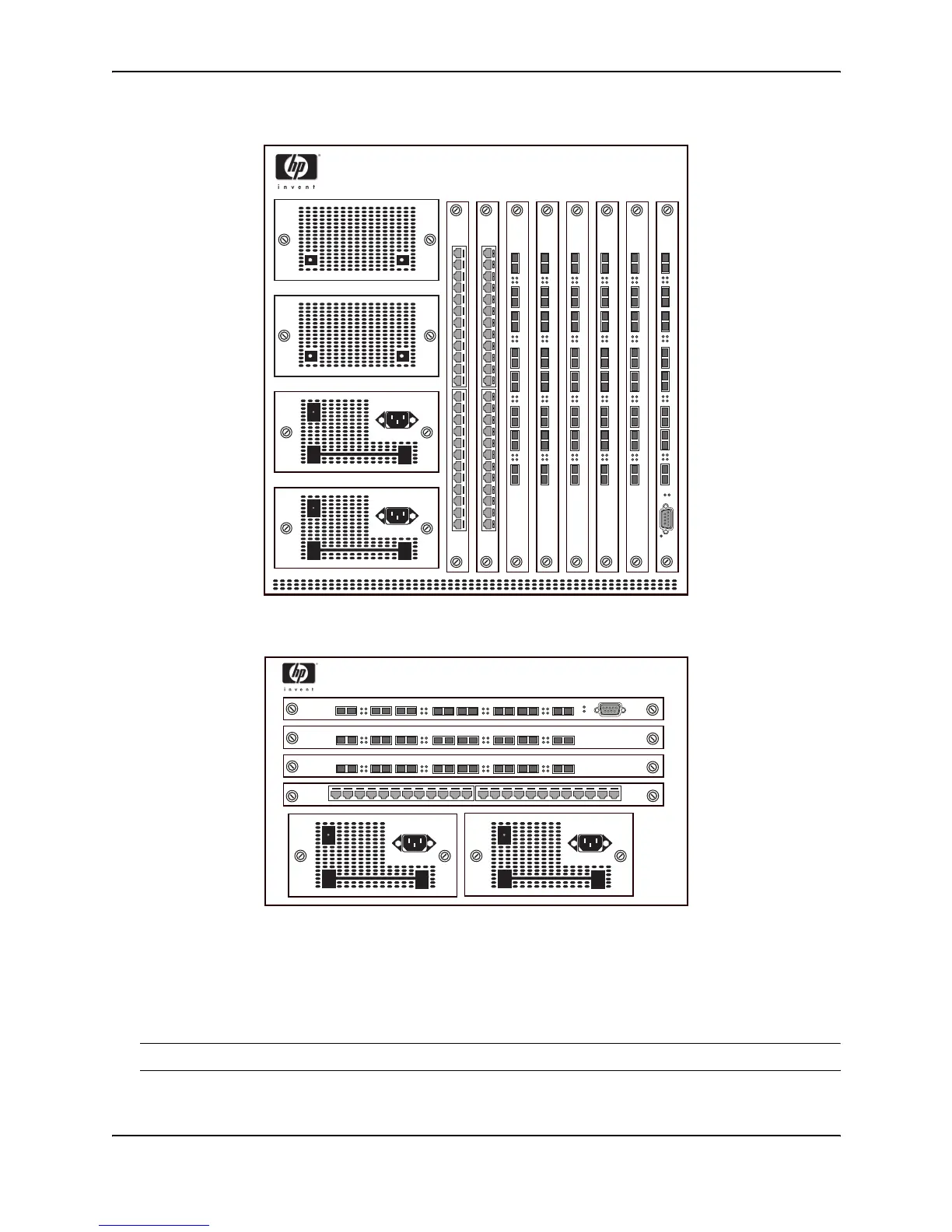
Figure 2.4 Example of the front panel of an HP 9308M Routing Switch
Figure 2.5 Example of the front panel of an HP 9304M Routing Switch
Verifying Proper Operation
After you have installed any modules or redundant power supplies, but before mounting the Routing Switch in its
network location, you should first verify that it is working properly by plugging it into a power source and verifying
that it passes its self test.
NOTE: If your device has more than one power supply installed, repeat this procedure for each power supply.
1. Connect the power cord supplied with the device to the power connector found on the power supply on the
front of the device.
3
5
4
2
Link
Activity
61
7
8
Link
Activity
Link
Activity
Link
Activity
1 2 3 4 5 6 7 8 9 10 11 12 13 14 15 16 17 18 19 20 21 22 23 24
Link
Activity
Link
Activity
Link
Activity
Link
Activity
3
5
4
2
61
7
8
1 2 3 4 5 6 7 8 9 10 11 12 13 14 15 16 17 18 19 20 21 22 23 24
3
5
4
2
Link
Activity
61
7
8
Link
Activity
Link
Activity
Link
Activity
3
5
4
2
Link
Activity
61
7
8
Link
Activity
Link
Activity
Link
Activity
3
5
4
2
Link
Activity
61
7
8
Link
Activity
Link
Activity
Link
Activity
Link
Activity
13 6
7
8
5
4
2
Pwr
Link
Activity
Link
Activity
Link
Activity
Link
Activity
13 6
7
8
5
4
2
Pwr
Link
Activity
Link
Activity
Link
Activity
3
5
4
2
Link
Activity
61
7
8
Link
Activity
Link
Activity
Link
Activity
1 2 3 4 5 6 7 8 9 10 11 12 13 14 15 16 17 18 19 20 21 22 23 24
3
5
4
2
Link
Activity
61
7
8
Link
Activity
Link
Activity
Link
Activity



 To Next Page