Installation and Getting Started Guide
4 - 14
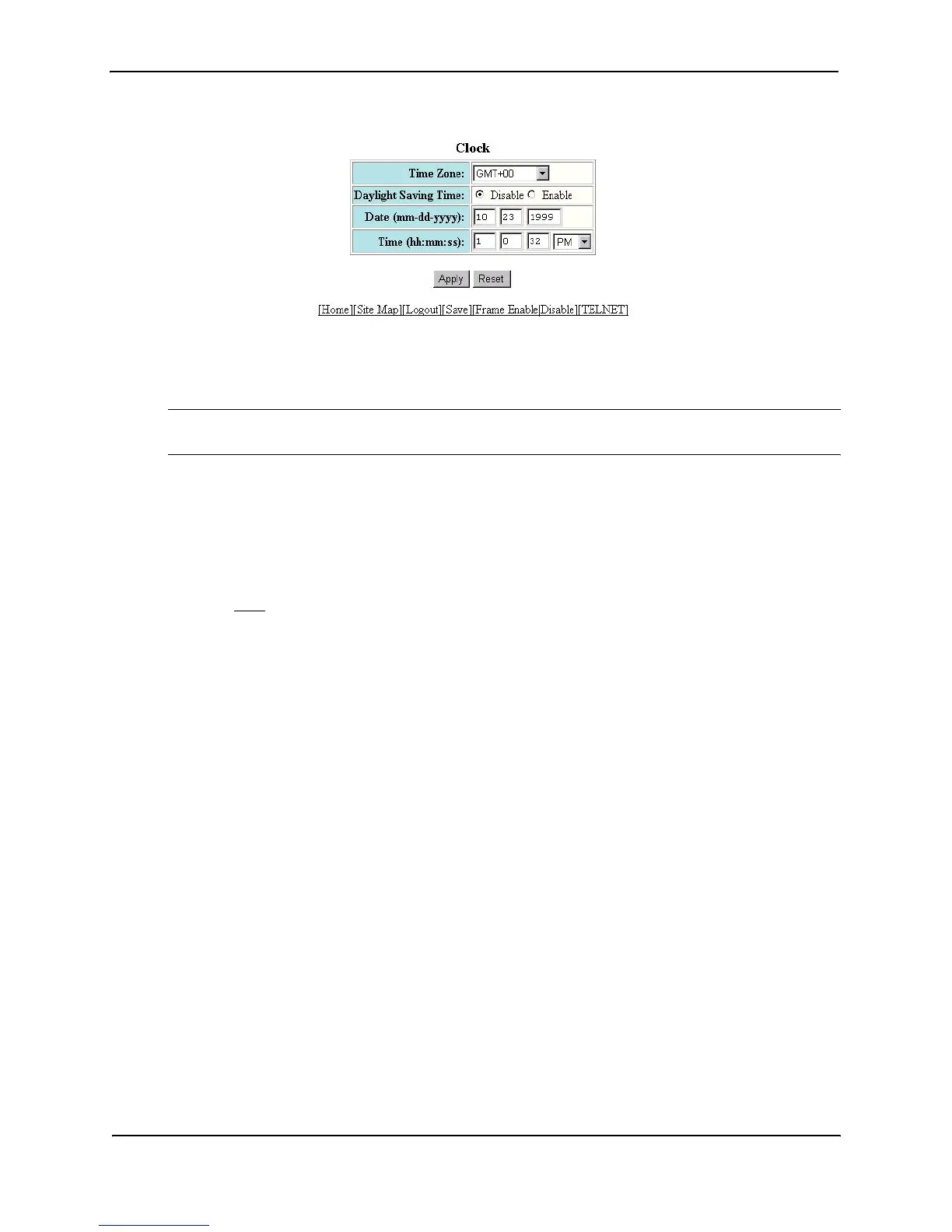
3. Select the time zone by selecting the offset from Greenwich Mean Time that applies to your time zone. For
example, to set your device to California time, select GMT-08, which means Greenwich Mean Time minus
eight hours.
NOTE: You do not need to adjust for Daylight Savings Time. You enable or disable Daylight Savings Time
separately in the following step.
4. Select Disable or Enable next to Daylight Saving Time to enable or disable it.
5. Enter the month, day, and year in the Date fields. You must enter the year as four digits.
6. Enter the hour, minute, and seconds in the Time fields.
7. Select AM or PM.
8. Click Apply to save the changes to the device’s running-config file.
9. Select the Save
link at the bottom of the dialog. Select Yes when prompted to save the configuration change
to the startup-config file on the device’s flash memory.
Changing the Default Gigabit Negotiation Mode
You can configure the default Gigabit negotiation mode to be one of the following:
• Negotiate-full-auto – The port first tries to perform a handshake with the other port to exchange capability
information. If the other port does not respond to the handshake attempt, the port uses the manually
configured configuration information (or the defaults if an administrator has not set the information). This is
the default.
• Auto-Gigabit – The port tries to perform a handshake with the other port to exchange capability information.
• Negotiation-off – The port does not try to perform a handshake. Instead, the port uses configuration
information manually configured by an administrator.
Although the standard for 100BaseTX ports provides an option for a negotiating port to link with a non-negotiating
port, the 802.3x standard for Gigabit ports does not provide this option. As a result, unless the ports at both ends
of a Gigabit Ethernet link use the same mode (either auto-Gigabit or negotiation-off), the ports cannot establish a
link. An administrator must intervene to manually configure one or both sides of the link to enable the ports to
establish the link.
HP Chassis software provides a solution by changing the default negotiation behavior for Gigabit Ethernet ports.
The new default behavior allows a port to establish a link with another port whether the other port is configured for
auto-Gigabit or negotiation-off. By default, Gigabit Ethernet ports first attempt auto-Gigabit. If auto-Gigabit does
not succeed (typically because the port at the other end is not configured for auto-Gigabit), the port switches to
negotiation-off.
Changing the Negotiation Mode
You can change the negotiation mode globally and for individual ports. Use either of the following methods.



 To Next Page