Installation and Getting Started Guide
B - 2
Management Modules. As a management alternative for (only) the HP 9308M and HP 9304M, you can install
one of these older MI management modules (
without
redundant management):
• J4141A HP ProCurve 9300 10/100 Management Module (16-port; MI)
• J4144A HP ProCurve 9300 Gigabit SX Management Module (8-port; MI)
• J4146A HP ProCurve 9300 Gigabit 4LX/4SX Management Module (8-port; MI)
NOTE: The HP 9308M and HP 9304M allow only one MI management module. (MI management modules
cannot be used in the HP 9315M.) Also, software release 7.1 or greater cannot be used in MI management
modules due to the flash memory size limit.
• Non-Management modules
• J4856A HP ProCurve 9300 Mini-GBIC Module (8-port)
• J4842A HP ProCurve 9300 1000Base-T Module (8-port)
• J4140A HP ProCurve 9300 10/100 Module (24-port)
• J4142A HP ProCurve 9300 100Base FX Module (24-port MT-RJ)
• J4143A HP ProCurve 9300 Gigabit SX Module (8-port)
• J4145A HP ProCurve 9300 Gigabit 4LX/4SX Module (8-port)
• J4844A HP ProCurve 9300 GigLX Module (8-port)
NOTE: All 10/100 ports are auto-sensing and auto-negotiating for easy deployment into existing network
topologies. Gigabit Ethernet interfaces are available in multi-mode 1000BaseSX, single-mode/multi-mode
1000BaseLX, and copper.
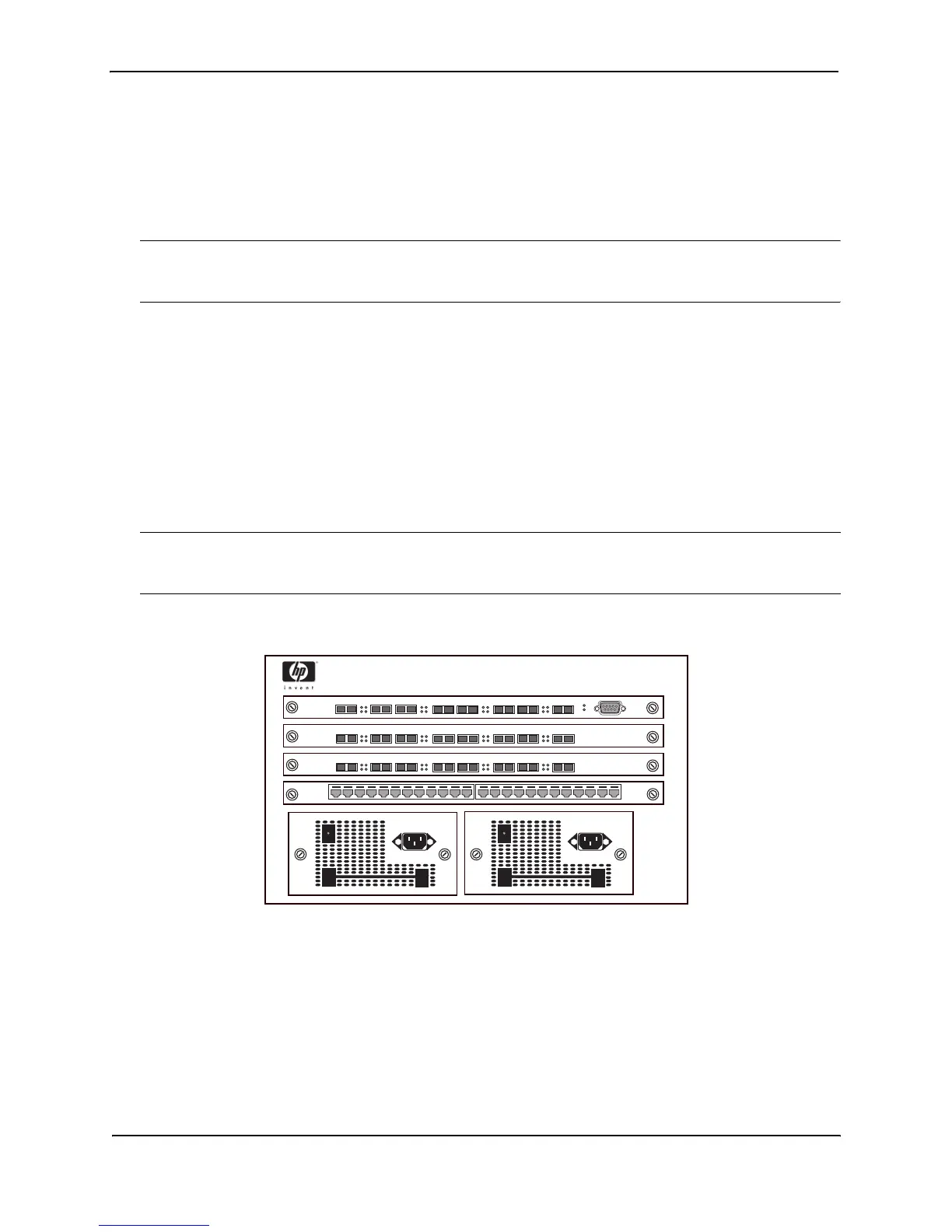
Figure B.1 Example of an HP 9304M Routing Switch (4-slot)
Link
Activity
13 6
7
8
5
4
2
Pwr
Link
Activity
Link
Activity
Link
Activity
3
5
4
2
Link
Activity
61
7
8
Link
Activity
Link
Activity
Link
Activity
1 2 3 4 5 6 7 8 9 10 11 12 13 14 15 16 17 18 19 20 21 22 23 24
3
5
4
2
Link
Activity
61
7
8
Link
Activity
Link
Activity
Link
Activity



 To Next Page