Installation and Getting Started Guide
3 - 4
The <slot-num> parameter specifies the chassis slot to contain the module:
• Slots in a 4-slot chassis are numbered 1 – 4, from top to bottom.
• Slots in an 8-slot chassis are numbered 1 – 8, from left to right.
• Slots in a 15-slot chassis are numbered 1 – 15, from left to right.
In the current software release, the <module-type> for a Redundant Management module can be one of the
following:
• 0-port-management-module – J4847A
• 8-port-gig-management-module – J4845A or J4846A
USING THE WEB MANAGEMENT INTERFACE
1. Log on to the device using a valid user name and password for read-write access. The System configuration
dialog is displayed.
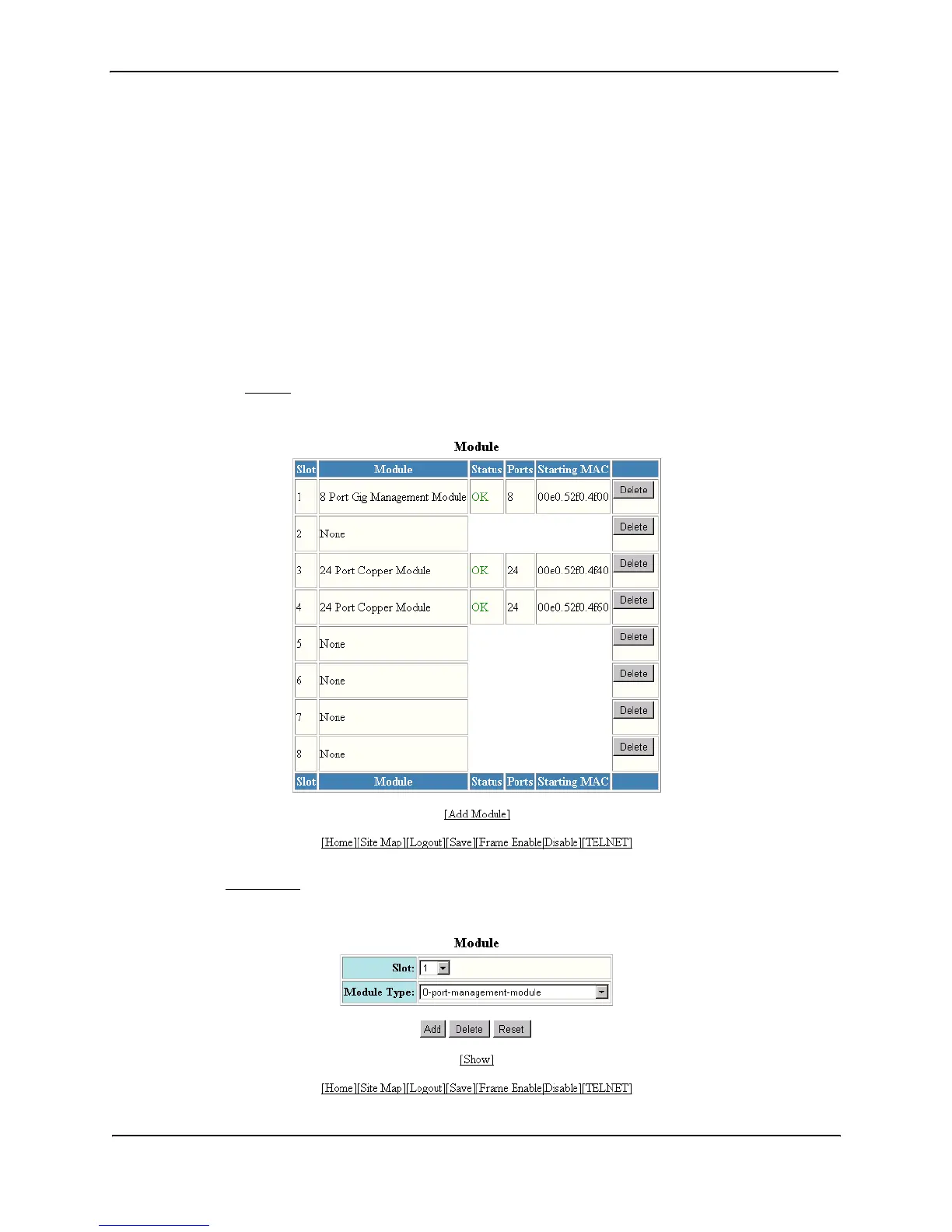
2. Click on the Module
link to display the Module panel, as shown in the following example.
3. Click the Add Module
link to display the following panel.



 To Next Page