Using Redundant Management Modules
3 - 11
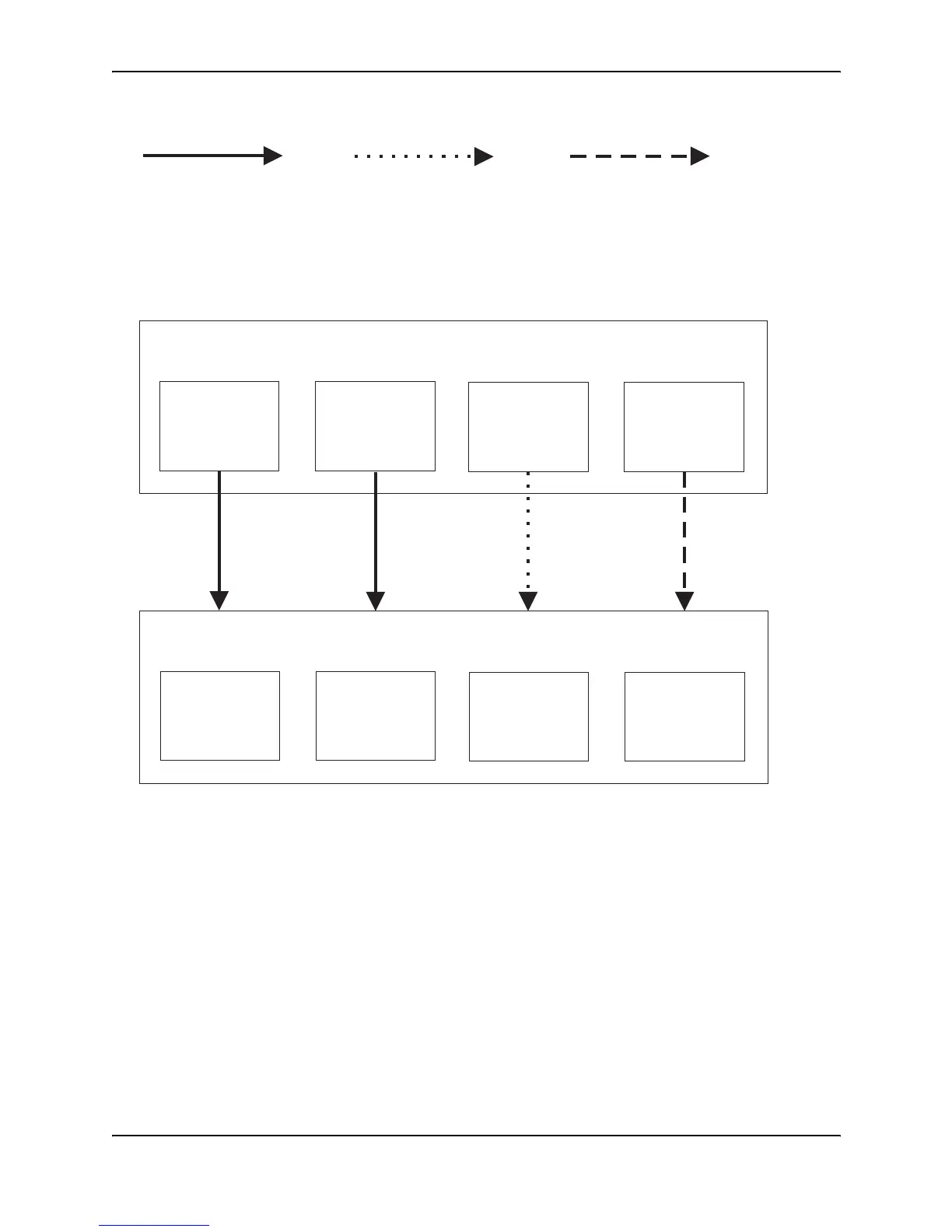
Figure 3.1 Redundant management module file synchronization
Displaying the Synchronization Settings
You can independently synchronize the following types of software between the active and standby modules:
• boot code
• flash code (system software)
• startup-config file
• running-config
When you synchronize software between the modules, the active module copies its software to the standby
module.
To display the current file synchronization settings, enter the following command:
HP9300# sync-standby
Sync code image: TRUE
Sync config data: TRUE
Standby ModuleRedundant Management
Boot code
System software
(flash code)
Running-config fileStartup-config file
Not automatically synchronized
but can be configured to synchronize
at startup or switchover
Also can be immediately synchronized
using the CLI or Web management interface
Boot code
System software
(flash code)
Running-config file
Startup-config file
Active ModuleRedundant Management
Automatically synchronized
at startup or switchover
Startup-config also
automatically updated
with write memory
command
Automatically synchronized
at regular, user-configurable
intervals
Also can be immediately
synchronized using the
CLI or Web management interface



 To Next Page