Static electricity can damage the electronic components of the computer or optional cards. Before
beginning these procedures, be sure that you are discharged of static electricity by briefly touching a
grounded metal object. For more information, see Electrostatic discharge information on page 12.
When handling a memory module, be careful not to touch any of the contacts. Doing so can damage
the module.
Before replacing the memory modules, follow these steps:
1. Prepare the computer for disassembly (see Preparation for disassembly on page 20).
2. Remove the access panel (see Access panel on page 21).
3. Remove the optical drive (see Optical drive on page 23).
4. Rotate the drive cage to the upright position (see Rotating the drive cage on page 26).
Replace a memory module:
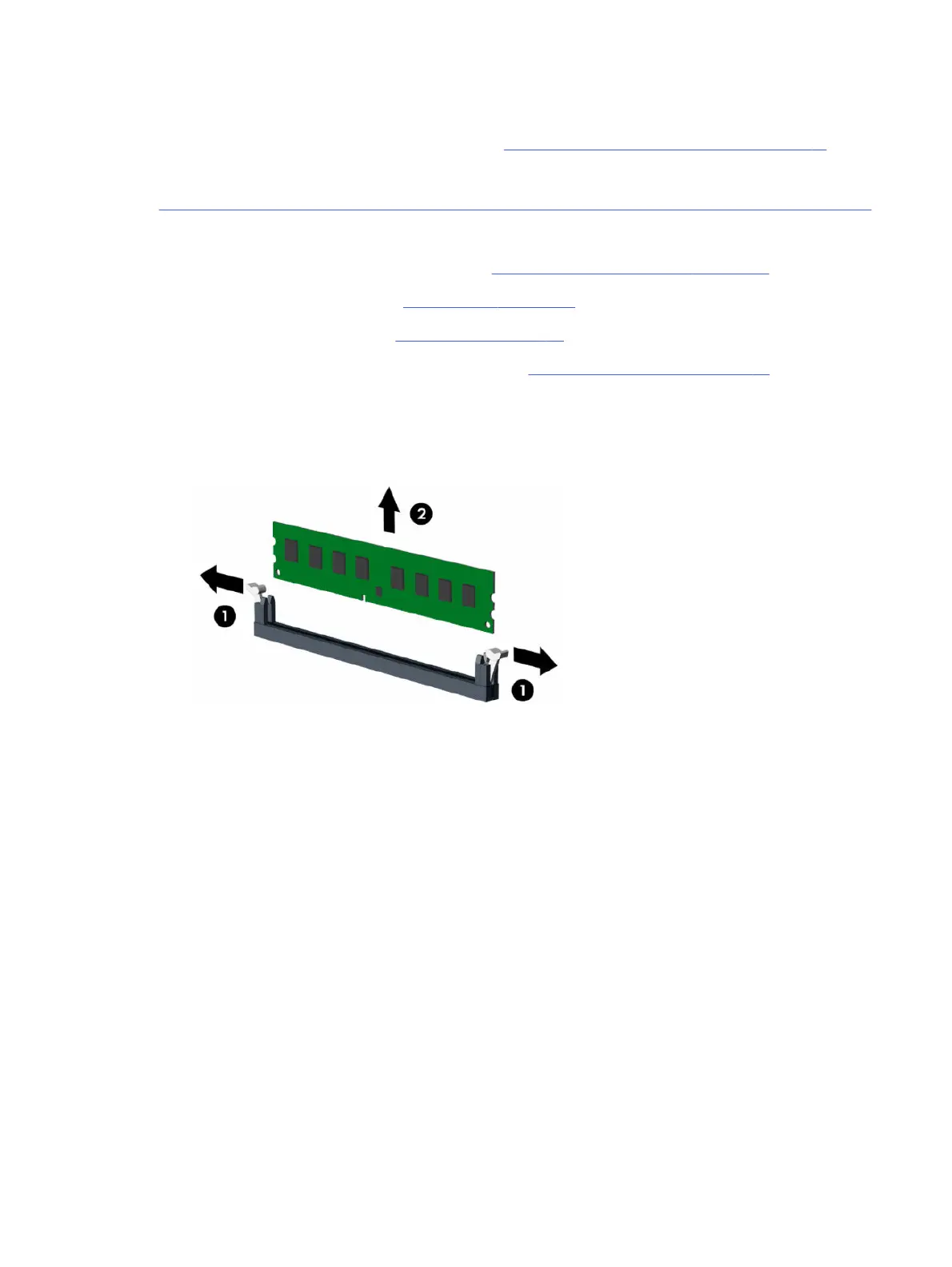
1. To remove a memory module, open both latches (1) of the memory module socket, and then remove
the memory module (2) from the socket.
Memory modules (DIMMs)
29



 To Next Page