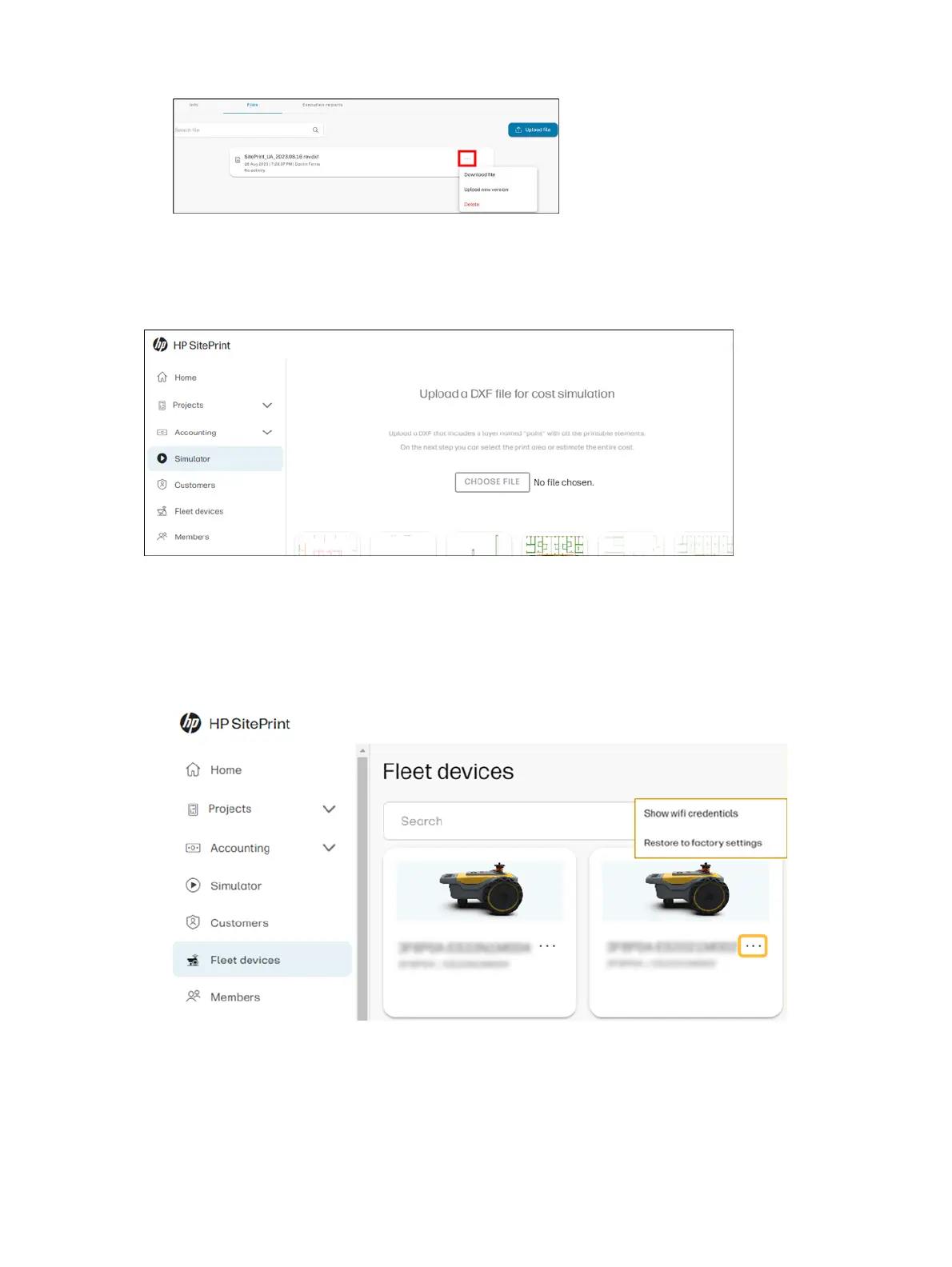
Simulator
From the simulator tab you can select a DXF file to get a rough estimate of the job distance, covered
area, and execution time.
Fleet devices
From the Fleet devices tab, you can check the robots that are assigned to your account.
1. Select the three dots next to each unit to see the Wi-Fi credentials, or reset the robot to factory
settings.
2. Follow the steps to restore the robot to factory settings.
30
Chapter 2 Product components



 To Next Page