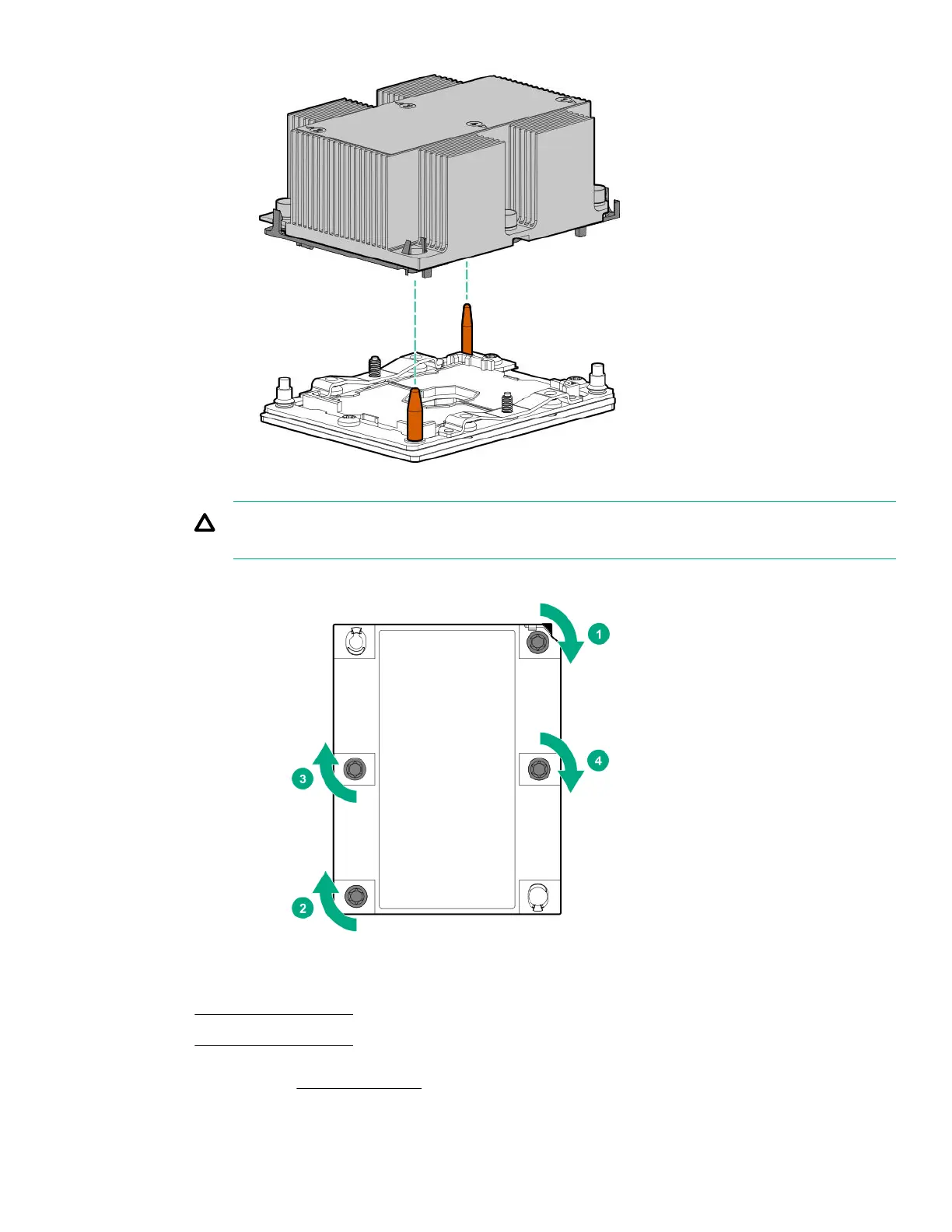
CAUTION: Be sure to tighten each heatsink nut fully in the order indicated. Otherwise, boot failure or
intermittent shutdowns might occur.
c.
Using a T-30 Torx screwdriver, tighten the nuts until they stop.
9. Install the air bale.
• 1U server blade air bale
• 2U server blade air bale
10. For 2U server blade, install the top cover.
Removal and replacement procedures 163












 To Next Page