Item Description
16 VGA port
17 Serial port (optional)
1
For more information on the expansion slot specifications, see "PCIe expansion slot definitions."
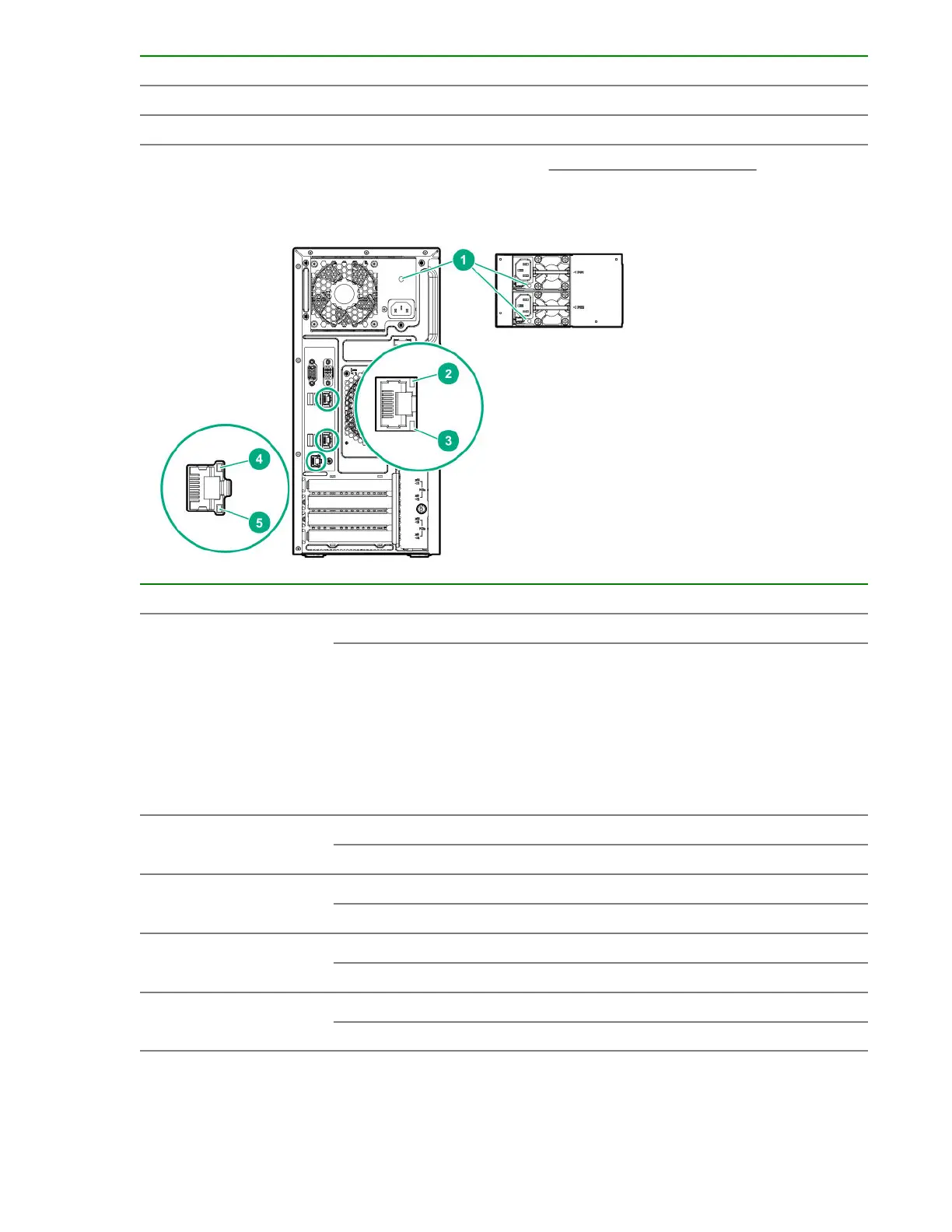
Rear panel LEDs and button
Item Description Status Definition
1 Power supply LED Solid green Normal
Off
One or more of the following conditions exists:
• Power is unavailable
• Power supply failed
• Power supply is in standby mode
• Power supply error
2 NIC link LED Green Network link
Off No network link
3 NIC status LED Green or flashing green Network active
Off No network activity
4 iLO link LED Green Network link
Off No network link
5 iLO status LED Green or flashing green Network active
Off No network activity
Component identification 87


 To Next Page